
How to Create a Pdf Editable With Microsoft Word
Are you tired of having to create separate forms that are not editable in PDF format? Do you want to make your documents more interactive and engaging for your users? Look no further! In this article, we will show you how to create a PDF editable with Microsoft Word.
Why Create a Pdf Editable?
Creating a PDF editable can be a game-changer for businesses and individuals alike. With a PDF editable, you can allow your users to fill out forms, sign documents, and even make changes to the content of the document itself. This can save time, reduce errors, and increase user satisfaction.
The Limitations of Microsoft Word
While Microsoft Word is an excellent tool for creating documents, it has its limitations when it comes to creating PDFs. Unfortunately, Word does not allow you to create editable forms that can be filled out by users. However, there are some workarounds that we will explore later in this article.
Pdfill Free Pdf Editor Basic
One of the most popular solutions for creating editable PDFs is PDFill FREE PDF Editor Basic. This free program allows you to add interactive fields to your PDFs, making them editable and fillable by users. Here’s how to use it:
- Download And Install: Download and install PDFill FREE PDF Editor Basic on your computer.
- Open Your Pdf: Open the PDF file that you want to edit using PDFill.
- Add Interactive Fields: Use the program’s tools to add interactive fields such as text boxes, radio buttons, and checkboxes to your PDF.
- Save Your Changes: Save your changes to the PDF file.
Other Solutions
While PDFill FREE PDF Editor Basic is a popular solution, it may not be the best fit for everyone. Here are some other options that you can consider:
- Master Pdf Editor: This program allows you to edit and modify existing PDFs, as well as create new ones.
- Libreoffice: A free and open-source productivity suite that includes a word processor, spreadsheet program, and presentation software.
- Adobe Acrobat Pro DC: The industry-standard solution for creating and editing PDFs.
How to Create a Pdf Editable With Microsoft Word
While you cannot directly create an editable PDF from Microsoft Word, there are some workarounds that you can use. Here’s how:
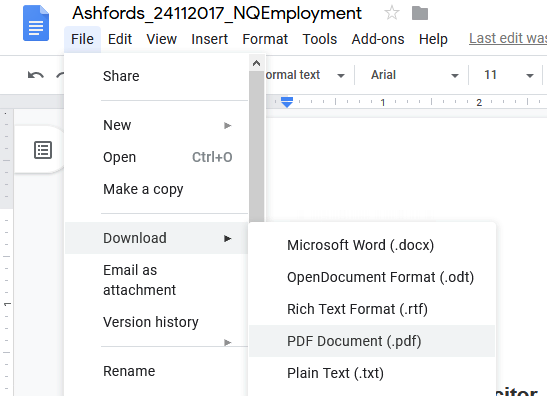
- Save as Pdf: Save your document in PDF format using the “Save As” option.
- Use a Pdf Editor: Use a third-party program such as PDFill or Master PDF Editor to add interactive fields to your PDF.
Tips And Variations
Here are some additional tips and variations that you can use:
- Use a Pdf Template: Create a PDF template using a program like Microsoft Word, and then edit it using a PDF editor.
- Add Security Features: Add security features such as passwords or digital signatures to your PDFs to protect them from unauthorized access.
- Experiment With Different Programs: Try out different programs and services to find the one that works best for you.
Conclusion
Creating a PDF editable can be a powerful tool for businesses and individuals alike. By following the steps outlined in this article, you can create interactive forms, sign documents, and even make changes to the content of your PDFs. Experiment with different programs and services to find the one that works best for you!
Frequently Asked Questions
Q: Can I create an editable PDF directly from Microsoft Word?
A: Unfortunately, no. However, there are some workarounds that you can use.
Q: What is the difference between a PDF editabile and a regular PDF?
A: A PDF editable allows users to fill out forms, sign documents, and even make changes to the content of the document itself.
Q: Can I add security features such as passwords or digital signatures to my PDFs?
A: Yes, you can use a third-party program to add security features to your PDFs.
Q: What is the best solution for creating editable PDFs?
A: The best solution depends on your specific needs and requirements. Experiment with different programs and services to find the one that works best for you.
Q: Can I use LibreOffice or Adobe Acrobat Pro DC to create editable PDFs?
A: Yes, both LibreOffice and Adobe Acrobat Pro DC are capable of creating editable PDFs.
Q: What is the cost of using Master PDF Editor?
A: The cost of using Master PDF Editor varies depending on the version that you choose.


