
The Ultimate Guide to Telegram Bots: Understanding Their Functionality And Creating Your Own
Are you curious about how Telegram bots work? Do you want to add some extra functionality to your chats with friends and family? Look no further! In this comprehensive guide, we’ll delve into the world of Telegram bots, exploring their features, benefits, and even providing a step-by-step tutorial on creating your own.
What Are Telegram Bots?
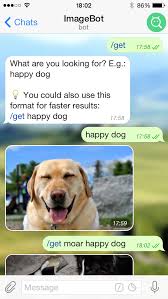
In simple terms, Telegram bots are artificial users that interact with humans in a chat-like interface. They’re essentially programmed scripts that perform specific actions and respond to user input. These bots can be trained to perform various tasks, from answering questions to sending automated messages.
The Benefits of Using Telegram Bots
- Convenience: Bots can automate repetitive tasks, freeing up time for more important activities.
- Personalization: Bots can be tailored to suit individual needs and preferences.
- Scalability: Bots can handle multiple conversations simultaneously, making them ideal for businesses or organizations.
How Do Telegram Bots Work?
- Programming: Bots are programmed using a specific language (e.G., Python, JavaScript).
- Training: Bots learn to respond to user input through machine learning algorithms.
- Interaction: Users interact with bots via text messages, which the bot then responds to.
Adding Telegram Bots: A Step-by-step Guide
From Smartphone And Tablet
- Download and install the official Telegram app on your device.
- Access the chat interface and tap the “+” icon.
- Search for the bot you want to add using the search bar or browse through the StoreBot section.
- Tap the “Add” button to initiate the bot.
From Computer
- Open the Telegram web client in your browser.
- Click on the “+” icon at the top-right corner of the chat window.
- Search for the bot you want to add using the search bar or browse through the StoreBot section.
- Click the “Add” button to initiate the bot.
Creating Your Own Telegram Bot
Are you interested in creating your own custom Telegram bot? Follow these steps:
- Programming: Create a new empty bot by typing
/newbotin the chat interface. - Name And Username: Assign a name and username to your bot using the
/setnameand/setusernamecommands. - Description And Avatar: Set a description, about text, and avatar for your bot using the
/setdescription,/setabouttext, and/setuserpiccommands.
Tips And Tricks
- Use the
Botfathercommand to create a new empty bot. - Note down the token provided by the bot for future reference.
- Experiment with different programming languages to create custom bots.
Conclusion
Telegram bots offer a wide range of benefits, from convenience to personalization. By understanding how they work and creating your own custom bot, you can unlock new possibilities for communication and automation. Whether you’re an individual or a business, Telegram bots can help streamline processes and enhance user experience.
Frequently Asked Questions (FAQs)
- Q: What is The Purpose of a Telegram Bot?
A: A Telegram bot is designed to perform specific actions and respond to user input. - Q: How do I Add a Telegram Bot to my Account?
A: To add a bot, access the chat interface and tap the “+” icon or click on it in the web client. - Q: Can I Create my Own Custom Telegram Bot?
A: Yes! You can create your own bot by following the steps outlined in this guide. - Q: What is The Difference Between a Telegram Bot And a Human User?
A: A bot is an artificial user that interacts with humans, whereas a human user is a real person interacting with others.
Additional Resources
For more information on creating custom Telegram bots, check out these resources:
Stay up-to-date with the latest developments in Telegram bot technology by following our blog and social media channels.


