
How to Download Your Fascicolo Sanitary Electronic (FSE) in 5 Easy Steps
Are you looking to download your Fasciculo Sanitary Electronic (FSE) but don’t know where to start? Look no further! In this article, we will guide you through the process of downloading your FSE in just a few simple steps.
What is a Fascicolo Sanitary Electronic (FSE)?
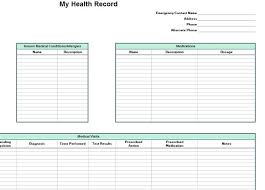
A Fascicolo Sanitary Electronic (FSE) is an electronic document that contains all the medical records and information related to your health. It’s a digital version of your traditional paper-based health record, but with more features and benefits.
Why Download Your Fse?
There are many reasons why you might want to download your FSE:
- Convenience: With an FSE, you can access your medical records from anywhere, at any time.
- Security: Your FSE is protected by robust security measures, ensuring that only authorized personnel can view or modify your records.
- Easy Sharing: You can share your FSE with healthcare providers or family members, making it easier to coordinate care and communicate about your health.
Step 1: Check if Your Region Has a Website or App For Fse Access
The first step is to check if your region or autonomous province has a website or app that allows you to access your FSE. Most regions in Italy have a digital platform where you can download your FSE, so it’s likely that you’ll find one easily.
Step 2: Create a Digital Identity (SPID) And Choose Your Access Method
To download your FSE, you’ll need to create a digital identity (SPID) and choose how you want to access the document. You can use SPID, CIE, or CNS as your access method.
Step 3: Log In And Access Your Fse
Once you have created your digital identity and chosen your access method, log in to the website or app and navigate to the section where you can view and download your FSE.
Step 4: View And Download Your Fse
From the dashboard, select the documents you want to download and click on the “Download” button. You’ll receive a digital copy of your FSE, which you can save to your device or share with healthcare providers.
Step 5: Verify And Review Your Documents
After downloading your FSE, take some time to review and verify that all the information is accurate and up-to-date. If you notice any discrepancies, contact your healthcare provider or the regional platform for assistance.
Tips And Tricks
- Make sure to download your FSE regularly to ensure that your medical records are updated.
- Share your FSE with trusted family members or caregivers, so they can stay informed about your health.
- Use the app or website’s built-in features to request copies of specific documents or certificates.
Conclusion
Downloading your Fascicolo Sanitary Electronic (FSE) is a straightforward process that takes just a few minutes. By following these steps and tips, you’ll be able to access your digital health record easily and securely.
Faqs
- What if I Don’t Have a Digital Identity (SPID)?
You can create one on the regional platform or use alternative access methods like CNS or CIE. - Can I Download my Fse on my Smartphone?
Yes, most regions in Italy have mobile apps that allow you to access your FSE on-the-go. - How do I Share my Fse With Healthcare Providers?
You can share your FSE directly from the app or website by sending a copy of the document to the relevant healthcare provider.


