
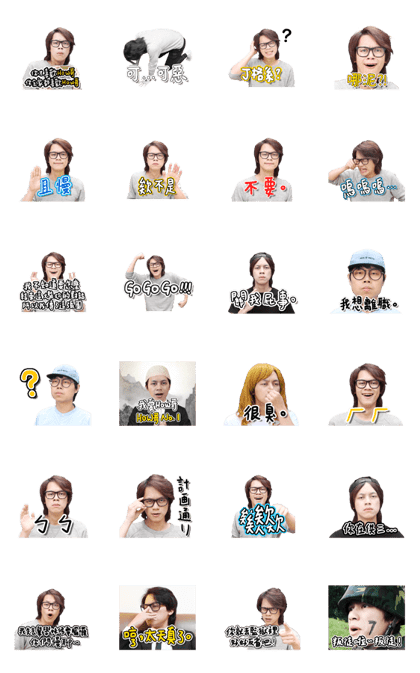
How to Find And Use The Best Whatsapp Stickers
Are you tired of using the same old stickers on whatsapp? do you want to surprise your friends with some new and interesting stickers? look no further! in this article, we will guide you through the process of finding and using the best whatsapp stickers.
What Are Whatsapp Stickers?
Before we dive into the main topic, let’s clarify what whatsapp stickers are. Stickers are images in png or gif format that can be used to express emotions and moods, replacing traditional emojis. On whatsapp, there are pre-installed sticker packs, as well as the option to create custom stickers using your own photos.
Best Whatsapp Stickers For Android
If you’re an android user, here are some of the best apps to find and use whatsapp stickers:
-
Wastickerapps: This app is free, easy to use, and offers a wide range of sticker packs. It’s constantly updated with new stickers.
-
Sticker.Ly — Sticker Maker: This app allows you to download various sticker packs, as well as create your own custom stickers.
-
Stickers For Whatsapp Chat: This app offers a variety of sticker packs, but some require in-app purchases to access.
-
Stickify: Stickers in Whatsapp: This app is free, but some features require in-app purchases.
Best Whatsapp Stickers For Iphone
If you’re an iphone user, here are the best apps to find and use whatsapp stickers:
-
Top Sticker Maker Meme Stickers: This app allows you to create custom sticker packs using your own photos.
-
Stickerhub — Sticker Maker: This app offers a wide range of sticker packs, including those created by popular illustrators.
-
Stickers For Whatsapp & Maker: This app is free, but some features require an in-app subscription.
-
Sticker Packs For Whats!: This app offers over 4,000 stickers to download and use.
How to Create Custom Stickers on Whatsapp
Instead of searching for pre-made sticker packs, you can create your own custom stickers using photos or illustrations from your device. To do this:
-
Open a conversation in whatsapp.
-
Select the sticker icon or sticker button in the text field.
-
Choose the option to “create” a new sticker.
-
Select an image from your device to use as a sticker.
-
Edit and customize the sticker as desired.
-
Save and share the custom sticker with others.
Conclusion
Finding and using the best whatsapp stickers can be a fun and creative way to express yourself on the platform. By following the steps outlined in this article, you can discover new and interesting sticker packs, create your own custom stickers, and surprise your friends with some unique and personalized content.
Frequently Asked Questions (faqs)
- Q: What Are Whatsapp Stickers?
A: Stickers are images in png or gif format that can be used to express emotions and moods.
- Q: How do i Find The Best Whatsapp Sticker Packs For Android?
A: Try using wastickerapps, sticker.Ly — sticker maker, stickers for whatsapp chat, or stickify: Stickers in whatsapp.
- Q: Can i Create Custom Stickers on Whatsapp?
A: Yes, you can create custom stickers using your own photos or illustrations from your device.
- Q: How do I Access The Sticker Packs on my Iphone?
A: Try using top sticker maker meme stickers, stickerhub — sticker maker, stickers for whatsapp & maker, or sticker packs for whats!.
- Q: Can i Share Custom Stickers With Others?
A: Yes, you can save and share your custom stickers with friends on whatsapp.
- Q: Are There Any In-app Purchases Required to Access Sticker Packs?
A: Some apps may require in-app purchases to access additional sticker packs or features.
- Q: How do I Know Which Sticker Pack is The Best For Me?
A: Try exploring different app options and see which one you enjoy using the most.
Conclusion
By following the steps outlined in this article, you can find and use the best whatsapp stickers to express yourself on the platform. Remember to explore different app options, create custom stickers, and share them with friends to make your experience more fun and engaging!


