
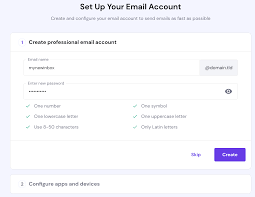
Creating a Free Email Account: A Comprehensive Guide
In today’s digital age, having a free email account is essential for personal and professional communication. With numerous providers available, choosing the right one can be overwhelming. In this article, we’ll explore the best options for creating a free email account, including Gmail, Hotmail, Free Mail, Alice, customizated mail, corporate mail, PEC mail, and more.
The Benefits of Having a Free Email Account
Before diving into the specifics, let’s discuss the benefits of having a free email account. Some of these include:
- Convenience: A free email account allows you to stay connected with friends, family, and colleagues without incurring any costs.
- Accessibility: Most providers offer mobile access, making it easy to check your emails on-the-go.
- Features: Many free email accounts come with features like calendar management, contact organization, and file storage.
Option 1: Gmail
Gmail is one of the most popular email services, offering a wide range of features. To create a Gmail account, follow these steps:
- Click here to access the Gmail sign-up page.
- Fill out the form with your name, surname, and desired email address.
- Choose a password and security questions.
- Enter your phone number for verification purposes.
- Review the terms of service and click “Accept.”
- Start using your new Gmail account.
Option 2: Hotmail
Hotmail is another well-known email provider that has undergone significant changes over the years. To create a Hotmail account, follow these steps:
- Click here to access the Outlook.Com sign-up page.
- Fill out the form with your name, surname, and desired email address.
- Choose a password and security questions.
- Enter your phone number for verification purposes.
- Review the terms of service and click “Accept.”
- Start using your new Hotmail account.
Option 3: Free Mail
Free Mail is an Italian-based service that offers a simple, yet effective email experience. To create a Free Mail account, follow these steps:
- Click here to access the Free Mail sign-up page.
- Fill out the form with your name and desired email address.
- Choose a password and confirm it in the required field.
- Enter your phone number for verification purposes.
- Review the terms of service and click “Accept.”
- Start using your new Free Mail account.
Option 4: Alice
Alice is an Italian-based service that offers a range of features, including email management and file storage. To create an Alice account, follow these steps:
- Click here to access the TIM Mail sign-up page.
- Fill out the form with your name and desired email address.
- Choose a password and confirm it in the required field.
- Enter your phone number for verification purposes.
- Review the terms of service and click “Accept.”
- Start using your new Alice account.
Option 5: Customized Email
If you want to create a customized email account that reflects your personality or business, consider the following options:
- Icloud Mail: Create an iCloud account and upgrade to iCloud+ for $0.99/Month, gaining access to 50GB of cloud storage.
- Fastmail: Try Fastmail’s 30-day free trial and enjoy a range of features, including email management and calendar organization.
Option 6: Corporate Email
If you’re looking for a corporate email account that meets your business needs, consider the following options:
- Google Workspace: Create a Google Workspace account and enjoy a 14-day free trial, featuring email management, calendar organization, and file storage.
- Microsoft Outlook: Set up a Microsoft Outlook account and access a range of features, including email management and calendar organization.
Creating an Address Pec (Certified Electronic Mail)
If you need to create a certified electronic mail address for your business or organization, consider the following options:
- Pec Free Guides: Follow our guides on creating a PEC account and enjoy the benefits of certified electronic mail.
Conclusion
In conclusion, creating a free email account is essential in today’s digital age. With numerous providers available, choosing the right one can be overwhelming. By considering your needs and preferences, you can select the best option for you or your business.
Frequently Asked Questions (FAQs)
Q: What are the benefits of having a free email account?
A: A free email account offers convenience, accessibility, and features like calendar management and file storage.
Q: Which providers offer mobile access?
A: Most providers, including Gmail, Hotmail, Free Mail, Alice, and others, offer mobile access.
Q: Can I create a customized email account that reflects my personality or business?
A: Yes, you can consider options like iCloud Mail, Fastmail, Google Workspace, Microsoft Outlook, and more.
Q: How do I create an address PEC (Certified Electronic Mail)?
A: Follow our guides on creating a PEC account and enjoy the benefits of certified electronic mail.
Q: What are some alternative email providers?
A: Consider options like iCloud Mail, Fastmail, Google Workspace, Microsoft Outlook, and others.
Q: How do I access my free email account from different devices?
A: Most providers offer mobile access and allow you to access your account from various devices using their apps or websites.
Conclusion (2)
In conclusion, having a free email account is essential for personal and professional communication. By considering the benefits and features of each provider, you can select the best option for you or your business. Don’t hesitate to explore our guides on creating an address PEC, customized email accounts, corporate email accounts, and more.
Conclusion (3)
In conclusion, the options for creating a free email account are numerous. By considering your needs and preferences, you can select the best provider for you or your business. Remember to take advantage of features like calendar management, file storage, and mobile access when choosing an email service.


