
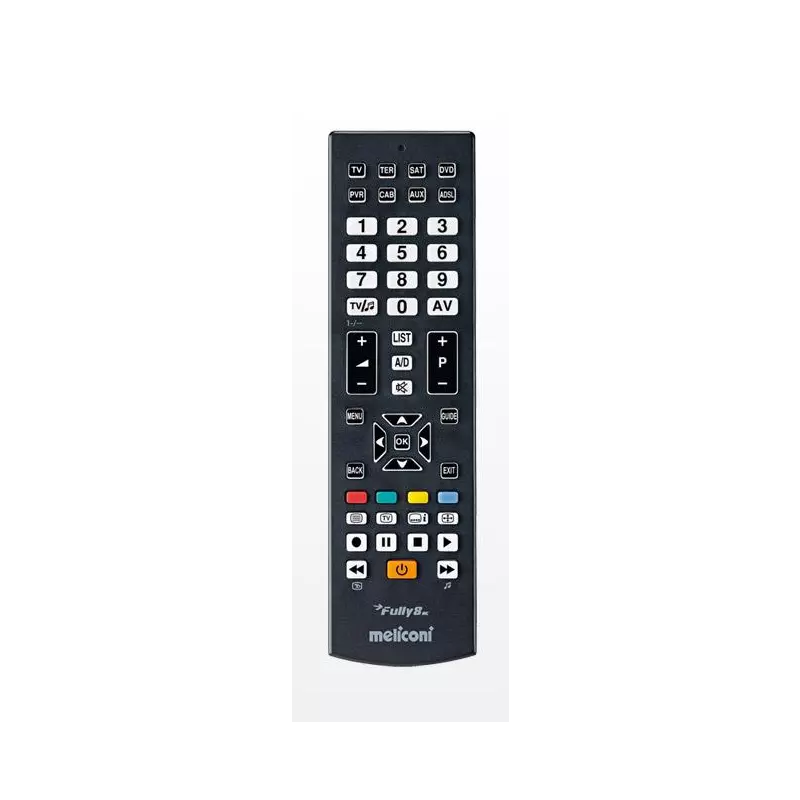
Programming Your Meliconi Remote Control: A Step-by-step Guide
Are you tired of dealing with a malfunctioning remote control? Do you want to unlock the full potential of your TV and other devices? Look no further! In this article, we will guide you through the process of programming your Meliconi remote control, making it easy to use and efficient.
Understanding Your Remote Control
Before we dive into the programming process, let’s take a moment to understand your remote control. The Meliconi remote control is a versatile device that can be programmed to work with multiple devices, including TVs, decoders, and other equipment. It’s essential to note that each device requires a specific code to be entered, which will allow the remote control to communicate effectively.
Pre-requisites
Before proceeding, make sure you have:
- The Meliconi remote control
- A set of batteries (usually AAA or LR03)
- Access to the Internet or an SMS service
Step 1: Inserting Batteries
The first step in programming your remote control is to insert the batteries. Locate the battery compartment on the back of the remote control and insert two AAA or LR03 batteries, making sure to respect the correct polarity.
Step 2: Activating The Remote Control
Once the batteries are inserted, press the ON/OFF button for a few seconds until the light indicator starts to flash. This indicates that the remote control is activated and ready for programming.
Step 3: Choosing a Programming Method
You can program your Meliconi remote control using one of three methods:
- Internet: Visit the company’s website and follow the instructions to enter the device code.
- Sms: Send an SMS message with the required syntax to the designated number.
- Manual Inquiry: Refer to the user manual for specific instructions.
Step 4: Setting Up Your Device
Regardless of the method you choose, it’s essential to set up your device first. This includes setting the TV or decoder to the correct channel and volume settings.
Programming Via Internet
To program your remote control using the internet:
- Visit the company’s website.
- Select the specific pattern of your remote control from the list provided.
- Enter the device code in the designated field.
- Click on the “Forward” button to proceed.
- Follow the instructions to complete the programming process.
Programming Via Sms
To program your remote control using an SMS message:
- Open a new message with the required syntax (e.G., 2M, Type, Mark, Modello).
- Send the message to the designated number (+39 3457518893).
- Wait for the response message containing the list of codes.
- Select the correct code and follow the instructions to complete the programming process.
Programming Via Manual Inquiry
To program your remote control using the manual inquiry method:
- Refer to the user manual for specific instructions.
- Enter the device code in the designated field.
- Follow the instructions to complete the programming process.
Troubleshooting
If you encounter any issues or difficulties during the programming process, don’t hesitate to contact the company’s customer service department. You can reach them by phone or email, and they will be happy to assist you.
Conclusion
Programming your Meliconi remote control is a straightforward process that requires minimal technical expertise. By following the steps outlined in this article, you’ll be able to unlock the full potential of your device and enjoy a seamless viewing experience. Remember to troubleshoot any issues promptly, and don’t hesitate to seek assistance from the company’s customer service team.
Frequently Asked Questions (FAQs)
- What if I Lose my Remote Control?
If you lose your Meliconi remote control, you can contact the company’s customer service department for a replacement. - Can I Program Multiple Devices Using One Remote Control?
Yes, it is possible to program multiple devices using one Meliconi remote control. Simply follow the instructions outlined in this article. - How do I Reset my Remote Control?
To reset your remote control, press and hold the ON/OFF button for a few seconds until the light indicator starts to flash. - What if I Encounter Difficulties During The Programming Process?
If you encounter any issues or difficulties during the programming process, don’t hesitate to contact the company’s customer service department for assistance. - Can I Download The User Manual Online?
Yes, you can download the user manual from the company’s website or consult it directly online if required. - How do I Report a Technical Issue With my Remote Control?
If you experience any technical issues with your Meliconi remote control, please contact the company’s customer service department for assistance. - Can I Use my Remote Control to Program Other Devices?
Yes, the Meliconi remote control can be used to program multiple devices, including TVs, decoders, and other equipment. - What if I Need Further Assistance With Programming my Remote Control?
If you require further assistance or have any questions, please don’t hesitate to contact the company’s customer service department for guidance.


