
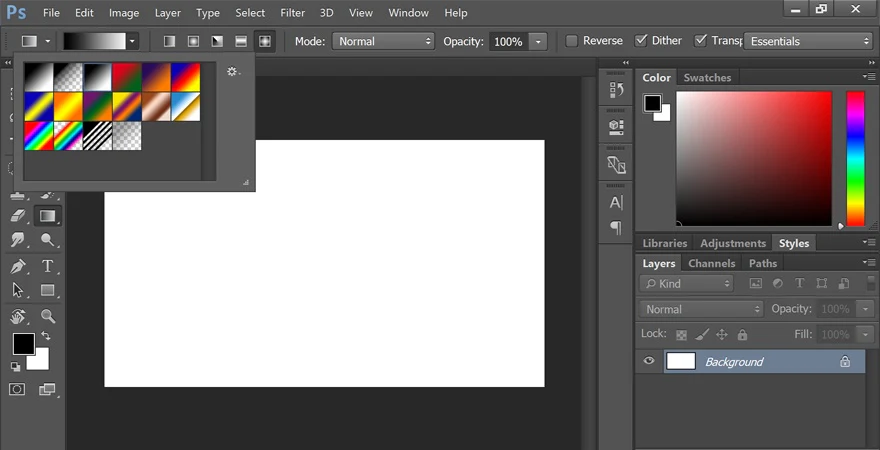
Unlocking The Power of Photoshop Online: A Comprehensive Guide
Are you looking for a way to harness the power of Photoshop without breaking the bank? Look no further than Photoshop online, a free version of the iconic image editing software that’s available directly in your web browser.
In this article, we’ll delve into the world of Photoshop online and explore its features, benefits, and limitations. We’ll also provide you with step-by-step instructions on how to use it, as well as some valuable tips and tricks to help you get the most out of this powerful tool.
What is Photoshop Online?
Photoshop online is a web-based version of Adobe Photoshop, the industry-standard image editing software. It’s designed to be used directly in your web browser, without the need for installation or download.
With Photoshop online, you can edit images, create new ones from scratch, and even collaborate with others on projects. The interface is intuitive and easy to use, making it perfect for beginners and seasoned pros alike.
Features of Photoshop Online
Photoshop online offers a range of features that are sure to impress. Some of the highlights include:
- Image Editing: Edit images with ease using the same tools as the desktop version of Photoshop.
- Collaboration: Invite others to collaborate on projects, making it easy to work together in real-time.
- Cloud Storage: Access your files from anywhere, thanks to cloud storage capabilities.
- Artificial Intelligence: Leverage the power of AI to automate tasks and make editing easier than ever.
How to Use Photoshop Online
Using Photoshop online is a breeze. Here’s a step-by-step guide to get you started:
- Sign up For an Account: Create a free Adobe Creative Cloud account to access Photoshop online.
- Log in: Log in to your account and navigate to the Photoshop online interface.
- Create a New Project: Click on “New” to create a new image or edit an existing one.
- Edit Your Image: Use the tools and features of Photoshop online to edit your image.
Instruments of Photoshop Online
Photoshop online offers a range of instruments that can help you achieve your creative goals. Some of the key ones include:
- Displace: Displace elements within an image using this powerful tool.
- Transform: Transform images by applying effects, distortions, and perspective changes.
- Retouching: Use retouching tools to remove imperfections and blemishes from images.
- Brush: Access a range of brushes and painting tools to add texture and depth to your images.
Tips And Tricks
Here are some valuable tips and tricks to help you get the most out of Photoshop online:
- Use The Grid System: Use the grid system to ensure accurate alignment and spacing in your edits.
- Experiment With Ai-powered Tools: Leverage the power of AI to automate tasks and make editing easier than ever.
- Collaborate With Others: Invite others to collaborate on projects, making it easy to work together in real-time.
Alternatives to Photoshop Online
If you find that Photoshop online isn’t for you, don’t worry! There are plenty of alternative services available. Some popular options include:
- Canva: A user-friendly graphic design platform that’s perfect for beginners.
- Gimp: A free and open-source image editing software that’s packed with features.
Conclusion
Photoshop online is a powerful tool that can help you unlock your creative potential. With its intuitive interface, range of instruments, and cloud storage capabilities, it’s the perfect choice for anyone looking to edit images or collaborate on projects.
Whether you’re a seasoned pro or just starting out, Photoshop online has something to offer. So why not give it a try today?
Frequently Asked Questions
Here are some frequently asked questions about Photoshop online:
- What is The Cost of Using Photoshop Online?
Ans: Adobe offers a free version of Photoshop online with limited features. A paid subscription to Creative Cloud unlocks additional features and tools. - Can I Use Photoshop Online on my Mobile Device?
Ans: Yes, you can access Photoshop online from your mobile device by logging in through the Adobe Creative Cloud app. - How do I Collaborate With Others on a Project?
Ans: Simply invite others to collaborate on a project by sharing a link or sending them an invitation via email.
Additional Resources
Here are some additional resources to help you get started with Photoshop online:
- Adobe Creative Cloud: The official website for Adobe’s cloud-based services, including Photoshop online.
- Photoshop Online Tutorials: A range of step-by-step guides and videos that can help you learn the basics of Photoshop online.


