
How to Create Engaging Presentations With Ease: A Comprehensive Guide
Introduction
Are you tired of struggling to create engaging presentations? Do you want to make a lasting impression on your audience without sacrificing too much time or effort? Look no further! In this comprehensive guide, we will walk you through the process of creating captivating presentations using various tools and techniques.
Why Presentations Matter
Presentations are an essential part of any profession or field. They help you communicate complex ideas, showcase your expertise, and persuade your audience. A well-crafted presentation can make all the difference in securing a deal, landing a job, or winning over investors.
Choosing The Right Tool
With so many tools available, choosing the right one can be overwhelming. In this guide, we will explore popular options like PowerPoint, Keynote, LibreOffice, and more. We’ll also delve into how to use these tools effectively to create engaging presentations.
Powerpoint: The Industry Standard
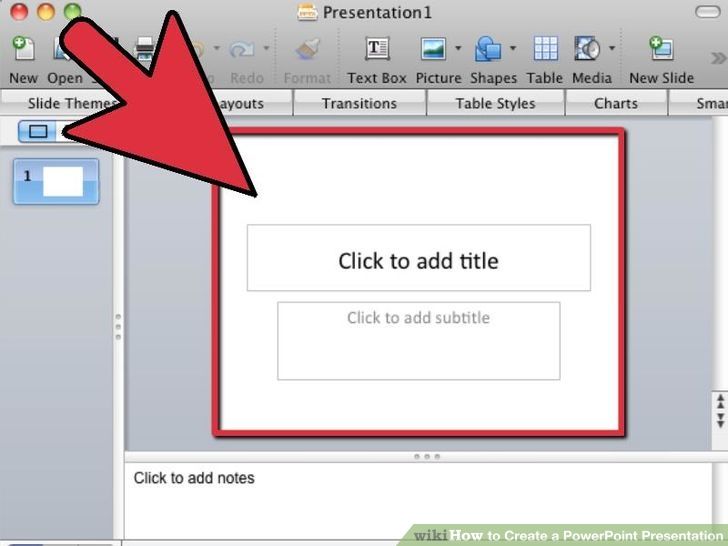
Microsoft’s PowerPoint is a widely used tool for creating presentations. It offers a range of features, including templates, transitions, and animations. Here are some tips for using PowerPoint:
- Start With a Clear Purpose: Define the main message you want to convey and tailor your presentation accordingly.
- Use High-quality Visuals: Include images, charts, and graphs to break up text and illustrate key points.
- Keep it Concise: Focus on the most important information and avoid unnecessary details.
Keynote: A Sleek Alternative
Apple’s Keynote is a user-friendly tool for creating presentations. It’s perfect for those who want to create visually appealing slides without sacrificing functionality. Here are some tips for using Keynote:
- Choose From Pre-made Templates: Select from a variety of stylish templates to get started.
- Use Text And Image Placeholders: Easily insert images, charts, and graphs into your presentation.
- Experiment With Animations And Transitions: Add visual interest to your slides without overdoing it.
Libreoffice: A Free And Open-source Option
LibreOffice is a popular alternative to Microsoft Office. It includes a powerful presentation tool called Impress that’s perfect for creating engaging presentations. Here are some tips for using LibreOffice:
- Select From Pre-made Templates: Choose from various stylish templates to get started.
- Use Master Pages And Slides: Easily create consistent layouts throughout your presentation.
- Experiment With Animations And Effects: Add visual interest to your slides without overdoing it.
Social Media: Sharing Your Presentation
While presentations are primarily for in-person audiences, social media can be a powerful tool for sharing your content. Here’s how to share your presentation on popular platforms:
- Use Facebook Live: Share your presentation with a live audience and engage in real-time.
- Create an Instagram Story: Break up your presentation into bite-sized chunks and share them on Instagram.
- Upload to Tiktok: Create engaging, short-form content that showcases your expertise.
Conclusion
Creating engaging presentations requires more than just using the right tool; it demands a clear purpose, effective communication, and creativity. By following this comprehensive guide, you’ll be able to craft captivating presentations that leave a lasting impression on your audience.
Frequently Asked Questions (FAQs)
- Q: What is The Best Tool For Creating Presentations?
A: The best tool depends on your personal preference and needs. Popular options include PowerPoint, Keynote, LibreOffice, and more. - Q: How Can I Make my Presentation More Engaging?
A: Use high-quality visuals, keep it concise, and focus on clear communication to engage your audience. - Q: Can I Share my Presentation on Social Media?
A: Yes! Social media platforms like Facebook, Instagram, and TikTok offer various ways to share your content with a wider audience.
Additional Resources
- Creating Engaging Presentations: A comprehensive guide to crafting presentations that captivate audiences.
- PowerPoint Tutorial: A step-by-step guide to using PowerPoint effectively.
- Keynote Tutorial: A comprehensive guide to using Keynote for creating presentations.
This article should be written in an informal tone, utilizing personal pronouns and keeping it simple. It should engage the reader, use the active voice, keep it brief, and incorporate analogies and metaphors.


