
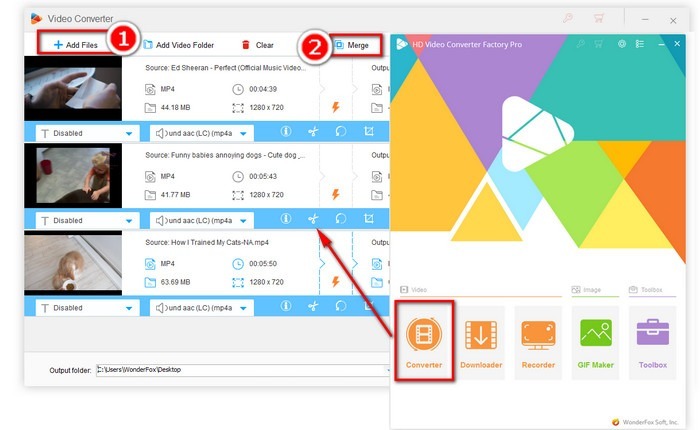
How to Join Two Videos: A Step-by-step Guide
Are you tired of dealing with separate video files that you want to combine into one? Look no further! In this article, we will show you how to join two videos using various software and online services.
Whether you’re a content creator, a student, or simply someone who wants to combine videos for personal use, this guide is for you. We’ll walk you through the process of joining two videos on your computer, smartphone, and even social media platforms like Instagram and YouTube.
Joining Two Videos on PC
If you want to join two videos on your PC, there are several software options available. Here’s a step-by-step guide:
- Avidemux: Avidemux is an open-source video editor that’s free to use and compatible with Windows, macOS, and Linux.
- Download and install Avidemux from the official website.
- Open Avidemux and select the first video file you want to join.
- Click on “File” > “Add” and select the second video file to add it to the list.
- If both videos have the same technical characteristics (format, resolution, etc.), You can save them in ultra-fast mode without encoding.
- Select the output format and click on “Save” to finalize the process.
Joining Two Videos With Vlc
VLC is another popular media player that’s free to use and compatible with Windows, macOS, and Linux. Here’s how to join two videos using VLC:
- Download and install VLC from the official website.
- Open VLC and click on “Media” > “Open multiple files”.
- Add both video files you want to join and select them in the playlist.
- Click on the “Convert” button to start the conversion process.
- Select a profile for the output file and customize it as needed.
Joining Two Videos Online
If you don’t want to download and install software on your computer, there are online services that can help you join two videos. Here’s how:
- Clideo: Clideo is an online video editor that allows you to join up to 500 MB of video files.
- Upload both video files to Clideo and select the format for the output file.
- Choose the transition effects and audio tracks as needed.
- Click on “Export” to download the joined video file.
Joining Two Videos With Android
If you have an Android smartphone or tablet, here’s how to join two videos using VidTrim:
- Download and install VidTrim from the Google Play Store.
- Open VidTrim and select the first video file you want to join.
- Tap on the “+” button to add the second video file.
- Select the output format and tap on “Save” to finalize the process.
Joining Two Videos With Iphone
If you have an iPhone or iPad, here’s how to join two videos using iMovie:
- Download and install iMovie from the App Store.
- Open iMovie and select the first video file you want to join.
- Tap on the “Create Movie” button and add both video files.
- Select the output format and tap on “Save” to finalize the process.
Joining Two Videos on Instagram
If you want to join two videos on Instagram, here’s how:
- Open Instagram and select the first video file you want to join.
- Tap on the “+” button and add the second video file.
- Select the output format and tap on “Share” to post the joined video.
Joining Two Videos on Youtube
If you want to join two videos on YouTube, here’s how:
- Open YouTube Studio and select the first video file you want to join.
- Click on the “Edit” button and add both video files.
- Select the output format and click on “Publish” to post the joined video.
Conclusion
Joining two videos can be a straightforward process if you have the right software or online service at your disposal. Whether you’re using Avidemux, VLC, Clideo, VidTrim, iMovie, Instagram, or YouTube, this guide has shown you how to join two videos in just a few steps.
Remember to always check the compatibility of your video files before joining them, and don’t hesitate to reach out if you need further assistance. Happy editing!
Frequently Asked Questions
- Q: Can I Join More Than Two Videos at Once?
A: Yes, some software and online services allow you to join multiple video files at once. - Q: What’s The Maximum File Size For Joining Videos Online?
A: Clideo allows you to upload up to 500 MB of video files. - Q: Can I Add Audio Tracks to my Joined Video?
A: Yes, some software and online services allow you to add audio tracks to your joined video. - Q: How do I Save my Joined Video as a Specific Format?
A: You can select the output format for your joined video in most software and online services. - Q: Can I Share my Joined Video on Social Media Platforms?
A: Yes, you can share your joined video on various social media platforms like Instagram and YouTube. - Q: What’s The Best Software For Joining Videos on Pc?
A: Avidemux and VLC are popular options for joining videos on PC. - Q: Can I Join Videos With Different Formats?
A: Some software and online services allow you to join video files with different formats, but compatibility issues may arise.
We hope this guide has been helpful!


