
How to Use Instagram: A Comprehensive Guide
Are you curious about how to use Instagram? Do you want to learn the ins and outs of this popular social media platform? Look no further! In this guide, we’ll take you through everything you need to know to become an Instagram expert.
What is Instagram?
Instagram is a social network owned by Meta (the same company that owns Facebook and WhatsApp). It allows users to share online photos and brief videos, applying various filters and effects. With over 1 billion active users, Instagram is a great place to connect with friends, family, and like-minded individuals.
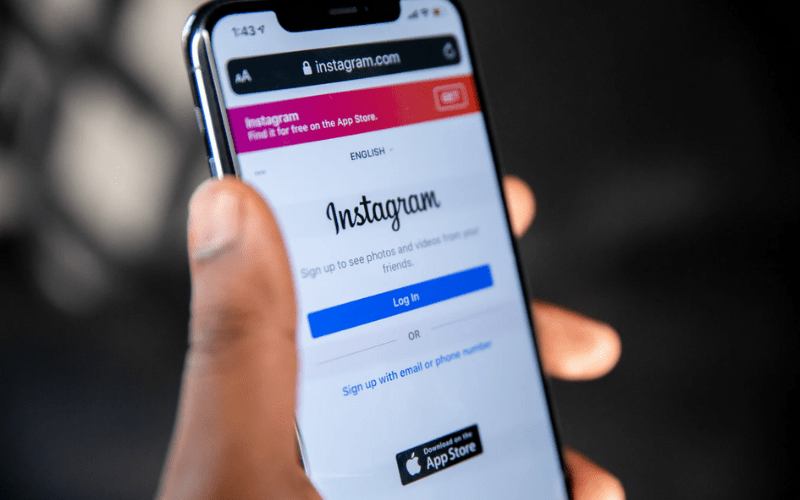
How to Sign Up For Instagram
To sign up for Instagram, follow these steps:
- Download the official app from the App Store (for iOS devices) or Google Play Store (for Android devices).
- Open the app and tap on “Sign up” at the top right corner.
- Enter your email address or phone number to create a new account.
- Choose a username and password, and then fill out your profile information.
- Tap on “Next” to review and agree to Instagram’s terms of service.
How to Use Instagram
Once you’ve signed up for Instagram, here are some basic steps to get started:
- Feed: The feed is the main page where you’ll see posts from accounts you follow. You can scroll through the feed to view new posts.
- Stories: Stories are a feature that allows users to share photos and videos that disappear after 24 hours. You can create stories by tapping on the “Your story” icon at the top left corner of the app.
- Direct Messages: Direct messages allow you to send private messages to friends or family members. To access direct messages, tap on the paper airplane icon in the bottom right corner of the app.
How to Post Photos And Videos
To post photos and videos on Instagram, follow these steps:
- Tap on the “+” icon at the top right corner of the app.
- Choose a photo or video from your camera roll or take a new one using the camera feature.
- Apply filters and effects as desired.
- Add a caption to your post by tapping on the text field.
- Tap on “Share” to post your photo or video.
How to Use Instagram Stories
Instagram stories are a fun way to share behind-the-scenes content, sneak peeks, or exclusive deals with your followers. Here’s how to use them:
- Tap on the “Your story” icon at the top left corner of the app.
- Choose a photo or video from your camera roll or take a new one using the camera feature.
- Add text, filters, and effects as desired.
- Tap on “Share” to share your story with your followers.
How to Use Instagram Live
Instagram live allows you to broadcast live videos to your followers. Here’s how to use it:
- Open the app and tap on the camera icon at the top right corner.
- Choose a video to broadcast or take a new one using the camera feature.
- Add text, filters, and effects as desired.
- Tap on “Share” to start your live broadcast.
How to Use Instagram Direct Messages
Instagram direct messages allow you to send private messages to friends or family members. Here’s how to use them:
- Tap on the paper airplane icon at the bottom right corner of the app.
- Choose a recipient from your contact list or search for someone new.
- Type in your message and add any media (photos, videos, etc.) As desired.
- Tap on “Send” to send your message.
How to Use Instagram Without an Account
If you don’t have an Instagram account but still want to use the platform, here are some alternative solutions:
- Storiesig: This app allows you to search for public profiles and view their stories without needing an Instagram account.
- Inflact: This app provides similar functionality to StoriesIG.
How to Use Instagram to Promote Your Business
If you’re a business owner looking to promote your brand on Instagram, here are some tips:
- Use Relevant Hashtags: Research and use relevant hashtags in your posts to reach a wider audience.
- Post High-quality Content: Share high-quality photos and videos that showcase your products or services.
- Engage With Your Followers: Respond to comments and messages promptly to build a loyal community.
How to Use Instagram to Sell Products
If you’re looking to sell products on Instagram, here are some tips:
- Use The Shopping Feature: Tag products in your posts using the shopping feature to allow users to purchase directly from your feed.
- Collaborate With Influencers: Partner with influencers or other businesses to reach a wider audience.
How to Use Instagram For Advertising
If you’re looking to advertise on Instagram, here are some tips:
- Use Instagram Ads: Create targeted ads using the Instagram Ads platform to reach your desired audience.
- Monitor Your ad Performance: Track your ad performance and adjust your targeting as needed.
Conclusion
Instagram is a powerful social media platform that can help you connect with friends, family, and like-minded individuals. By following these tips and tricks, you’ll be well on your way to becoming an Instagram expert and leveraging the platform for personal or business use.
Frequently Asked Questions (FAQs)
- What is Instagram?
Instagram is a social network owned by Meta that allows users to share online photos and brief videos.
- How do I Sign up For Instagram?
To sign up for Instagram, download the official app from the App Store or Google Play Store, and follow the on-screen instructions.
- What Are Instagram Stories?
Instagram stories are a feature that allows users to share photos and videos that disappear after 24 hours.
- How do I Post Photos And Videos on Instagram?
To post photos and videos on Instagram, tap on the “+” icon at the top right corner of the app, choose a photo or video from your camera roll or take a new one using the camera feature, add text, filters, and effects as desired, and then tap on “Share” to post your content.
- How do I Use Instagram Live?
To use Instagram live, open the app, tap on the camera icon at the top right corner, choose a video to broadcast or take a new one using the camera feature, add text, filters, and effects as desired, and then tap on “Share” to start your live broadcast.
- How do I Use Instagram Direct Messages?
To use Instagram direct messages, tap on the paper airplane icon at the bottom right corner of the app, choose a recipient from your contact list or search for someone new, type in your message and add any media as desired, and then tap on “Send” to send your message.
- Can I Use Instagram Without an Account?
Yes, you can use Instagram without an account by using alternative apps like StoriesIG or Inflact.
- How do I Promote my Business on Instagram?
To promote your business on Instagram, use relevant hashtags in your posts, post high-quality content, engage with your followers, and consider using Instagram Ads or collaborating with influencers.


