
How to List Your Hotel or Bed & Breakfast on Booking.Com: A Step-by-step Guide
Are you a hotel owner, bed & breakfast operator, or landlord looking to list your property on one of the world’s most popular booking platforms? Look no further! In this article, we’ll take you through the step-by-step process of listing your hotel or bed & breakfast on Booking.Com.
Information Preliminaries
Booking.Com is one of the world’s largest travel e-commerce companies, operating in over 28 million accommodations worldwide. With a user-friendly interface available in 43 languages, it’s no wonder that millions of travelers rely on Booking.Com to book their dream vacations. As a hotel owner or bed & breakfast operator, listing your property on this platform can be a game-changer for your business.
What is Booking.Com?
Booking.Com is an online travel agency that connects travelers with accommodations worldwide. Founded in 1996 in the Netherlands, the company has grown to become one of the largest and most popular booking platforms globally. On their website, you’ll find over 28 million accommodations, including hotels, bed & breakfasts, vacation rentals, and more.
How Does Booking.Com Work?
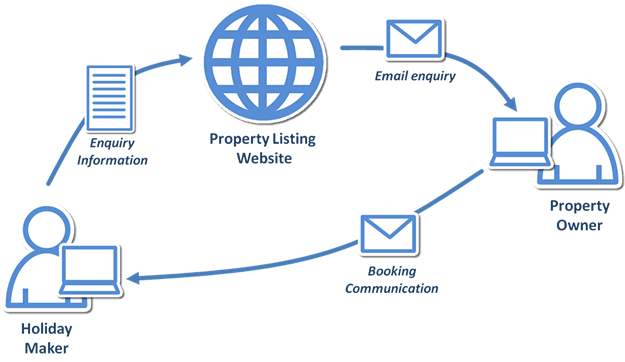
Here’s a brief overview:
- User Search: Travelers search for accommodations on Booking.Com using various filters such as location, price range, rating, and amenities.
- Accommodation Selection: Upon finding a suitable accommodation, travelers can view detailed information about the property, including photos, reviews, and policies.
- Booking Process: If satisfied with their choice, travelers proceed to book the accommodation online or through the Booking.Com mobile app.
- Payment Processing: Booking.Com handles all payment transactions securely.
The Benefits of Listing Your Hotel or Bed & Breakfast on Booking.Com
- Increased Exposure: By listing your property on Booking.Com, you’ll reach a massive audience of potential travelers worldwide.
- Secure Payments: Booking.Com’s secure payment system ensures that your guests’ payments are processed safely and efficiently.
- Professional Management: Booking.Com provides tools and resources to help manage your bookings, guest communication, and reviews.
Step 1: Create a Partner Account
To list your hotel or bed & breakfast on Booking.Com, you’ll need to create a partner account. Here’s how:
- Visit the Booking.Com website (www.Booking.Com) and click on “Become a Partner” in the top-right corner.
- Fill out the registration form with your property details, including name, address, and contact information.
- Verify your email address by clicking on the link sent to you by Booking.Com.
Step 2: Record Your Property
After verifying your email address, you’ll be prompted to record your property. This involves:
- Property Type: Choose the type of accommodation you’re listing (hotel, bed & breakfast, apartment, etc.).
- Description And Amenities: Provide a detailed description of your property, including amenities such as Wi-Fi, parking, or a breakfast option.
- Photos And Availability: Upload at least 5 high-quality photos of your property and specify its availability.
Step 3: Set Your Prices And Payment Options
To complete the listing process:
- Tariff Management: Configure your pricing strategy, including rates for each room type and any special promotions or discounts.
- Payment Options: Choose from various payment options available on Booking.Com, such as credit cards, PayPal, Google Pay, or Apple Pay.
Step 4: Review And Finalize
Before finalizing the listing process:
- Review Your Property Listing: Double-check all property details, including photos, description, and pricing.
- Verify Your Contact Information: Ensure your contact information is accurate and up-to-date.
Gestire Your Property on Booking.Com
Once your property is listed on Booking.Com, you’ll have access to the extranet platform. Here’s how to manage your bookings:
- Access The Extranet: Log in to your partner account using your credentials.
- View And Manage Bookings: Check your booking calendar for upcoming reservations and adjust availability as needed.
- Respond to Guest Reviews: Engage with guests who have stayed at your property by responding to their reviews.
Frequently Asked Questions (FAQs)
- Q: How Much Does it Cost to List my Hotel or Bed & Breakfast on Booking.Com?
A: Listing a property on Booking.Com is free, but there’s a commission fee of up to 25% per booking. - Q: What Payment Options Are Available on Booking.Com?
A: You can choose from various payment options, including credit cards, PayPal, Google Pay, or Apple Pay. - Q: Can I Cancel my Listing at Any Time?
A: Yes, you can cancel your listing on Booking.Com by following the instructions provided in this guide.
By following these steps and understanding the benefits of listing your hotel or bed & breakfast on Booking.Com, you’ll be well on your way to increasing your property’s visibility and revenue. Good luck!


