
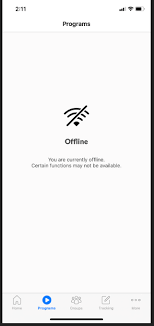
Unlocking Your Digital Freedom: Understanding Offline Mode on Devices
Are you tired of feeling disconnected from the world when traveling or in areas with limited internet access? Do you want to know how to disable offline mode on your device without compromising its functionality? Look no further! In this article, we will delve into the world of offline mode and explore how to enable and disable it on various devices, including Android tablets and iPads.
What is Offline Mode?
Offline mode, also known as airplane mode, is a feature that disables all wireless communication on your device. This includes Wi-Fi, Bluetooth, and cellular connectivity. When enabled, offline mode allows you to conserve battery life, avoid distractions, and focus on more pressing tasks. However, it can also hinder your ability to access important information or communicate with others in real-time.
Why Disable Offline Mode?
There are several reasons why you might want to disable offline mode on your device:
- Access to Information: Offline mode prevents you from accessing the internet or using online services. If you need to check emails, browse websites, or use online apps, disabling offline mode will allow you to do so.
- Communication: Offline mode can prevent you from receiving important notifications, calls, or messages. Disabling it will ensure that you stay connected with loved ones and colleagues.
- Travel And Adventure: When traveling, offline mode can be a hindrance. By disabling it, you can access maps, guides, and other travel-related information to enhance your experience.
How to Disable Offline Mode on Android Tablets
Disabling offline mode on an Android tablet is relatively straightforward:
- Check The Airplane Icon: Look for the airplane icon in the top-right corner of your screen. If it’s highlighted or has a blue ring around it, that means offline mode is enabled.
- Use The Quick Settings Panel: Swipe down from the top of your screen to access the quick settings panel. Tap on the airplane icon to toggle offline mode on and off.
- Use The Settings App: Go to Settings > Wireless & networks > Airplane mode. Toggle the switch to disable offline mode.
How to Disable Offline Mode on Ipads
Disabling offline mode on an iPad is also relatively simple:
- Access The Control Center: Swipe down from the top-right corner of your screen to access the control center.
- Toggle Off Airplane Mode: Tap on the airplane icon to toggle off offline mode.
- Use The Settings App: Go to Settings > Airplane Mode and toggle the switch to disable offline mode.
How to Disable Offline Mode on Chromebooks And Android Devices
Disabling offline mode on Chromebooks and Android devices is similar to disabling it on tablets:
- Access The Quick Settings Panel: Swipe down from the top of your screen to access the quick settings panel.
- Toggle Off Airplane Mode: Tap on the airplane icon to toggle off offline mode.
- Use The Settings App: Go to Settings > Wireless & networks > Airplane mode and toggle the switch to disable offline mode.
Conclusion
In conclusion, disabling offline mode on your device can be a simple yet empowering experience. By understanding how to enable and disable it, you can stay connected with others, access important information, and enhance your travel experiences. Remember to always check your device’s specific settings and procedures for the most accurate instructions.
Faqs
- Q: What is Offline Mode?
A: Offline mode, also known as airplane mode, disables all wireless communication on your device. - Q: Why Disable Offline Mode?
A: You might want to disable offline mode to access information, communicate with others, or travel and adventure. - Q: How do I Disable Offline Mode on my Android Tablet?
A: Swipe down from the top of your screen to access the quick settings panel and tap on the airplane icon to toggle off offline mode. - Q: How do I Disable Offline Mode on my Ipad?
A: Swipe down from the top-right corner of your screen to access the control center and tap on the airplane icon to toggle off offline mode. - Q: Can I Disable Offline Mode on Chromebooks And Android Devices?
A: Yes, you can disable offline mode on Chromebooks and Android devices by accessing the quick settings panel and toggling off the airplane icon. - Q: What Are The Benefits of Disabling Offline Mode?
A: Disabling offline mode allows you to access information, communicate with others, and enhance your travel experiences. - Q: How do I Enable Offline Mode on my Device?
A: To enable offline mode, simply toggle the switch or tap on the airplane icon in your device’s settings app.


