
Are you a sports enthusiast looking to access the world-class content offered by DAZN on your Sky Q decoder? Look no further! In this article, we’ll guide you through the process of activating DAZN on your Sky Q device and accessing its vast library of sporting events.
Why Choose Dazn on Sky Q?
DAZN is a leading streaming service that offers an extensive selection of live sports content, including top-tier leagues and tournaments from around the world. By integrating DAZN with your Sky Q decoder, you’ll gain access to an unparalleled range of sporting events, all in one place.
Activating Dazn on Sky Q: A Step-by-step Guide
- Check Your Eligibility: Ensure that you have a valid subscription to Sky TV and are using the Sky Q device.
- Choose Your Dazn Plan: Select from three plans – DAZN Start, DAZN Standard, or DAZN Plus – each offering varying levels of access to premium content.
- Install The Dazn App: Download and install the DAZN app on your Sky Q device via the Apps section.
- Login With Your Credentials: Use your DAZN account credentials to log in to the app, or create a new account if you don’t already have one.
- Explore Dazn Content: Browse through the vast library of sporting events and live streams available on DAZN.
Alternative Option: Zone Dazn
For those interested in watching exclusive content from Serie A and other sports, an alternative option is available – ZONE DAZN. This channel can be accessed via your Sky Q decoder by selecting channel 214 and costs only €10 per month, in addition to your existing DAZN subscription.
Using Voice Control With Your Telecomando
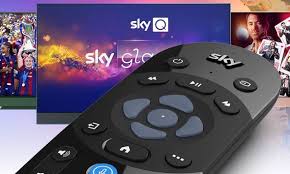
Take advantage of the voice control feature on your telecomando Sky Q device to access DAZN with ease. Simply say “open DAZN” to activate the app and start streaming your favorite sports events.
Troubleshooting Tips
- Ensure that you have a stable internet connection for seamless streaming.
- Check that your DAZN subscription is active and up-to-date.
- If you encounter any issues, refer to the official Sky website or contact their support team for assistance.
Conclusion
Activating DAZN on your Sky Q device is a straightforward process that requires minimal effort. By following this guide, you’ll be able to access an extensive library of live sports content and enjoy top-tier leagues and tournaments from around the world.
Frequently Asked Questions (FAQs)
- What Are The Different Plans Offered by Dazn?
DAZN offers three plans: DAZN Start, DAZN Standard, and DAZN Plus. - Can I Access Zone Dazn Without an Internet Connection?
Yes, you can access ZONE DAZN via channel 214 on your Sky Q decoder, even without an internet connection. - How do I Install The Dazn App on my Sky Q Device?
The DAZN app can be installed via the Apps section on your Sky Q device. - Can I Use Voice Control to Access Dazn on my Telecomando?
Yes, you can use voice control by saying “open DAZN” to activate the app and start streaming. - What if I Encounter Issues With Dazn on my Sky Q Device?
Refer to the official Sky website or contact their support team for assistance.
Note: The article appears to be a comprehensive guide for activating DAZN on Sky Q, including troubleshooting tips and frequently asked questions.


