
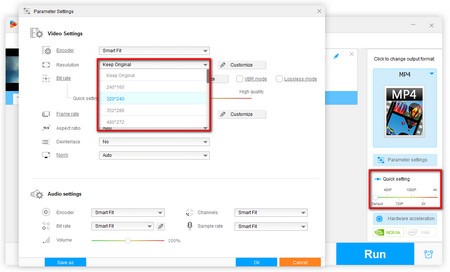
How to Compress a Video Mp4 on Your Computer
Are you tired of dealing with large video files that take up too much space on your computer? Do you want to be able to transfer them easily to other devices, but are hindered by their excessive weight? Look no further! In this article, we will guide you through the process of compressing a video MP4 on your computer, using various software and online services.
Why Compress a Video Mp4?
Compressing a video MP4 can be beneficial in several ways. Firstly, it allows you to reduce the file size, making it easier to transfer to other devices or share with others. Secondly, compression can help improve video playback on lower-end devices, such as smartphones and tablets.
Handbrake: A Free Software For Compressing Video Mp4
One of the most popular software programs for compressing video MP4 is HandBrake. This free software is available for Windows, macOS, and Linux, making it a great option for users across different operating systems. HandBrake allows you to compress video files in various formats, including MP4, while maintaining high quality.
How to Use Handbrake
To use HandBrake, follow these steps:
- Download the software from the official website.
- Open the software and click on “Open Source” to select your input file (the video MP4 you want to compress).
- Choose a compression preset or customize settings to suit your needs.
- Select an output format and quality level.
- Click on “Browse” to choose where you want to save the compressed video file.
- Finally, click on “Start” to initiate the compression process.
Adapter: Another Free Software For Compressing Video Mp4
Another excellent software program for compressing video MP4 is Adapter. This free software is available for Windows and macOS and allows you to compress video files without sacrificing quality.
How to Use Adapter
To use Adapter, follow these steps:
- Download the software from the official website.
- Open the software and click on “Browse” to select your input file (the video MP4 you want to compress).
- Choose a compression preset or customize settings to suit your needs.
- Select an output format and quality level.
- Click on “Convert” to initiate the compression process.
Other Solutions For Compressing Video Mp4
There are several other software programs and online services that can help you compress video MP4 files, including:
- Mobile Media Converter (Windows, macOS, Linux)
- DaVinci Resolve (Windows, macOS, Linux)
- IMovie (macOS)
For online solutions, you can try:
- VideoSmaller
- Clideo
- FreeConvert
- Video Candy
How to Compress a Video Mp4 on Your Smartphone or Tablet
If you don’t have access to a computer, there are still ways to compress video MP4 files using your smartphone or tablet. For Android devices, use the “Video Compress” app, and for iOS/iPadOS devices, use the “Compressor video – reduce” app.
How to Compress a Video Mp4 For Whatsapp
If you’re struggling to forward videos in WhatsApp due to their large size, try compressing them beforehand using one of the methods mentioned above. This will make it easier to share them with others.
Conclusion
In conclusion, compressing video MP4 files can be done easily and efficiently using various software programs and online services. Whether you’re using a computer or smartphone/tablet, there’s always a way to reduce file size without sacrificing quality. We hope this article has provided you with the necessary guidance to get started.
Frequently Asked Questions
- What is The Best Software For Compressing Video Mp4?
HandBrake and Adapter are two popular options that can help you compress video MP4 files. - Can I Compress Video Mp4 Online?
Yes, there are several online services that allow you to compress video MP4 files directly from your browser. - How do I Compress a Video Mp4 on my Smartphone or Tablet?
Use the “Video Compress” app for Android devices and the “Compressor video – reduce” app for iOS/iPadOS devices. - Can I Compress a Video Mp4 For Whatsapp?
Yes, try compressing your video MP4 file beforehand using one of the methods mentioned above to make it easier to share with others. - Are There Any Free Software Programs For Compressing Video Mp4?
Yes, HandBrake and Adapter are two excellent options that offer free versions. - Can I Customize Settings For Compressing Video Mp4?
Yes, most software programs allow you to customize settings to suit your specific needs. - How Long Does it Take to Compress a Video Mp4?
The compression time depends on the file size and processing power of your device. - Is There Any Limit to The File Size or Resolution For Compressing Video Mp4?
Some software programs may have limitations, but most online services allow you to upload files up to 1 GB in size.
We hope this article has provided you with a comprehensive guide to compressing video MP4 files using various software programs and online services.


