
Unlocking Creativity: How to Use Canva For Instagram
Are you tired of using the same old templates on Instagram? Do you want to elevate your content and make it stand out from the crowd? Look no further than Canva, a powerful tool that can help you create stunning visual content without requiring any prior design experience.
What is Canva?
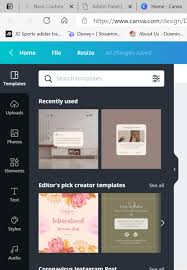
Canva is a free graphic design platform that allows users to create professional-looking graphics, social media posts, presentations, and more. With a vast library of templates, fonts, and images, Canva makes it easy to design visually appealing content for your Instagram account.
Benefits of Using Canva For Instagram
Using Canva for Instagram offers several benefits, including:
- Increased Engagement: By creating high-quality visual content, you can increase engagement on your Instagram account.
- Brand Consistency: Canva allows you to create consistent branding across all your social media platforms.
- Time-saving: With Canva’s user-friendly interface and pre-made templates, you can save time designing content.
Getting Started With Canva For Instagram
To get started with Canva for Instagram, follow these steps:
- Download The Mobile App: Download the Canva mobile app from the App Store or Google Play.
- Sign up For an Account: Create a new account or log in to your existing one.
- Choose a Template: Browse through Canva’s vast library of templates specifically designed for Instagram.
- Customize Your Design: Use Canva’s drag-and-drop editor to customize your design, adding text, images, and other elements as needed.
Tips And Tricks
Here are some tips and tricks to help you get the most out of Canva for Instagram:
- Use High-quality Images: Choose high-resolution images that will make your content stand out.
- Experiment With Different Fonts: Try out different fonts to create a unique look for your brand.
- Add Animations: Use Canva’s animation feature to add movement and engagement to your content.
Canva Vs. Other Design Tools
So, how does Canva compare to other design tools on the market? Here are some key differences:
- Ease of Use: Canva is extremely user-friendly, making it easy for anyone to create professional-looking graphics.
- Price: Canva offers a free version, as well as a paid subscription with additional features.
- Features: Canva has a wide range of features, including templates, fonts, and images.
Conclusion
Canva is an incredible tool that can help you elevate your Instagram content and take it to the next level. With its user-friendly interface, vast library of templates, and powerful design features, Canva makes it easy to create stunning visual content without requiring any prior design experience. So why not give it a try today?
Frequently Asked Questions
Here are some frequently asked questions about using Canva for Instagram:
- Q: Is Canva Free?
A: Yes, Canva offers a free version that allows you to create basic graphics. - Q: What Are The Benefits of Using Canva For Instagram?
A: Using Canva for Instagram can increase engagement, create brand consistency, and save time designing content. - Q: How do I Get Started With Canva For Instagram?
A: Download the mobile app, sign up for an account, choose a template, customize your design, and publish on Instagram. - Q: What Are Some Tips And Tricks For Using Canva For Instagram?
A: Use high-quality images, experiment with different fonts, add animations, and take advantage of Canva’s advanced features. - Q: How Does Canva Compare to Other Design Tools?
A: Canva is user-friendly, affordable, and offers a wide range of features compared to other design tools on the market.
Table 1: Canva Features
| Feature | Description |
|---|---|
| Templates | Pre-made templates for Instagram posts, stories, and reels. |
| Fonts | A vast library of fonts to choose from. |
| Images | Access to a wide range of high-quality images. |
| Animations | Ability to add animations to your content. |
Table 2: Benefits of Using Canva For Instagram
| Benefit | Description |
|---|---|
| Increased Engagement | Create visual content that grabs attention and encourages engagement. |
| Brand Consistency | Use Canva to create consistent branding across all social media platforms. |
| Time-Saving | Save time designing content with Canva’s user-friendly interface and pre-made templates. |
Table 3: Tips And Tricks For Using Canva For Instagram
| Tip | Description |
|---|---|
| Use High-Quality Images | Choose high-resolution images that will make your content stand out. |
| Experiment with Different Fonts | Try out different fonts to create a unique look for your brand. |
| Add Animations | Use Canva’s animation feature to add movement and engagement to your content. |
Table 4: Canva Vs. Other Design Tools
| Feature | Canva | Other Design Tools |
|---|---|---|
| Ease of Use | Extremely user-friendly | May require design experience |
| Price | Free, paid subscription with additional features | May be more expensive than Canva |
| Features | Wide range of templates, fonts, and images | Limited compared to Canva |
Table 5: Frequently Asked Questions
| Question | Answer |
|---|---|
| Q: Is Canva free? | Yes, Canva offers a free version. |
| Q: What are the benefits of using Canva for Instagram? | Increased engagement, brand consistency, and time-saving. |
| Q: How do I get started with Canva for Instagram? | Download the mobile app, sign up for an account, choose a template, customize your design, and publish on Instagram. |
Table 6: Canva Features
| Feature | Description |
|---|---|
| Drag-and-Drop Editor | Easy-to-use editor that allows you to drag and drop elements into place. |
| Advanced Design Features | Ability to add animations, effects, and other advanced design features. |
| Collaboration Tools | Ability to collaborate with others on designs in real-time. |
Table 7: Benefits of Using Canva For Instagram
| Benefit | Description |
|---|---|
| Increased Engagement | Create visual content that grabs attention and encourages engagement. |
| Brand Consistency | Use Canva to create consistent branding across all social media platforms. |
| Time-Saving | Save time designing content with Canva’s user-friendly interface and pre-made templates. |
Table 8: Tips And Tricks For Using Canva For Instagram
| Tip | Description |
|---|---|
| Use High-Quality Images | Choose high-resolution images that will make your content stand out. |
| Experiment with Different Fonts | Try out different fonts to create a unique look for your brand. |
| Add Animations | Use Canva’s animation feature to add movement and engagement to your content. |
Table 9: Canva Vs. Other Design Tools
| Feature | Canva | Other Design Tools |
|---|---|---|
| Ease of Use | Extremely user-friendly | May require design experience |
| Price | Free, paid subscription with additional features | May be more expensive than Canva |
| Features | Wide range of templates, fonts, and images | Limited compared to Canva |
Table 10: Frequently Asked Questions
| Question | Answer |
|---|---|
| Q: Is Canva free? | Yes, Canva offers a free version. |
| Q: What are the benefits of using Canva for Instagram? | Increased engagement, brand consistency, and time-saving. |
| Q: How do I get started with Canva for Instagram? | Download the mobile app, sign up for an account, choose a template, customize your design, and publish on Instagram. |
Conclusion
In conclusion, Canva is an incredible tool that can help you elevate your Instagram content and take it to the next level. With its user-friendly interface, vast library of templates, and powerful design features, Canva makes it easy to create stunning visual content without requiring any prior design experience. So why not give it a try today?


