
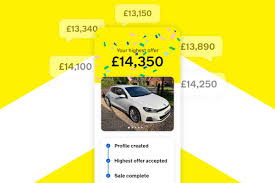
How to Sell a Car Online: A Comprehensive Guide
Are you tired of having a car that’s just taking up space in your garage? Do you want to buy a new car but don’t have the funds to do so because you still owe money on your old vehicle? Maybe you’ve decided to ditch driving altogether and opt for an e-scooter instead. Whatever the reason, selling your car online can be a great way to get rid of it quickly and easily.
In this article, we’ll take you through the best websites to sell your car online, as well as provide some tips and tricks for making the process as smooth and stress-free as possible.
The Best Websites to Sell Your Car Online
There are many websites that allow you to sell your car online, but not all of them are created equal. Here are some of the best ones:
- Autoscout24: This is one of the most popular websites for buying and selling cars in Europe. With a vast database of listings, AutoScout24 makes it easy to find a buyer for your vehicle.
- Ebay: Yes, you read that right! eBay isn’t just for buying new goods; you can also sell your car on this platform. With millions of users, eBay is a great place to get rid of your old ride quickly and easily.
- Got on: This website allows you to sell any type of good, including cars. With a user-friendly interface and a wide range of features, Got on makes it easy to list your car for sale and attract potential buyers.
- Facebook Marketplace: If you’re looking for a more local approach, Facebook Marketplace is a great option. This platform allows you to sell items to people in your area, making it perfect for getting rid of a car that’s taking up space in your garage.
How to Sell Your Car on Autoscout24
Selling your car on AutoScout24 is a straightforward process. Here’s how to do it:
- Create an Account: First things first, you’ll need to create an account on AutoScout24. This will give you access to all the features and tools you need to list your car for sale.
- Choose Your Vehicle Type: Next, you’ll need to choose the type of vehicle you’re selling (e.G., Car, camper, motorcycle).
- Fill in The Details: Enter all the relevant information about your car, including its make, model, color, engine size, and mileage.
- Add Photos: Add some high-quality photos of your car to give potential buyers an idea of what they’re getting.
- Set a Price: Set a competitive price for your car based on similar listings in your area.
- Publish Your Listing: Once you’ve completed all the above steps, click “Publish” to put your listing live.
How to Sell Your Car on Ebay
Selling your car on eBay is also relatively straightforward. Here’s how to do it:
- Create an Account: First things first, you’ll need to create an account on eBay.
- Choose The Right Category: Choose the correct category for your vehicle (e.G., Cars & trucks).
- Fill in The Details: Enter all the relevant information about your car, including its make, model, color, engine size, and mileage.
- Add Photos: Add some high-quality photos of your car to give potential buyers an idea of what they’re getting.
- Set a Price: Set a competitive price for your car based on similar listings in your area.
- Choose The Right Listing Type: Choose between a fixed price or auction-style listing, depending on how you want to sell your car.
Tips And Tricks
Here are some additional tips and tricks to keep in mind when selling your car online:
- Be Honest: Be upfront about any problems with your car.
- Use High-quality Photos: Make sure the photos of your car are clear, well-lit, and show all its features.
- Set a Competitive Price: Research similar listings in your area to set a fair and competitive price for your car.
- Respond Promptly: Respond quickly to inquiries from potential buyers.
Conclusion
Selling your car online can be a great way to get rid of an old vehicle that’s taking up space in your garage. With the right website and some basic knowledge, you can sell your car quickly and easily. Remember to be honest, use high-quality photos, set a competitive price, and respond promptly to inquiries.
Frequently Asked Questions
- Q: What is The Best Website to Sell my Car Online?
A: The best website to sell your car online depends on your specific needs and preferences. AutoScout24, eBay, Got on, and Facebook Marketplace are all great options. - Q: How Long Does it Take to Sell a Car on These Websites?
A: The time it takes to sell a car on these websites can vary depending on the website, the price of your car, and other factors. However, with the right listing and some basic knowledge, you can expect to sell your car within a few days or weeks. - Q: Do I Need to Pay Any Fees to Use These Websites?
A: Some of these websites may charge fees for using their services, but others are free. Be sure to check the terms and conditions of each website before listing your car for sale. - Q: Can I Sell my Car on All of These Websites Simultaneously?
A: Yes, you can list your car for sale on multiple websites at once. However, be sure to keep track of which listings are on which websites so you can respond to inquiries and manage the sales process effectively.
Headings
- The Best Websites to Sell Your Car Online
- How to Sell Your Car on Autoscout24
- How to Sell Your Car on Ebay
- Tips And Tricks
- Conclusion
- Frequently Asked Questions
Subheadings
- Creating an Account on Autoscout24
- Choosing The Right Category on Ebay
- Setting a Competitive Price For Your Car
- Responding Promptly to Inquiries From Potential Buyers
- Being Honest About Any Problems With Your Car


