
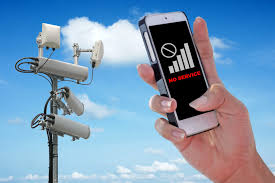
Are you tired of dealing with dropped calls, poor internet connectivity, and weak mobile signal? You’re not alone! Many people face these issues every day, making it difficult to stay connected on-the-go. In this article, we’ll explore the various ways to improve your mobile phone’s signal, ensuring you stay connected wherever life takes you.
Understanding Mobile Signal Strength
Before diving into the solutions, let’s understand what affects mobile signal strength. The signal is determined by a combination of factors, including:
- Proximity to Cell Towers: The closer you are to cell towers, the stronger your signal will be.
- Physical Obstacles: Walls, floors, and other physical barriers can weaken your signal.
- Radio Frequency Interference: Other devices like microwaves, Bluetooth devices, and Wi-Fi routers can interfere with your mobile signal.
Checking Your Mobile Signal
Before attempting to improve your mobile signal, it’s essential to understand the current state of your device. Here’s how to check your mobile signal strength on:
Android Devices
- Open the Settings app.
- Tap on “About device” (Device Information).
- Select “Signal Strength” and then “SIM Status”.
- Check the received signal strength in decibels (dBm).
Iphone Devices
- Disable Wi-Fi by going to Settings > Wi-Fi and toggle it off.
- Open the Phone app and dial the code 3001#12345#.
- Tap on the ≡ icon at the top-right corner and select “Signal Strength”.
- Check the received signal strength displayed beside “rsrp”.
Solutions For Weak Mobile Signal
Now that you know how to check your mobile signal, let’s move on to some practical solutions to enhance it.
Use Built-in Diagnostic Tools
Both Android and iPhone devices have built-in diagnostic tools that can help you identify issues with your mobile signal. Utilize these tools before attempting any further troubleshooting.
Check Your Sim Card
Ensure your SIM card is properly inserted and functioning correctly. If you’re using a dual-SIM phone, try switching to the other SIM slot.
Position Yourself Correctly
When indoors, position yourself near windows or exterior walls to improve signal reception.
Turn Off Unnecessary Connections
Disable unnecessary connections like Wi-Fi, Bluetooth, and GPS when not in use to reduce interference with your mobile signal.
Restart Your Device
Sometimes, simply restarting your device can resolve issues with your mobile signal.
Advanced Solutions For Weak Mobile Signal
If the above solutions don’t improve your mobile signal, consider these advanced options:
Install a Mobile Signal Booster
A mobile signal booster amplifies weak signals and retransmits them to provide improved coverage. These devices are compatible with various network operators.
Upgrade Your Wi-fi Router
A strong Wi-Fi router can also enhance your mobile signal by providing a stable internet connection.
Conclusion
Improving your mobile phone’s signal is within reach. By following the steps outlined in this article, you’ll be able to enhance your mobile experience and stay connected wherever life takes you.
Disclaimer
While we strive to provide accurate information, individual results may vary depending on your specific situation and location. Consult a professional if necessary.
Please let me know if you’d like me to make any further adjustments!


