
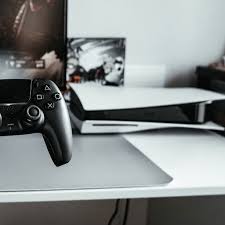
Connecting Your Ps5 to a Tv: A Step-by-step Guide
Are you excited to experience the world of gaming on your new PlayStation 5? If so, you’re probably eager to connect it to your TV and start playing. In this article, we’ll guide you through the process of connecting your PS5 to a TV, covering both wired and wireless options.
Understanding Your Options
There are two primary ways to connect your PS5 to a TV: Using an HDMI cable or wirelessly. We’ll explore each option in detail, so you can make an informed decision about which method suits your needs best.
Wired Connection
Using an HDMI cable is the most straightforward and widely used method for connecting your PS5 to a TV. Here’s how it works:
- Gather Necessary Cables: You’ll need an HDMI cable, which is usually provided with your PS5 or can be purchased separately.
- Identify The Correct Hdmi Port: Locate the HDMI ports on both your PS5 and TV. Make sure you’re using the correct port for 4K resolution and HDR support (usually labeled as HDMI 2.0 Or higher).
- Connect The Cables: Plug one end of the HDMI cable into the corresponding port on the back of your PS5, and the other end into the matching port on your TV.
- Configure Your Settings: Ensure that both your PS5 and TV are set to the correct input (HDMI 2.0 Or higher) for the video signal.
Wireless Connection
If you prefer a wireless setup, there are HDMI wireless transmitters available in the market. These devices can transmit high-quality video signals from your PS5 to your TV without cables. Here’s how it works:
- Choose a Suitable Transmitter: Look for an HDMI wireless transmitter that supports 4K resolution and HDR.
- Connect The Transmitter: Connect one end of the transmitter to the HDMI port on your PS5, and the other end to the matching port on your TV or a receiver.
- Configure Your Settings: Ensure that both your PS5 and TV are set to the correct input (HDMI 2.0 Or higher) for the video signal.
Tips And Variations
If you’re using an older TV with DVI or SCART connections, you might need to use an adapter to connect it to your PS5. Additionally, if you’re looking for a more convenient setup, consider investing in a wireless HDMI transmitter that can transmit signals to multiple devices.
Using an Adapter
Using an adapter is another option when connecting your PS5 to a TV with outdated connections. Here’s how it works:
- Choose The Right Adapter: Select a suitable adapter that converts HDMI to DVI or SCART.
- Connect The Cables: Connect the adapter to the corresponding port on your PS5 and TV.
Wireless Experience
Wirelessly streaming video signals from your PS5 can be convenient, but it has some limitations. Wireless signals may experience interference, which can affect video quality. Additionally, wireless transmitters might have a limited range or require a stable internet connection for optimal performance.
Converting to Hdmi
If you’re currently using an older TV with outdated connections (DVI or SCART), you can convert them to HDMI by using an adapter. This will allow you to connect your PS5 to the TV and enjoy high-quality video signals.
Troubleshooting
Encountering difficulties while connecting your PS5 to a TV? Don’t worry! We’ve got some troubleshooting tips for you:
- Restart Both Devices: Try restarting your PS5 and TV, then attempt the connection again.
- Check Cable Connections: Ensure that all cables are securely connected to their respective ports.
- Consult Online Resources: Visit official PlayStation guides or search for troubleshooting articles specific to your issue.
Conclusion
Connecting your PS5 to a TV is a straightforward process, whether you prefer a wired or wireless setup. Remember to choose the right cables and adapters for optimal performance. If you encounter any issues, don’t hesitate to reach out to the PlayStation support team. Happy gaming!
Faqs
- What Type of Cable Should I Use? For 4K resolution and HDR support, use an HDMI 2.0 Or higher cable.
- Can I Connect my Ps5 Wirelessly? Yes, you can use an HDMI wireless transmitter to stream video signals from your PS5 to your TV.
- Do I Need a Special Adapter For Older Tvs? Yes, if your TV has outdated connections (DVI or SCART), you’ll need an adapter to connect it to your PS5.
- What’s The Best Way to Troubleshoot Connection Issues? Try restarting both devices, checking cable connections, and consulting online resources for troubleshooting guides.
- Can I Use a Wireless Hdmi Transmitter With my Older Tv? Yes, but be aware of potential limitations in video quality due to interference or range restrictions.
- What’s The Difference Between an Hdmi Adapter And a Wireless Transmitter? An HDMI adapter converts outdated connections (DVI or SCART) to HDMI, while a wireless transmitter transmits high-quality video signals wirelessly.
- Can I Connect Multiple Devices With The Same Wireless Transmitter? Yes, some wireless HDMI transmitters support multi-device streaming, but be aware of potential limitations and performance issues.
Let us know if you have any further questions or need additional assistance!


