
Creating a Website With WordPress: A Step-by-step Guide
Are you looking to create a website using WordPress? Look no further! This comprehensive guide will walk you through the process of creating a website with WordPress, from choosing a hosting service to customizing your site.
Why Choose WordPress?
WordPress is one of the most popular website builders in the world. It’s free, open-source, and highly customizable. With over 60 million websites using WordPress, it’s clear that this platform has earned its place as a leader in the web development industry.
Understanding The Different Options For Creating a Website With WordPress
There are several options to choose from when creating a website with WordPress:
- WordPress.Com: This is a free hosting service provided by WordPress itself. It’s perfect for beginners, and you can create a website without any technical knowledge.
- Self-hosted WordPress: If you want more control over your site, you can install WordPress on your own web server or use a third-party host like Aruba.
- WordPress Aruba: This is a hosting service that offers a range of plans specifically designed for WordPress sites.
Step 1: Choosing a Hosting Service
Before creating a website with WordPress, you need to choose a hosting service. If you’re new to web development, it’s best to start with WordPress.Com or WordPress Aruba. These services offer easy setup and minimal technical requirements.
- WordPress.Com: This is the simplest option, requiring no technical knowledge.
- Aruba: Offers more advanced features and support for e-commerce sites.
Step 2: Installing WordPress
Once you’ve chosen a hosting service, it’s time to install WordPress. If using WordPress.Com or WordPress Aruba, this process is automated. However, if you’re self-hosting, follow these steps:
- Download the WordPress installation package from WordPress.Org.
- Upload the files to your web server via FTP or SFTP.
- Configure the database and run the installation script.
Step 3: Customizing Your Site
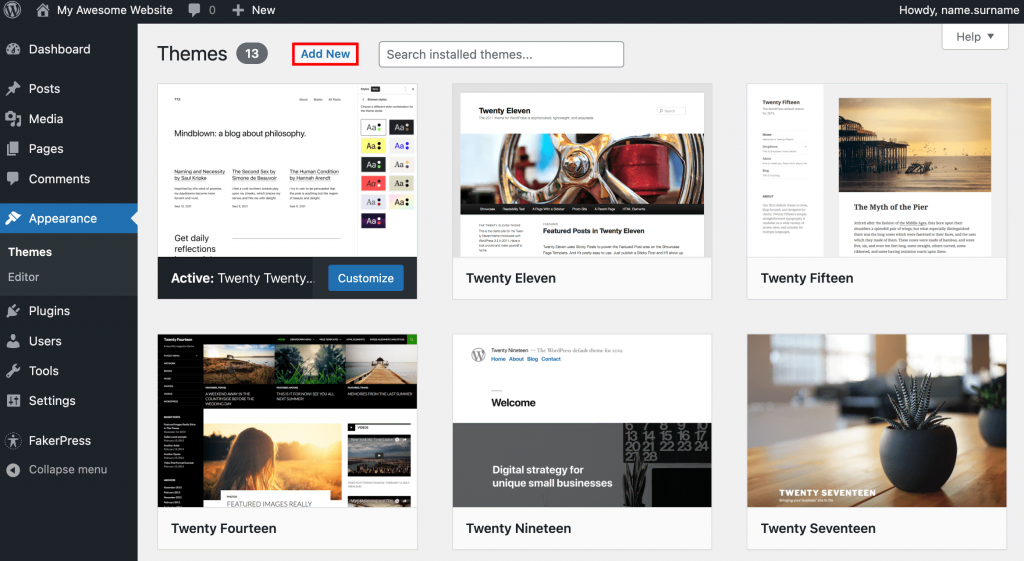
After installing WordPress, it’s time to customize your site. This includes choosing a theme, adding plugins, and setting up essential pages.
- Choosing a Theme: Select a theme that matches your brand or style.
- Adding Plugins: Install plugins for features like e-commerce, security, and SEO optimization.
- Setting Up Essential Pages: Create pages for About Us, Contact Us, and Terms of Service.
Creating an E-commerce Website With WordPress
If you’re interested in creating an e-commerce website using WordPress, WooCommerce is a must-have plugin. This will enable you to sell products online, manage inventory, and process payments securely.
Step 4: Launching Your Website
Once your site is set up, it’s time to launch! Make sure to:
- Test all features to ensure they’re working correctly.
- Check for any errors or issues.
- Share your website with the world on social media and other platforms.
Conclusion
Creating a website with WordPress can seem daunting at first, but by following these steps, you’ll be well on your way to building a successful online presence. Remember to choose the right hosting service, install WordPress correctly, customize your site, and launch it confidently.
Frequently Asked Questions (FAQs)
- What is WordPress.Com?
WordPress.Com is a free hosting service provided by WordPress itself. It’s perfect for beginners, and you can create a website without any technical knowledge.
- Can I Self-host WordPress?
Yes, you can install WordPress on your own web server or use a third-party host like Aruba.
- What is The Difference Between WordPress.Com And Self-hosted WordPress?
WordPress.Com offers easy setup and minimal technical requirements, while self-hosting gives you more control over your site.
- How do I Choose a Theme For my Website?
Select a theme that matches your brand or style from the WordPress theme directory or purchase one from a third-party marketplace.
- What is Woocommerce, And Why do I Need It?
WooCommerce is an e-commerce plugin that enables you to sell products online, manage inventory, and process payments securely.
- Can I Create a Website Without Any Technical Knowledge?
Yes, with WordPress.Com or WordPress Aruba, you can create a website without any technical knowledge.
- What if I Encounter Issues During The Installation Process?
Don’t worry! You can refer to the official WordPress documentation or seek help from the WordPress community.
- How do I Ensure my Website is Secure?
Keep your site updated with the latest security patches, use a reputable hosting service, and install essential security plugins like Wordfence or MalCare.


