
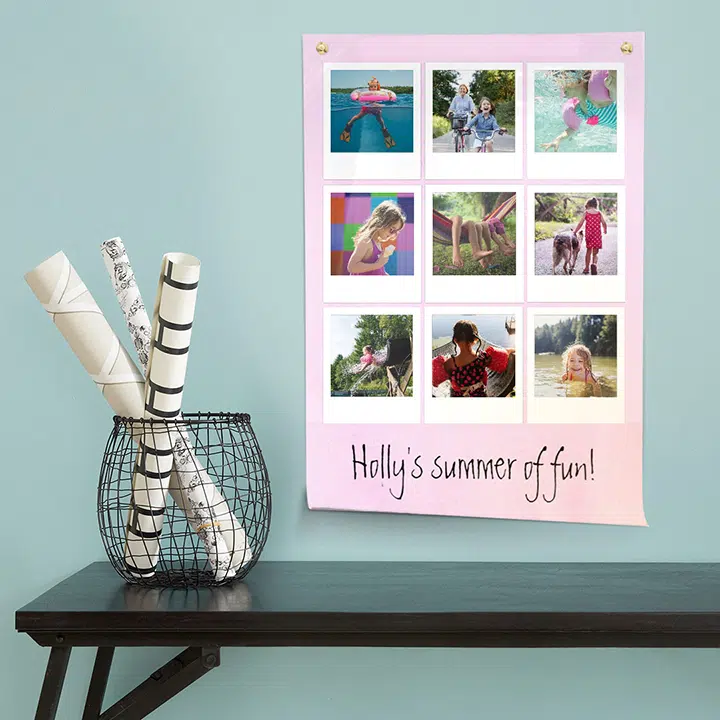
How to Create a Poster From a Photo: A Step-by-step Guide
Are you looking for ways to create a stunning poster from a photo? Look no further! In this article, we will guide you through the process of creating a beautiful poster using various software and online services.
The Benefits of Creating a Poster From a Photo
Creating a poster from a photo can be a great way to enhance your home decor, office space, or even create promotional materials for events. With a well-designed poster, you can showcase your favorite memories, promote your brand, or simply add a touch of elegance to any room.
Software Options For Creating a Poster
- Posterazor (Windows/Linux)
The first software we recommend is PosteRazor, a free and open-source program available for Windows and Linux operating systems. This user-friendly tool allows you to create posters with images and text in just 5 steps. It supports various image formats and offers numerous customization options.
How to Use Posterazor
To use PosteRazor, simply download the software from its official website, install it on your computer, and follow these steps:
- Open the program and select the image you want to use for your poster.
- Choose the desired format for your poster by selecting the corresponding option in the menu bar.
- Adjust the size and position of the image as needed.
- Add text or other elements to your poster using the provided tools.
- Save your design as a PDF file and print it out.
Other Software Options
- Pages (macOS)
Another great software for creating posters is Pages, a free editor pre-installed on macOS devices. This versatile tool allows you to create and edit documents, including posters, with ease. You can choose from various templates or start from scratch to design your poster.
How to Use Pages
To use Pages, follow these steps:
- Open the program and select the “New document” option.
- Choose a template for your poster or start from scratch.
- Edit the text, images, and other elements as needed using the provided tools.
- Save your design as a PDF file and print it out.
Online Services For Creating Posters
- Canva
If you prefer to create posters online, Canva is an excellent choice. This free service offers a range of templates and customization options to help you design stunning posters. You can choose from various font styles, colors, and images to make your poster stand out.
How to Use Canva
To use Canva, follow these steps:
- Sign up for a free account on the Canva website.
- Choose a template for your poster or start from scratch.
- Edit the text, images, and other elements as needed using the provided tools.
- Save your design as a PDF file and download it.
Other Online Services
- Visaprint
- Myposter
- Lucidpress
These online services offer various features for creating posters, including integrated editors, templates, and customization options. Be sure to explore these options to find the one that suits your needs best.
Mobile Apps For Creating Posters
- Canva (Android/iOS/iPadOS)
- Photosì (Android/iOS/iPadOS)
- Pages (iOS/iPadOS)
If you prefer to create posters on-the-go, these mobile apps offer a range of features and customization options. Simply download the app, sign up for an account, and start designing your poster.
Conclusion
Creating a poster from a photo can be a fun and creative process. With the software and online services mentioned in this article, you can easily design stunning posters that will enhance any room or promotional material. Remember to explore different options and choose the one that suits your needs best. Happy designing!
Faqs
- What Software is Best For Creating Posters?
- PosteRazor and Pages are excellent choices for creating posters on desktop computers.
- Can I Create Posters Online?
- Yes, services like Canva, VisaPrint, MyPoster, and LucidPress allow you to create posters online.
- What Mobile Apps Can I Use to Create Posters?
- Canva, PhotoSì, and Pages are popular mobile apps for creating posters on-the-go.
- Can I Customize my Poster With Images And Text?
- Yes, most software and online services allow you to add images and text to your poster.
- How do I Save And Print my Poster?
- Simply save your design as a PDF file and print it out using your printer or take advantage of online printing services like VisaPrint.
- Can I Use These Tools For Personal or Commercial Purposes?
- Yes, most software and online services are suitable for both personal and commercial use.
- What is The Cost of Using These Services?
- Most services offer free versions or trials, while some may require a subscription or one-time payment for premium features.
- Can I Create Posters With Specific Dimensions?
- Yes, most software and online services allow you to adjust the size and resolution of your poster as needed.


