
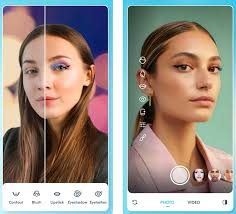
The Ultimate Guide to Photo Editing Apps: Enhance Your Selfies Like a Pro!
Are you tired of mediocre selfies that don’t quite capture your best features? Do you struggle with pesky imperfections like acne, dark circles, or uneven skin tone? Look no further! In this article, we’ll explore the best photo editing apps to help you enhance your selfies and make them shine.
The Benefits of Photo Editing Apps
With a plethora of photo editing apps available for both Android and iOS devices, you can now edit your photos like a pro without breaking the bank. These apps offer a wide range of features, from basic adjustments to advanced tools, making it easy to achieve professional-looking results.
Top 10 Photo Editing Apps For Android And Ios
- Youcam Perfect: A user-friendly app that offers a variety of editing tools, including spot removal, whitening, and makeup effects.
- Beautyplus: Another popular app that allows you to edit photos with ease, featuring tools like makeup brushes, glow, and skin smoothing.
- Perfect365: A comprehensive app that provides advanced features like 3D face reshaping, facial analysis, and automatic editing.
- B612: A fun app that lets you add effects, frames, and other decorations to your photos.
- Picbeauty: A free app for Android users that offers a range of editing tools, including face smoothing and spot removal.
- Fotorus: A user-friendly app for iOS devices that allows you to edit photos with ease, featuring tools like filters, effects, and text overlay.
- Photo Lab: A fun app that lets you create stunning photo montages using various scenarios, effects, and filters.
- Photofunia: An innovative app that enables you to create personalized photo montages using pre-made templates and effects.
- Picsart: A comprehensive app that offers a wide range of editing tools, including filters, effects, and text overlay.
- Banuba: A cutting-edge app that provides over 1,000 filters and facial masks to generate unique and eye-catching photos.
How to Use Photo Editing Apps
Using photo editing apps is relatively straightforward:
- Download the app from your device’s store (Google Play or Apple App Store).
- Open the app and select an image to edit.
- Choose the desired editing tools and apply them as needed.
- Adjust settings, such as brightness, contrast, and saturation, to achieve your desired look.
- Save the edited photo in high quality.
Tips For Enhanced Results
To get the most out of these apps:
- Use a good camera or smartphone with high-quality image capture capabilities.
- Edit photos in good lighting conditions to avoid noise and artifacts.
- Experiment with different editing tools and effects to achieve unique results.
- Don’t overdo it – sometimes less is more, so keep your edits simple.
Conclusion
Photo editing apps have revolutionized the way we edit our selfies. With these top-notch apps at your fingertips, you can now enhance your photos like a pro without requiring extensive technical knowledge or experience. Whether you’re looking for basic adjustments or advanced tools, there’s an app out there to suit your needs.
So go ahead and experiment with these amazing photo editing apps – your future selfies will thank you!
Frequently Asked Questions (FAQs)
- Q: Which Photo Editing App is The Best?
A: The “best” app depends on individual preferences, but YouCam Perfect and BeautyPlus are popular choices. - Q: How do I Remove Acne From my Photos?
A: Use a spot removal tool in apps like YouCam Perfect or PicBeauty to erase blemishes. - Q: Can I Use Photo Editing Apps For Professional Purposes?
A: Yes, many professionals use these apps for commercial purposes, such as enhancing product images or creating social media content. - Q: Are Photo Editing Apps Safe to Use?
A: Most photo editing apps are safe to use and do not compromise your device’s security. - Q: Can I Download Multiple Photos at Once?
A: Yes, some apps allow you to batch edit multiple photos simultaneously. - Q: How do I Share Edited Photos on Social Media?
A: Save the edited photo in high quality and share it directly from the app or through your device’s gallery. - Q: Are There Any Free Photo Editing Apps Available?
A: Yes, many great apps offer basic features for free, such as PicBeauty, FotoRus, and Banuba. - Q: Can I Use Photo Editing Apps on my Tablet or Computer?
A: Some apps are available for desktop platforms, while others can be accessed through web-based interfaces.


