
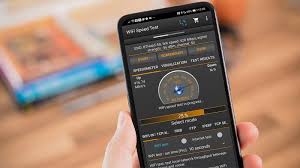
How to Check Your Internet Connection Speed: A Step-by-step Guide
Are you curious about the speed of your internet connection? Do you want to ensure that it’s meeting the requirements of your online activities, such as streaming, gaming, or video conferencing? Look no further! In this article, we’ll show you how to check your internet connection speed using various tools and services.
Why Check Your Internet Connection Speed?
Before we dive into the nitty-gritty, let’s quickly discuss why checking your internet connection speed is important. A fast internet connection is essential for a seamless online experience. If your connection is slow, it can lead to frustrating wait times, buffering issues, or even dropped connections.
Speedtest: The Ultimate Speed Checker
One of the most popular and user-friendly tools for checking internet connection speed is Speedtest. Developed by Ookla, Speedtest is a free service that provides accurate measurements of your download, upload, and ping speeds.
To use Speedtest:
- Open your web browser and navigate to the Speedtest website (www.Speedtest.Net).
- Click on the “Go” button to initiate the speed test.
- Wait for a few seconds while the test runs in the background.
- Once complete, you’ll see your download, upload, and ping speeds displayed on the screen.
Google Test: A Quick And Easy Option
Another way to check your internet connection speed is by using Google’s built-in speed testing tool. Simply type “internet speed test” into the search bar, and click on the result that says “Internet Speed Test.”
This will take you to a page where you can initiate the speed test with just one click.
Fast.Com: A Simple Yet Effective Tool
Fast.Com is another popular service for checking internet connection speed. It’s simple to use, and provides accurate measurements of your download and upload speeds.
To use Fast.Com:
- Visit the Fast.Com website (www.Fast.Com).
- Click on the “Start Test” button.
- Wait for a few seconds while the test runs in the background.
- Once complete, you’ll see your download and upload speeds displayed on the screen.
Speedof.Me: A Reliable Speed Checker
SpeedOf.Me is another service that provides accurate measurements of your internet connection speed. It’s easy to use, and offers detailed reports on your download, upload, and ping speeds.
To use SpeedOf.Me:
- Visit the SpeedOf.Me website (www.Speedof.Me).
- Click on the “Start Test” button.
- Wait for a few seconds while the test runs in the background.
- Once complete, you’ll see your download, upload, and ping speeds displayed on the screen.
In.Me.Sys: A Comprehensive Speed Checker
In.Me.Sys is a comprehensive speed checker that provides detailed reports on your internet connection speed. It’s developed by AGCOM (the Italian Authority for Communications), and offers accurate measurements of your download, upload, and ping speeds.
To use In.Me.Sys:
- Visit the In.Me.Sys website (www.In-me-sys.It).
- Click on the “Register” button to create an account.
- Fill out the registration form with your details.
- Once registered, you can initiate a speed test by clicking on the “Start Test” button.
Tips And Tricks
Here are some tips and tricks to keep in mind when checking your internet connection speed:
- Use a Wired Connection: To get accurate measurements, it’s best to use a wired connection (Ethernet) instead of Wi-Fi.
- Close Other Applications: Make sure to close any other applications or background processes that may be consuming bandwidth while you run the speed test.
- Choose The Right Service: Select a speed checking service that suits your needs. Some services are more comprehensive than others, so choose one that provides the level of detail you need.
Conclusion
Checking your internet connection speed is easier than ever, thanks to various tools and services available online. By using Speedtest, Google Test, Fast.Com, SpeedOf.Me, or In.Me.Sys, you can get accurate measurements of your download, upload, and ping speeds. Remember to use a wired connection, close other applications, and choose the right service for your needs.
Frequently Asked Questions
Here are some frequently asked questions about checking internet connection speed:
- What is The Ideal Internet Connection Speed?
The ideal internet connection speed depends on your online activities. For streaming, gaming, or video conferencing, a minimum speed of 25 Mbps (download) and 5 Mbps (upload) is recommended. - How Often Should I Check my Internet Connection Speed?
You should check your internet connection speed periodically to ensure it’s meeting the requirements of your online activities. This can be done every few months or whenever you notice any issues with your internet connection. - What Are The Common Causes of Slow Internet Speeds?
Common causes of slow internet speeds include:- Distance from the router
- Number of devices connected to the network
- Quality of the internet service provider (ISP)
- Interference from other electronic devices
- Can I Use a Speed Checking Service on my Smartphone?
Yes, you can use many speed checking services on your smartphone, including Speedtest and Fast.Com. - Do I Need to Install Any Software or Apps to Check my Internet Connection Speed?
No, most speed checking services are web-based and don’t require any software or app installations.
We hope this article has been helpful in explaining how to check your internet connection speed using various tools and services. Happy testing!


