
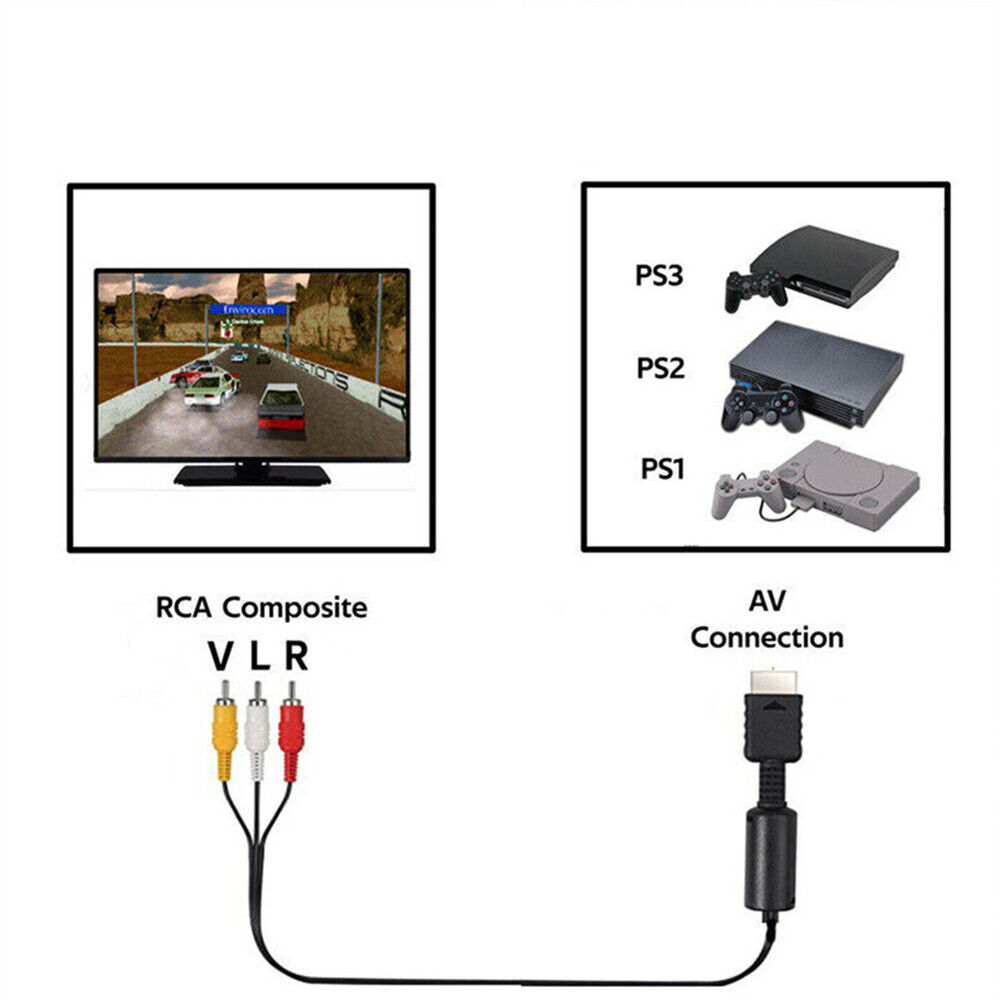
How to Connect Your Ps3 to a Tv: A Step-by-step Guide
Are you a proud owner of a PlayStation 3 (PS3) console, but struggling to connect it to your TV? Look no further! This comprehensive guide will walk you through the simple process of connecting your PS3 to a TV using HDMI, SCART, and Component cables.
Table of Contents
- Why Connect Your Ps3 to a Tv?
- Choosing The Right Cable: Hdmi vs Scart vs Component
- Connecting Your Ps3 to a TV With an Hdmi Cable
- Connecting Your Ps3 to a TV Without an Hdmi Cable (SCART And Component)
- Troubleshooting Common Issues
Why Connect Your Ps3 to a Tv?
The PS3 is a powerful gaming console that can also stream video content from various sources, including the internet. Connecting it to a TV allows you to enjoy your games and videos on a larger screen, making for an immersive gaming experience.
Choosing The Right Cable: Hdmi vs Scart vs Component
There are three main types of cables you can use to connect your PS3 to a TV:
- Hdmi: This is the recommended cable type, offering high-definition video and audio capabilities. Most modern TVs come equipped with HDMI ports.
- Scart: This cable type is older and less common, but still widely supported by some TVs.
- Component: This cable type is used for component video connections and can provide good quality video, but it’s not as versatile as HDMI.
Connecting Your Ps3 to a TV With an Hdmi Cable
If you have an HDMI cable handy, this is the simplest way to connect your PS3 to a TV. Here’s what you need to do:
- Purchase an Hdmi Cable: If you don’t already have one, buy a high-quality HDMI cable that suits your needs.
- Locate The Hdmi Out Port on Your Ps3: This port is usually found on the back of the console.
- Connect The Hdmi Cable to The Ps3: Insert one end of the HDMI cable into the HDMI OUT port on your PS3.
- Connect The Other End of The Hdmi Cable to Your TV: Plug the other end of the HDMI cable into an available HDMI port on your TV.
- Turn on Both Devices And Adjust Settings as Needed
Connecting Your Ps3 to a TV Without an Hdmi Cable (SCART And Component)
If you don’t have an HDMI cable or prefer not to use one, you can connect your PS3 to a TV using SCART or Component cables.
- Using a Scart Cable: If your TV has a SCART port, follow these steps:
- Connect the SCART cable to the AV FINE OUT port on your PS3.
- Insert the other end of the SCART cable into the SCART port on your TV.
- Turn on both devices and adjust settings as needed.
- Using a Component Cable: If your TV has Component ports, follow these steps:
- Connect the Component cable to the AV FINE OUT port on your PS3.
- Insert the other end of the Component cable into the corresponding ports on your TV (usually labeled Y, PR/CB, and PB/CB).
- Turn on both devices and adjust settings as needed.
Troubleshooting Common Issues
If you’re experiencing issues connecting your PS3 to a TV, try the following:
- Check Your Cables: Make sure all cables are securely connected to their respective ports.
- Adjust TV Settings: Ensure that your TV is set to the correct input channel and video mode (e.G., 1080P or 720p).
- Consult The Ps3 Manual: Refer to the PS3 user guide for specific instructions on connecting the console to a TV using different cable types.
Conclusion
Connecting your PS3 to a TV is a straightforward process that can be completed with one of three cables: HDMI, SCART, or Component. By following these steps and troubleshooting common issues, you should be able to enjoy seamless gaming and video experiences on your large screen TV.
Frequently Asked Questions (FAQs)
- Q: What Cable Type is Recommended For Connecting a Ps3 to a Tv?
A: HDMI is the recommended cable type due to its high-definition capabilities. - Q: Can I Use a Scart Cable Instead of an Hdmi Cable?
A: Yes, but keep in mind that this will limit your video quality to 576i. - Q: How do I Connect my Ps3 to a TV Using Component Cables?
A: Connect the Component cable to the AV FINE OUT port on your PS3 and insert it into the corresponding ports on your TV (usually labeled Y, PR/CB, and PB/CB). - Q: Why is my TV Not Recognizing The Ps3 Signal?
A: Ensure that all cables are securely connected, adjust TV settings as needed, or consult the PS3 manual for assistance. - Q: Can I Use a Ps3 With an Older TV That Only Has Scart Ports?
A: Yes, but you’ll need to use a SCART cable and be aware of potential video quality limitations.
We hope this comprehensive guide has helped you connect your PS3 to a TV with ease!


