
Unlocking The Secrets of Instagram’s Blue Badge: A Step-by-step Guide
Are you tired of having a generic profile on Instagram? Do you want to take your online presence to the next level? Look no further! In this comprehensive guide, we will walk you through the process of getting the coveted blue badge on Instagram.
What is The Blue Badge?
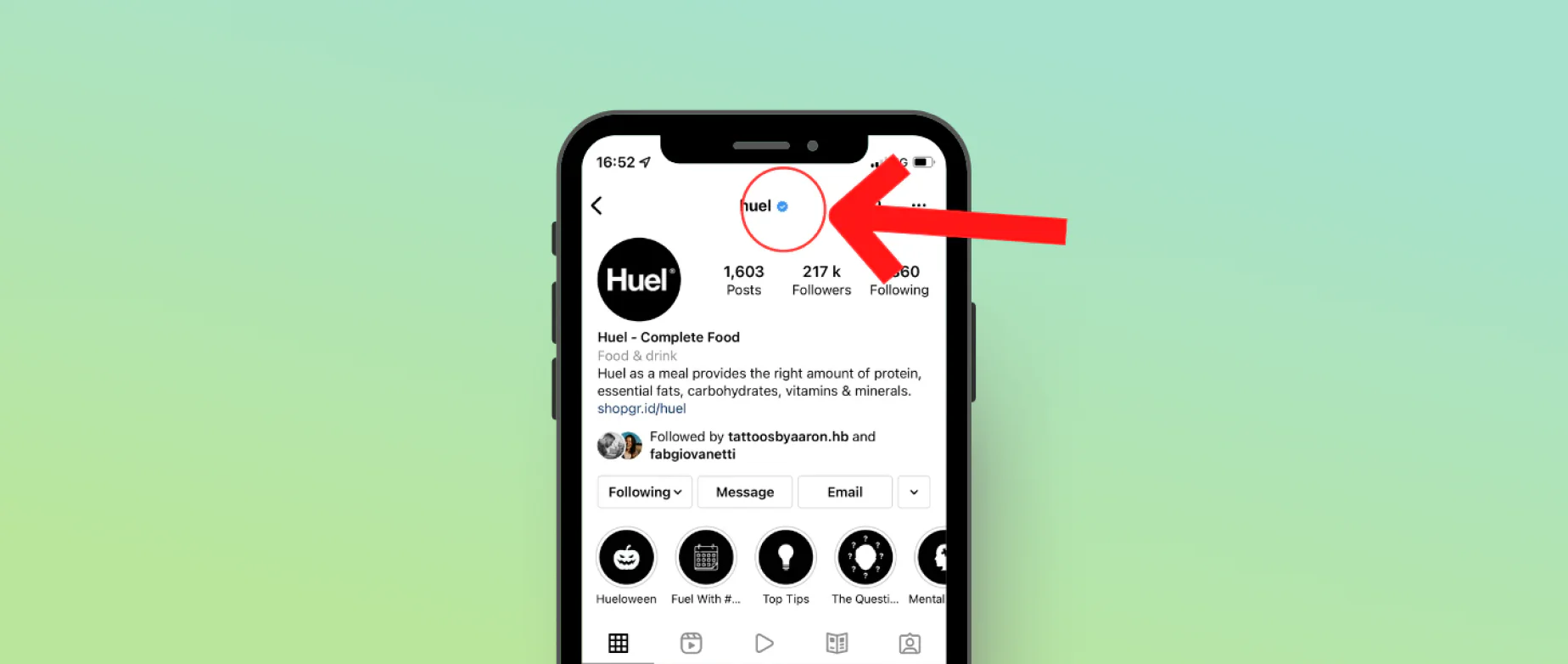
Before we dive into the nitty-gritty, let’s talk about what the blue badge actually is. The blue badge is a verification badge that appears next to your profile name on Instagram. It indicates that your account has been verified by Instagram and is an official representation of you or your brand.
Requirements For Getting The Blue Badge
To get the blue badge, you’ll need to meet certain requirements. These include:
- Being a public figure, celebrity, or brand
- Having a significant following on Instagram
- Meeting Instagram’s guidelines and policies
Step 1: Meet The Requirements
Before we proceed, make sure you meet the requirements mentioned above. If you’re not sure whether your account qualifies, don’t worry! We’ll get to that later.
Step 2: Access Your Profile Settings
Open the Instagram app on your device and navigate to your profile page. Tap on the three horizontal lines in the top-right corner of the screen to access your profile settings.
Step 3: Request Verification
In the settings menu, tap on “Account” and then select “Request Verification.” From there, follow the prompts to provide necessary information about yourself or your brand.
Step 4: Provide Required Documents
To verify your account, you’ll need to provide a valid government-issued ID. This can be done by taking a photo of your ID with your smartphone camera.
Step 5: Wait For Instagram’s Review
Once you’ve submitted the required documents, wait for Instagram’s review team to process your request. This may take some time, so be patient!
What is Meta Verified?
In addition to the blue badge, Instagram also offers a service called Meta Verified. This service provides an additional layer of verification and allows users to purchase a verified badge.
How to Get The Blue Badge With Meta Verified
To get the blue badge using Meta Verified, follow these steps:
- Open the Meta Verified app on your device
- Tap on “Get Started” and select your profile type (e.G., Public figure, brand, etc.)
- Follow the prompts to provide required information about yourself or your brand
- Pay for the verified badge using a valid payment method
What Happens If My Request is Denied?
If your request for verification is denied, don’t worry! Instagram provides an alternative way to verify your profile. We’ll get to that in a moment.
How to Verify Your Profile Alternately
If your request for verification is denied, you can try verifying your profile alternatively by following these steps:
- Open the Instagram app on your device
- Tap on the three horizontal lines in the top-right corner of the screen to access your profile settings
- Select “Account” and then tap on “Request Verification”
- Follow the prompts to provide necessary information about yourself or your brand
How to Point Out Fake Profiles
If you’ve discovered a fake profile pretending to be you, don’t hesitate to report it. Here’s how:
- Open the Instagram app on your device
- Tap on the three horizontal lines in the top-right corner of the screen to access your profile settings
- Select “Report” and then tap on “Point user”
Conclusion
Getting the blue badge on Instagram requires meeting certain requirements, requesting verification, providing required documents, waiting for Instagram’s review, and possibly using Meta Verified. If your request is denied, you can try verifying your profile alternatively or report fake profiles.
Frequently Asked Questions (FAQs)
Here are some additional questions and answers:
- What is The Blue Badge on Instagram?
The blue badge is a verification badge that appears next to your profile name on Instagram, indicating that your account has been verified by Instagram.
- How do I Get The Blue Badge?
To get the blue badge, you’ll need to meet certain requirements and request verification through the Instagram app.
- What Are The Requirements For Getting The Blue Badge?
The requirements include being a public figure, celebrity, or brand with a significant following on Instagram, meeting Instagram’s guidelines and policies, and providing required documents.
- How do I Use Meta Verified to Get The Blue Badge?
To use Meta Verified, open the app, select your profile type, provide required information about yourself or your brand, pay for the verified badge using a valid payment method, and follow the prompts to complete the process.
- What Happens if my Request For Verification is Denied?
If your request is denied, you can try verifying your profile alternatively by requesting verification through the Instagram app.
- How do I Report Fake Profiles on Instagram?
To report fake profiles, open the Instagram app, tap on the three horizontal lines in the top-right corner of the screen to access your profile settings, select “Report” and then tap on “Point user.”


