
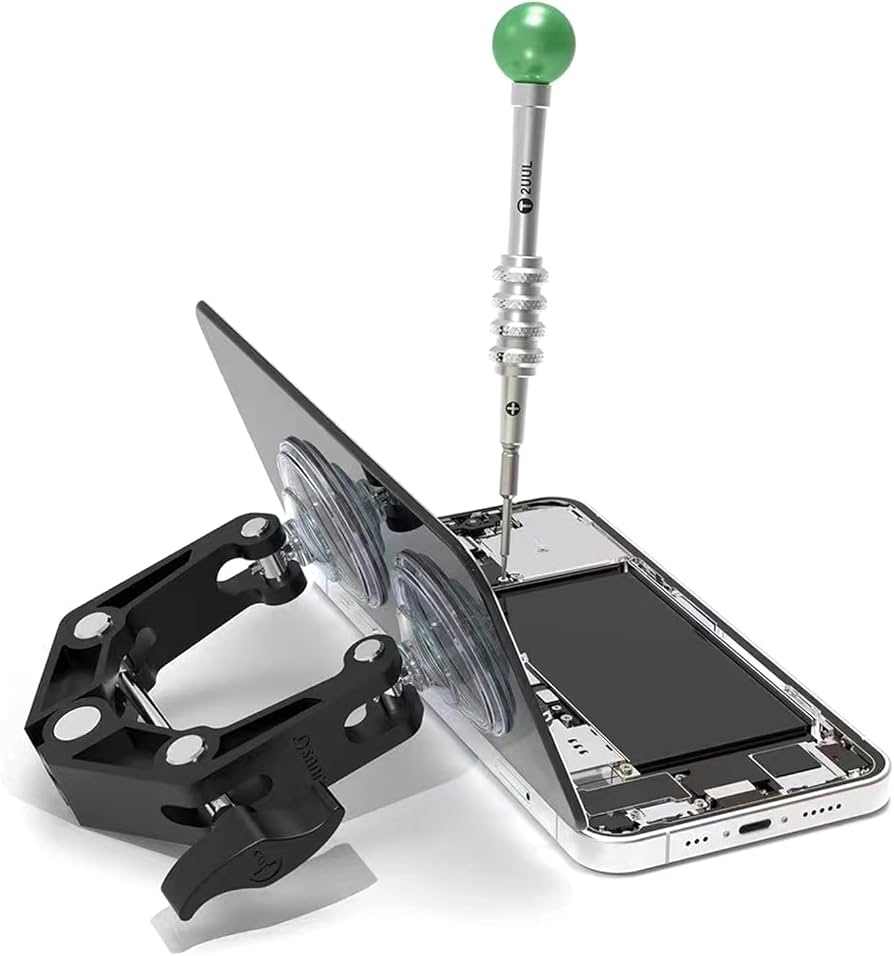
How to Open Your Smartphone: A Step-by-step Guide
Are you tired of using a slow and outdated smartphone? Do you want to learn how to repair or replace your device without breaking the bank? Look no further! In this article, we will guide you through the process of opening your smartphone, step by step.
Before You Begin
Before attempting to open your smartphone, it’s essential to understand that this is a complex procedure that requires caution and attention to detail. If you’re not comfortable with taking apart electronic devices or have no experience in repair work, it’s recommended to seek the help of a professional.
What You Need to Know Before Opening Your Smartphone
Opening your smartphone will void its warranty, so make sure you understand the risks involved. Additionally, if you’re planning to sell or trade-in your device, keep in mind that opening it may affect its resale value.
Step 1: Gather Equipment And Replacement Parts
Before starting the disassembly process, gather all necessary equipment and replacement parts required for the repair. You can find these on websites like iFixit, which offers detailed guides and a wide range of tools and spare parts for various smartphone models.
Some essential tools you’ll need include:
- A good screwdriver set
- Pliers or tweezers for handling small components
- A suction cup or adhesive strips for removing the screen
Step 2: Remove The Sim Card
To start the disassembly process, remove the SIM card from its tray. This is usually done by inserting a paper clip or a specialized tool into a small hole on the side of the phone and gently prying out the SIM card.
Step 3: Remove The Back Cover
Next, you’ll need to remove the back cover of your smartphone. This may involve using a heat gun or a hair dryer to soften the adhesive that holds it in place. Be cautious not to damage any internal components during this process.
For some smartphones, like those with removable covers, you can simply lift the cover off without needing to use heat.
Step 4: Remove The Battery
Once you have access to the phone’s interior, locate and remove the battery. This may involve disconnecting wires or using a specialized tool to release it from its housing.
If your smartphone has a non-removable battery, you’ll need to carefully disassemble the device to access it.
Step 5: Remove The Logic Board Screws
The next step is to remove the screws that hold the logic board in place. This may involve using a Torx screwdriver or other specialized tool to avoid damaging any internal components.
Step 6: Disconnect Cables And Remove The Logic Board
Carefully disconnect all cables connected to the logic board, making sure not to damage any of them. Once disconnected, you can remove the logic board from its housing.
Additional Tips And Precautions
When working with electronic devices, it’s essential to take precautions to avoid damaging any internal components or causing electrical shock.
Some additional tips include:
- Ground yourself by touching a metal object or wearing an anti-static wrist strap to prevent static electricity damage
- Use a soft-bristled brush or compressed air to clean out dust and debris from the device
- Handle components with care, avoiding touch or exposure to moisture
Conclusion
Opening your smartphone can be a rewarding experience that allows you to repair or upgrade your device without breaking the bank. However, it’s essential to understand the risks involved and take necessary precautions to avoid damaging any internal components.
By following these step-by-step instructions and taking necessary precautions, you’ll be able to successfully open and repair your smartphone with ease.
Frequently Asked Questions (FAQs)
Q: What are the risks involved in opening my smartphone?
A: Opening your smartphone voids its warranty and may cause electrical shock or damage internal components if not done properly.
Q: Can I sell or trade-in my smartphone after opening it?
A: It’s generally recommended to avoid selling or trading-in a device that has been opened, as this may affect its resale value.
Q: Where can I find replacement parts for my smartphone?
A: Websites like iFixit offer a wide range of tools and spare parts for various smartphone models. You can also try searching online marketplaces or contacting the manufacturer directly.
Q: Do I need to be experienced with electronics repair to open my smartphone?
A: While experience is helpful, it’s not necessarily required. However, it’s essential to take necessary precautions and follow proper procedures to avoid damaging internal components.
Q: Can I use a heat gun or hair dryer to soften the adhesive on my phone’s back cover?
A: Yes, but be cautious not to damage any internal components during this process.
Q: What are some additional tips for working with electronic devices?
A: Ground yourself by touching a metal object or wearing an anti-static wrist strap. Use a soft-bristled brush or compressed air to clean out dust and debris from the device, and handle components with care, avoiding touch or exposure to moisture.


