
How to Download Tiktok Audio: A Step-by-step Guide
Are you tired of watching your favorite TikTok videos without being able to listen to the audio offline? Look no further! In this article, we’ll show you how to download TikTok audio with ease.
Why Download Tiktok Audio?
Before we dive into the tutorial, let’s talk about why you might want to download TikTok audio in the first place. Maybe you’re a content creator who wants to use TikTok audio in your own videos or podcasts. Or perhaps you just want to be able to listen to your favorite TikTok songs offline without relying on internet connectivity.
Whatever your reason, downloading TikTok audio is a great way to enhance your TikTok experience and make it more convenient for yourself.
Method 1: Downloading Tiktok Audio Using The App
The first method we’ll cover is using the TikTok app itself. While this method might not be the most straightforward or efficient way to download TikTok audio, it’s still a viable option if you’re comfortable with downloading and converting video files.
Here are the steps:
- Open Tiktok: Open the TikTok app on your smartphone.
- Find The Video: Find the TikTok video that you want to download audio from.
- Share Button: Tap the share button at the bottom right corner of the screen.
- Save Video Option: Select the “Save video” option from the menu.
- Download Video: The video will be downloaded to your device’s gallery.
Method 2: Using Third-party Apps
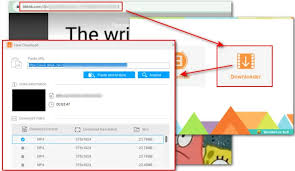
Now, let’s talk about using third-party apps to download TikTok audio. These apps are specifically designed for this purpose and can make the process much easier and more efficient.
Here are some popular options:
- Ssstik.Io: This app allows you to download TikTok audio without needing to download the entire video file.
- Ttsave.App: This app is another option that allows you to download TikTok audio with ease.
- Lovetik: This app also offers a feature to download TikTok audio.
Method 3: Using Online Tools
If you don’t want to install any apps on your device, you can use online tools to download TikTok audio. These websites are specifically designed for this purpose and can be accessed from any device with an internet connection.
Here are some popular options:
- Ssstik.Io: This website allows you to download TikTok audio without needing to install any software.
- Ttsave.App: This website offers a feature to download TikTok audio online.
- Lovetik: This website also allows you to download TikTok audio with ease.
Benefits of Downloading Tiktok Audio
Downloading TikTok audio has several benefits, including:
- Offline Listening: You can listen to your favorite TikTok songs offline without relying on internet connectivity.
- Enhanced Creativity: You can use TikTok audio in your own videos or podcasts, enhancing your creative output.
- Convenience: Downloading TikTok audio makes it easier to access and share your favorite content.
Conclusion
Downloading TikTok audio is a simple process that can be done using various methods. Whether you choose to use the app, third-party apps, or online tools, the end result is the same: You’ll have access to your favorite TikTok songs offline without relying on internet connectivity.
So go ahead and explore these options, and enjoy your favorite TikTok audio offline!
Additional Tips
Here are some additional tips that might be helpful:
- Make Sure to Check The Permissions: Before using any third-party apps or online tools, make sure you have checked the permissions and understand how they work.
- Be Aware of Copyright Laws: Always respect copyright laws when downloading TikTok audio. Make sure you’re allowed to use the audio for personal or commercial purposes.
- Have Fun!: Downloading TikTok audio is a great way to enhance your TikTok experience and make it more convenient for yourself.
Frequently Asked Questions
Here are some frequently asked questions that might be helpful:
- Q: Can I Download Tiktok Audio Without Internet Connectivity?
A: Yes, you can download TikTok audio offline using various methods. - Q: How do I Convert Tiktok Video to Mp3 Format?
A: You can use third-party apps or online tools to convert TikTok video to MP3 format. - Q: Can I Use Tiktok Audio in my Own Videos or Podcasts?
A: Yes, you can use TikTok audio in your own videos or podcasts, enhancing your creative output.
Disclaimer
The information provided in this article is for general informational purposes only. While we strive to provide accurate and reliable information, we make no representations or warranties of any kind, express or implied. You should not rely on the information contained in this article without consulting with a qualified professional.


