
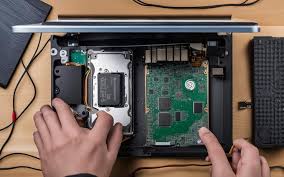
Recovering Your External Hard Disk: A Step-by-step Guide
Are you worried about losing your valuable files on an external hard disk? Do you want to know how to recover your data in case of a disk failure or accidental deletion? Look no further! In this article, we will guide you through the process of recovering your external hard disk using various software solutions.
Why Recovering Your External Hard Disk is Important
Before we dive into the recovery process, it’s essential to understand why recovering your external hard disk is crucial. Losing valuable files can be devastating, especially if they are irreplaceable or critical for business purposes. By following this guide, you’ll learn how to recover your data and avoid potential losses.
Understanding How Recovery Software Works
Recovery software works by scanning the damaged or deleted files on your external hard disk and recovering them as much as possible. These programs can recover various file types, including images, videos, documents, and more. The recovery process involves:
- Scanning: The software scans the external hard disk for recoverable files.
- Recovery: Once the scanning is complete, the software attempts to recover the identified files.
Top Recovery Software Solutions
Here are some of the top recovery software solutions that can help you recover your external hard disk:
1. Photorec (Windows/macOS/Linux)
PhotoRec is a free and open-source software that can recover various file types, including images, videos, documents, and more. It works on Windows, macOS, and Linux operating systems.
How to Use Photorec
- Download PhotoRec from the official website.
- Extract the downloaded file to a folder of your choice.
- Launch the program and select the external hard disk you want to recover.
- Choose the partition where your data was stored.
- Select the file types you want to recover (e.G., Images, videos, documents).
- Click “Search” to begin the recovery process.
2. Disk Drill (Windows/macOS)
Disk Drill is a user-friendly software that can recover deleted files on external hard disks. It works on Windows and macOS operating systems.
How to Use Disk Drill
- Download Disk Drill from the official website.
- Launch the program and select the external hard disk you want to recover.
- Choose the partition where your data was stored.
- Select the file types you want to recover (e.G., Images, videos, documents).
- Click “Scan” to begin the recovery process.
3. Recuva (Windows)
Recuva is a free software that can recover deleted files on external hard disks. It works exclusively on Windows operating systems.
How to Use Recuva
- Download Recuva from the official website.
- Launch the program and select the external hard disk you want to recover.
- Choose the partition where your data was stored.
- Select the file types you want to recover (e.G., Images, videos, documents).
- Click “Scan” to begin the recovery process.
Other Recovery Software Solutions
In addition to PhotoRec, Disk Drill, and Recuva, there are other software solutions that can help you recover your external hard disk:
- EaseUS Data Recovery Wizard
- Wise Data Recovery
- Lazesoft Mac Data Recovery
These programs offer various features and capabilities, so it’s essential to choose the one that best suits your needs.
Conclusion
Recovering your external hard disk is a critical process that can help you retrieve valuable files in case of a failure or accidental deletion. By using the software solutions outlined above, you’ll be able to recover your data and avoid potential losses. Remember to always back up your important files to prevent future losses.
Frequently Asked Questions
- What Are The Chances of Recovering Deleted Files on an External Hard Disk?
The chances of recovery depend on various factors, including the type of file, the extent of damage, and the software used. - Can I Recover Deleted Files From a Corrupted or Broken External Hard Disk?
Yes, but it’s essential to use specialized software designed for recovering damaged disks. - How Long Does The Recovery Process Take?
The duration of the recovery process varies depending on the size of the data and the software used. - Can I Recover Deleted Files if I’ve Already Formatted my External Hard Disk?
In most cases, yes. However, it’s crucial to use specialized software designed for recovering formatted disks. - How Can I Prevent Losing my Valuable Files in The Future?
Regularly backing up your important files using cloud storage or external hard drives is an excellent way to avoid potential losses.
Conclusion
Recovering your external hard disk requires patience and the right software solutions. By following this guide, you’ll be able to retrieve your valuable files and prevent future losses. Remember to always back up your essential data to ensure its safety.


