
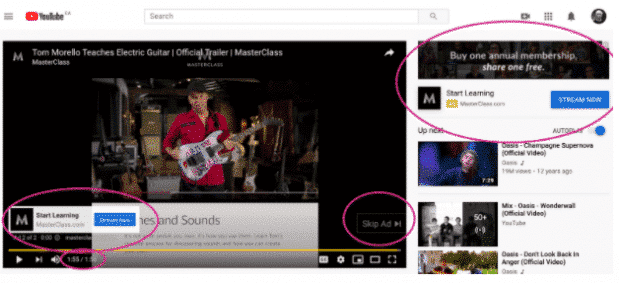
Advertising on Youtube: A Comprehensive Guide
Are you looking to promote your business activity on YouTube? With over 2 billion monthly active users, YouTube is an ideal platform to reach a massive audience. However, with so many creators vying for attention, it can be challenging to stand out and achieve success. In this article, we’ll provide a step-by-step guide on how to advertise on YouTube, including creating an account Google Ads, creating an announcement video, publishing the video on YouTube, and promoting your channel.
Prerequisites For Advertising on Youtube
Before diving into the process of advertising on YouTube, it’s essential to have a basic understanding of the platform. Here are some prerequisites:
- Create a Google Account: You need a Google account to access Google Ads and publish videos on YouTube.
- Understand Youtube Policies: Familiarize yourself with YouTube’s policies and guidelines for creating content.
- Have a Clear Goal: Define your advertising goals, whether it’s to increase brand awareness, drive website traffic, or generate sales.
Creating a Google Ads Account
To create an account on Google Ads, follow these steps:
- Go to the Google Ads website (www.Google.Com/ads) and click on “Start Now.”
- Fill out the required information, including your name, email address, and password.
- Verify your email address by clicking on the link sent to you by Google.
Creating an Announcement Video on Youtube
Now that you have a Google Ads account, it’s time to create an announcement video on YouTube. Here are some tips to keep in mind:
- Script Your Video: Write a clear and concise script for your video.
- Choose a Suitable Location: Select a quiet and distraction-free location to film your video.
- Use Good Equipment: Invest in good quality camera and microphone equipment.
- Edit Your Video: Use video editing software like Adobe Premiere Pro or Final Cut to edit your video.
Publishing The Announcement Video on Youtube
Once you have created an announcement video, it’s time to publish it on YouTube. Here are the steps:
- Log in to your Google Ads account and click on “Create a new campaign.”
- Select “Video” as the ad format.
- Choose your target audience based on demographics, interests, and behaviors.
- Set your budget for the campaign.
- Upload your video to YouTube and link it to your Google Ads campaign.
Promoting Your Channel
To increase the visibility of your channel, follow these tips:
- Post Regularly: Post high-quality content regularly to engage with your audience.
- Interact With Your Audience: Respond to comments and messages from your viewers.
- Collaborate With Other Youtubers: Collaborate with other creators to reach a wider audience.
- Use Social Media: Promote your channel on social media platforms like Facebook, Twitter, and Instagram.
Conclusion
Advertising on YouTube requires careful planning and execution. By following the steps outlined in this guide, you can increase the visibility of your channel and achieve success on the platform.


