
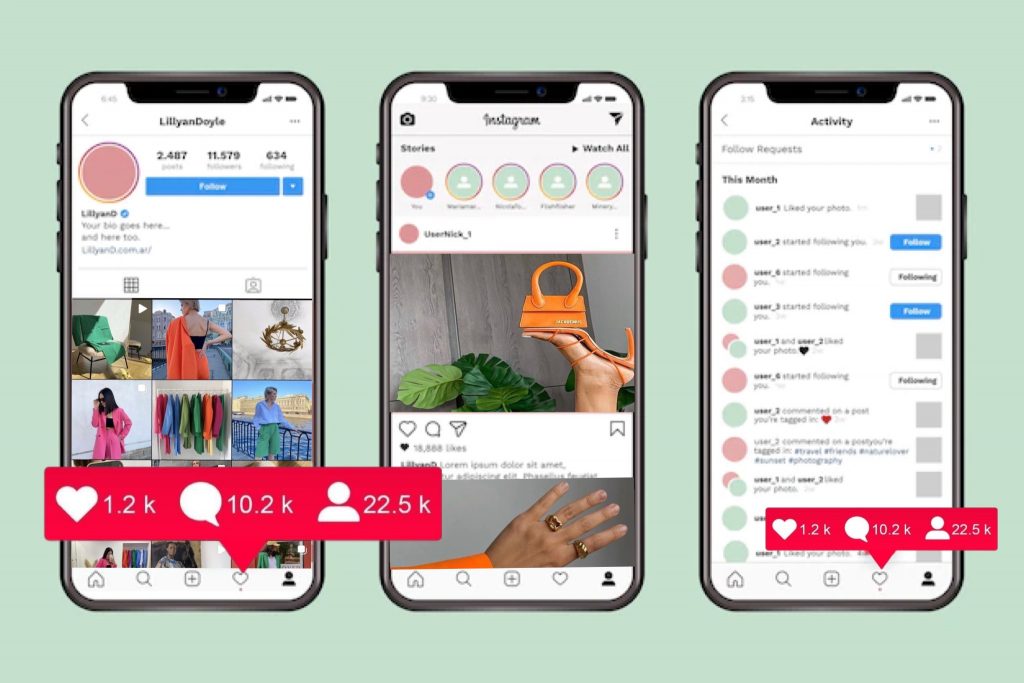
How to Create a Successful Fanpage on Instagram: A Step-by-step Guide
As an entrepreneur or small business owner, having a strong online presence is crucial in today’s digital age. One of the most effective ways to achieve this is by creating a successful fanpage on Instagram. With over 1 billion active users, Instagram offers a vast platform to showcase your brand, products, and services to a targeted audience.
In this article, we will guide you through the process of creating a successful fanpage on Instagram, from setting up your account to implementing strategies that capture the attention of other users. Whether you’re new to social media or an experienced marketer, these tips will help you create a fanpage that attracts and retains followers.
Why Create a Fanpage on Instagram?
Before we dive into the step-by-step guide, let’s explore why creating a fanpage on Instagram is essential for businesses:
- Increased Brand Awareness: A strong Instagram presence helps establish your brand as an authority in your industry.
- Targeted Advertising: With Instagram’s advertising platform, you can reach a specific audience based on demographics, interests, and behaviors.
- Customer Engagement: By interacting with followers through comments, direct messages, and stories, you build trust and foster loyalty.
Step 1: Set Up Your Account
To create a fanpage on Instagram, you’ll need to set up an account. Here’s how:
1. Download the official Instagram app for Android or iOS devices.
2. Sign up using your email address, phone number, or Facebook login (if you have one).
3. Fill out the required information, including your name and password.
4. Add a profile picture and cover photo that represents your brand.
5. Tap on the three horizontal lines at the top-right corner of the screen to access the settings.
6. Tap on “Type of Account” and select “Business Profile.”
7. Choose the category that best describes your account (e.G., Artist, Blogger, Creator).
8. Add a description of your business and display the label if desired.
Step 2: Claim Your Professional Account
If you already have an Instagram account, follow these steps to claim your professional account:
1. Go to your profile page.
2. Tap on the three horizontal lines at the top-right corner of the screen to access the settings.
3. Scroll down and tap on “Account.”
4. Select “Switch to Business Profile.”
5. Follow the prompts to verify your business and set up a professional account.
Step 3: Post High-quality Content
Posting high-quality content is crucial for engaging your audience. Here are some tips:
- Use Good Lighting: Natural light or well-lit indoor settings can make a big difference in photo quality.
- Experiment With Filters: Instagram’s built-in filters can enhance the aesthetic of your photos.
- Be Consistent: Post regularly to maintain a consistent brand image and keep your audience engaged.
Step 4: Engage With Your Audience
Interacting with your followers is essential for building trust and loyalty. Here are some ways to engage:
- Respond to Comments: Address comments and messages in a timely manner.
- Use Hashtags: Research relevant hashtags to increase the visibility of your posts.
- Collaborate With Other Users: Partner with influencers or other businesses to expand your reach.
Step 5: Analyze Your Performance
To optimize your Instagram strategy, analyze your performance using the built-in analytics tool. Here’s how:
1. Go to your profile page.
2. Tap on the three horizontal lines at the top-right corner of the screen to access the settings.
3. Scroll down and tap on “Account.”
4. Select “Insights” to view your account’s performance.
5. Analyze your data to identify areas for improvement.
Conclusion
Creating a successful fanpage on Instagram requires effort, patience, and persistence. By following these steps and implementing strategies that engage your audience, you can build a strong online presence and achieve your business goals. Remember to stay up-to-date with the latest Instagram features and best practices to ensure your fanpage remains competitive in the ever-evolving social media landscape.
Frequently Asked Questions (FAQs)
Here are some frequently asked questions about creating a successful fanpage on Instagram:
1. What is a Professional Account, And How do I Create One?
A professional account is a type of Instagram account that allows businesses to access advanced features. To create a professional account, follow the steps outlined in Step 2.
2. How Often Should I Post Content?
Posting regularly can help maintain a consistent brand image and keep your audience engaged. Aim to post at least once a day or use Instagram’s built-in features like Stories and Reels to share behind-the-scenes content.
3. What Are The Benefits of Using Hashtags on Instagram?
Hashtags can increase the visibility of your posts, reach a targeted audience, and attract new followers. Use relevant hashtags to categorize your content and make it discoverable by users who are interested in similar topics.
4. How do I Interact With my Audience on Instagram?
Interacting with your followers is essential for building trust and loyalty. Respond to comments and messages, use hashtags, collaborate with other users, and post high-quality content to engage your audience.
5. What Analytics Tool Can I Use to Track my Performance on Instagram?
Instagram’s built-in analytics tool provides insights into your account’s performance, including engagement rates, reach, and follower growth. Access the analytics tool by going to your profile page and tapping on the three horizontal lines at the top-right corner of the screen.
By following these steps and implementing strategies that engage your audience, you can build a strong online presence and achieve your business goals on Instagram.


