
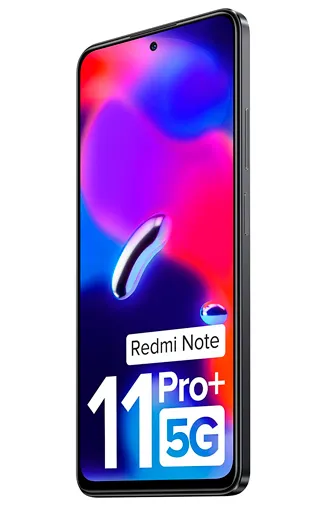
Choosing The Perfect Xiaomi Smartphone: A Guide
Are you in the market for a new smartphone, but not sure where to start? With so many great options available, it can be overwhelming to choose the perfect device for your needs. If you’re like me, you’ve probably asked friends and family members for recommendations, only to end up with a long list of phones that all seem equally impressive. In this article, we’ll take a closer look at some of the best Xiaomi smartphones on the market today.
What Makes a Great Smartphone?
When choosing a new smartphone, there are several factors to consider. Here are just a few:
- Display: A good display should be bright, clear, and easy to read. Look for phones with high-resolution screens that can handle even the most demanding tasks.
- Performance: Choose a phone with a powerful processor and plenty of RAM to ensure smooth performance and effortless multitasking.
- Camera: If you’re an avid photographer or love taking selfies, look for a phone with a high-quality camera system that can capture stunning images.
- Battery Life: A long-lasting battery is essential for anyone who’s always on the go. Look for phones with large batteries that can easily last a full day.
Xiaomi Smartphones: The Perfect Choice
Xiaomi has been making waves in the tech world with their affordable and feature-packed smartphones. Here are some of the best Xiaomi devices to consider:
- Mi 11: With its stunning display, powerful processor, and long-lasting battery, this phone is perfect for anyone who wants a top-of-the-line device without breaking the bank.
- Redmi Note 10 Pro: This budget-friendly smartphone packs a punch with its high-quality camera system, impressive performance, and sleek design.
Navigating Your Xiaomi Smartphone
One of the biggest challenges when switching to an Xiaomi smartphone is getting used to the gesture navigation system. Don’t worry – we’ve got you covered! Here’s how to navigate your new device:
To get started with gesture navigation, it’s essential to understand how it works. Instead of using traditional buttons, Xiaomi’s MIUI interface uses swipe gestures to move between screens and apps.
To enable gesture navigation on your Xiaomi smartphone, follow these steps:
- Open the Settings app.
- Tap on “System” > “Navigation”.
- Toggle the switch next to “Gesture mode” to turn it on.
Tips For Using Gesture Navigation
If you’re new to gesture navigation, here are a few tips to help you get started:
- Swipe From Top to Bottom: This will take you back to the home screen.
- Swipe From Left to Right: This will take you to your app drawer.
- Swipe From Right to Left: This will switch between apps.
Troubleshooting Gesture Navigation Issues
If you’re experiencing issues with gesture navigation, here are a few troubleshooting tips:
- Make sure you’ve enabled gesture mode in Settings.
- Check that your screen is clean and free of fingerprints or other obstructions.
- Try restarting your phone to see if it resolves the issue.
Frequently Asked Questions (FAQs)
Here are some frequently asked questions about choosing the perfect Xiaomi smartphone:
Q: What’s The Best Xiaomi Smartphone For a First-time Buyer?
A: If you’re new to Xiaomi, we recommend starting with the Redmi 9 or the Mi A3. Both of these phones offer great performance and value at an affordable price point.
A: To enable gesture navigation, go to Settings > System > Navigation and toggle the switch next to “Gesture mode”.
A: Yes – you can customize your gesture navigation settings by going to Settings > System > Navigation.
Conclusion
Choosing the perfect smartphone for your needs can be overwhelming, but with this guide, we hope you’ve got a better idea of what to look for and how to navigate your new device. Happy shopping!


