
Google Takeout: A Comprehensive Guide
As a Google user, you’re likely aware of the vast amount of data associated with your account. Whether it’s email, calendar entries, or browsing history, it can be overwhelming to think about what happens to this information when you delete your account. That’s where Google Takeout comes in – a service that allows you to download and export your Google data in various formats.
What is Google Takeout?
Google Takeout is a free service offered by Google that enables users to take control of their digital presence by downloading and exporting their data from various Google services, such as Gmail, Drive, Calendar, and more. With Google Takeout, you can easily access your stored data in different formats, making it easier to use on other platforms or devices.
Benefits of Using Google Takeout
Using Google Takeout offers several benefits:
- Data Backup: By exporting your data using Google Takeout, you’ll have a copy of your information that’s separate from your Google account.
- Easy Migration: If you decide to switch to another service or delete your Google account, having a local copy of your data will make the transition smoother.
- Customization: With Google Takeout, you can choose what data to export and in which format, allowing for greater flexibility when using your information.
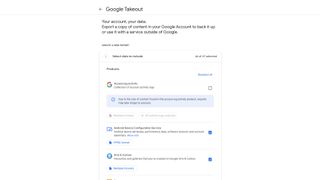
How to Use Google Takeout From a Computer
To initiate the process of exporting your Google data, follow these steps:
- Go to the Google Account settings page.
- Click on “Data & personalization” and then select “Download, delete or make a copy.”
- Choose the services you’d like to download data from (e.G., Gmail, Drive, Calendar).
- Select the format for each service.
- Enter your password and follow the prompts to initiate the export process.
How to Use Google Takeout on Mobile Devices
Using Google Takeout on mobile devices is a relatively straightforward process:
- On Android devices:
- Open the Google Account settings app.
- Select “Data & personalization.”
- Tap on “Download or delete your data.”
- Choose the services you’d like to download data from (e.G., Gmail, Drive).
- Follow the prompts to initiate the export process.
Google Takeout Features And Options
Here are some of the key features and options available with Google Takeout:
- Service Selection: You can choose which Google services you’d like to download data from.
- Data Format Selection: Each service offers different formats for exporting your data (e.G., CSV, JSON, HTML).
- File Size Limit: The maximum file size limit is 10 GB per export.
- Multiple Exports: You can create multiple exports with different settings if needed.
Frequently Asked Questions
Here are some frequently asked questions about Google Takeout:
- Q: What happens to my data when I delete my Google account?
A: When you delete your Google account, your data will be deleted from Google’s servers unless you’ve used Google Takeout to download and export it. - Q: How long does the export process take?
A: The time required for exporting your data can vary depending on the amount of data being exported and internet connection speed. - Q: Can I use Google Takeout with multiple accounts?
A: Yes, you can use Google Takeout to download data from multiple Google accounts. - Q: Is Google Takeout secure?
A: Google Takeout uses industry-standard encryption and security protocols to protect your data during the export process.
Conclusion
Google Takeout is a powerful tool that allows users to take control of their digital presence by downloading and exporting their Google data in various formats. By understanding how to use this service, you can ensure that your information remains safe and accessible even if you decide to delete your Google account or switch to another service.


