
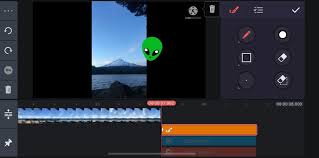
How to Zoom a Video: A Step-by-step Guide
Are you tired of struggling to zoom into your videos? Do you want to make them more engaging and easier to view? Look no further! In this article, we will explore the best programs and services to help you zoom a video like a pro.
Why is Zooming Important?
Zooming a video allows you to focus on specific parts of the footage, making it more enjoyable to watch. It’s especially useful for educational videos, tutorials, or presentations where you want to highlight important information. By using the right tools, you can enhance your content and make it more accessible to your audience.
Programs For Zooming a Video
There are several programs that can help you zoom a video. Here are some of the most popular ones:
Vlc (Windows/MacOS/Linux)
The first software we’ll discuss is VLC, a free and open-source media player that’s available for Windows, MacOS, and Linux. It’s known for its ability to play various types of video files without the need for external codecs.
To use VLC for zooming, follow these steps:
- Open VLC and select “Media” > “Open Media.”
- Choose the video file you want to zoom.
- Click on the “Video” menu and select “Zoom.”
- Choose an option (e.G., 2:1 Double) from the available options.
Avidemux (Windows/MacOS/Linux)
Avidemux is another free, open-source video editor that can be used for zooming a video. It’s available for Windows, MacOS, and Linux.
To use Avidemux for zooming:
- Download and install the software from the official website.
- Open Avidemux and select “File” > “Open.”
- Choose the video file you want to zoom.
- Click on the “Video” menu and select “Filters.”
- Select “Crop” and adjust the selection to your liking.
If you’re looking for a more advanced video editing software, consider using Wondershare Filmora. It’s available for Windows and MacOS, and offers a user-friendly interface.
To use Filmora for zooming:
- Download and install the software from the official website.
- Open Filmora and select “New Project.”
- Import the video file you want to zoom.
- Click on the “Video” tab and adjust the resolution and frame rate as needed.
- To zoom, click on the “Video” tab and select “Base.” Then, adjust the X and Y coordinates under the “Stairs” menu.
Clideo (Online Service)
If you don’t want to install any software, consider using Clideo, an online service that allows you to edit videos directly in your browser. It’s available for Windows, MacOS, and Linux.
To use Clideo:
- Go to the Clideo website.
- Click on “Choose File” and select the video file you want to zoom.
- Click on the “+” icon to increase the zoom level.
- Preview the edited video by clicking on the play button.
- Export the video in the desired format.
Applications For Zooming a Video
In addition to the software mentioned above, there are several applications available for mobile devices that can help you zoom a video. Here are some of the most popular ones:
Videoshow (Android/iOS/iPadOS)
VideoShow is a free video editing app available for Android, iOS, and iPadOS. It allows you to edit videos in a user-friendly interface.
To use VideoShow:
- Download and install the app from the App Store or Google Play.
- Import the video file you want to zoom.
- Click on the “Ingrandisci” icon to increase the zoom level.
- Preview the edited video by clicking on the play button.
- Export the video in the desired format.
Videoshop (Android/iOS/iPadOS)
Another popular app for zooming a video is Videoshop, available for Android, iOS, and iPadOS.
To use Videoshop:
- Download and install the app from the App Store or Google Play.
- Import the video file you want to zoom.
- Click on the “Pinch” icon to increase the zoom level.
- Preview the edited video by clicking on the play button.
- Export the video in the desired format.
Conclusion
Zooming a video is an essential skill for anyone who wants to create engaging and informative content. By using the right programs or services, you can easily zoom into your videos and make them more accessible to your audience. Whether you’re a beginner or an advanced user, there are plenty of options available to suit your needs.
Faqs
- What is the best program for zooming a video?
- The answer depends on your operating system and personal preferences. VLC, Avidemux, and Wondershare Filmora are popular choices.
- Can I use mobile apps for zooming a video?
- Yes, there are several mobile apps available that can help you zoom a video, such as VideoShow and Videoshop.
- How do I export my edited video?
- The export process varies depending on the program or service you’re using. Make sure to check the instructions for each one.


