
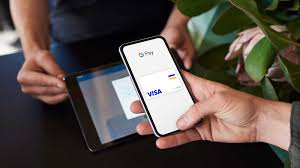
Google Pay: A Revolutionary Payment System
In today’s digital age, making payments has become more convenient than ever. With the rise of mobile wallets and contactless payment systems, Google Pay is revolutionizing the way we pay for goods and services.
What is Google Pay?
Google Pay, formerly known as Google Wallet, is a digital wallet service that allows users to make payments online and offline using their Android devices. It’s a seamless and secure way to pay for anything from coffee to groceries, without the need for physical cards or cash.
How Does Google Pay Work?
To use Google Pay, you’ll need to download the Google Wallet app on your Android device and link it to your bank account or credit card. Once set up, you can add a virtual card to your Google Wallet, which can be used to make payments online and offline.
Where Can I Use Google Pay?
Google Pay is widely accepted at thousands of merchants across Italy, including major retailers like Esselunga, H&M, and McDonald’s. You can also use it to pay for online purchases on websites that accept Google Pay as a payment method.
Can I Use Google Pay With Paypal?
Yes, you can use Google Pay with PayPal! To do so, simply add your PayPal account to your Google Wallet app, and you’ll be able to make payments using both services. This is a great option for those who already have a PayPal account set up.
How Do I Set Up Google Pay on My Android Device?
Setting up Google Pay on your Android device is easy! Simply download the Google Wallet app from the Play Store, follow the prompts to link it to your bank account or credit card, and add a virtual card to your wallet. You’ll be ready to make payments in no time!
What Are The Benefits of Using Google Pay?
The benefits of using Google Pay are numerous! With Google Pay, you can:
- Make contactless payments using your Android device
- Avoid carrying cash or physical cards
- Earn rewards and discounts from participating merchants
- Get a virtual card for added security
Can I Use Google Pay on My Iphone?
Unfortunately, Google Pay is not available on iOS devices, including iPhones. However, you can use Apple Pay, which integrates with the Wallet app on your iPhone.
What Are Some Alternative Payment Methods to Google Pay?
If you’re looking for alternative payment methods, consider using Revolut or HYPE. Both services offer a range of benefits, including contactless payments and rewards programs.
How Do I Pay With Google Pay in Physical Stores?
To pay with Google Pay in physical stores, simply approach the point-of-sale (POS) terminal with your Android device and follow the on-screen instructions to complete the payment. Make sure your device is unlocked and the Google Pay app is open.
What If My Device Doesn’t Support Nfc Technology?
If your device doesn’t support NFC technology, you won’t be able to use Google Pay in physical stores. In this case, consider using a different payment method or upgrading to a newer Android device that supports NFC.
Conclusion
Google Pay is a revolutionary payment system that’s making payments easier and more convenient than ever. With its seamless integration with Android devices and widespread acceptance at merchants across Italy, it’s an excellent option for those looking to ditch cash and physical cards. Whether you’re shopping online or offline, Google Pay has got you covered!
Frequently Asked Questions
- What is The Difference Between Google Wallet And Google Pay?
Google Wallet was the original digital wallet service offered by Google, while Google Pay is an updated version that includes additional features and benefits. - Can I Use Google Pay on my Iphone?
Unfortunately, Google Pay is not available on iOS devices, including iPhones. However, you can use Apple Pay, which integrates with the Wallet app on your iPhone. - How do I Set up Google Pay on my Android Device?
To set up Google Pay on your Android device, simply download the Google Wallet app from the Play Store, follow the prompts to link it to your bank account or credit card, and add a virtual card to your wallet. - What Are The Benefits of Using Google Pay?
The benefits of using Google Pay include making contactless payments using your Android device, avoiding carrying cash or physical cards, earning rewards and discounts from participating merchants, and getting a virtual card for added security. - Can I Use Google Pay With Paypal?
Yes, you can use Google Pay with PayPal! To do so, simply add your PayPal account to your Google Wallet app, and you’ll be able to make payments using both services. - What Are Some Alternative Payment Methods to Google Pay?
Consider using Revolut or HYPE as alternative payment methods. Both services offer a range of benefits, including contactless payments and rewards programs. - How do I Pay With Google Pay in Physical Stores?
To pay with Google Pay in physical stores, simply approach the point-of-sale (POS) terminal with your Android device and follow the on-screen instructions to complete the payment. - What if my Device Doesn’t Support Nfc Technology?
If your device doesn’t support NFC technology, you won’t be able to use Google Pay in physical stores. In this case, consider using a different payment method or upgrading to a newer Android device that supports NFC.


