
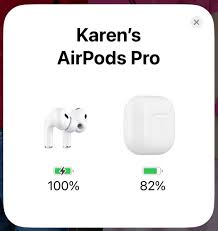
Airpods Original vs Clones: How to Recognize Them
Are you planning to buy AirPods online, but want to ensure that you’re getting the original product? Or perhaps you’ve already purchased AirPods and are wondering if they’re genuine or clones? Look no further! In this article, we’ll provide you with a comprehensive guide on how to recognize original AirPods from clones.
Why Buy Original Airpods?
Before we dive into the guide, let’s quickly discuss why buying original AirPods is essential. Here are a few reasons:
- Quality: Original AirPods come with top-notch quality and sound performance.
- Durability: Genuine AirPods are built to last, with sturdy materials and construction.
- Support: Apple provides excellent support for its products, including software updates and customer service.
- Resale Value: If you ever decide to sell your AirPods, the original ones will retain their value better than clones.
How to Identify Original Airpods: A Step-by-step Guide
Now that we’ve covered the importance of buying original AirPods, let’s move on to the guide. Here are some tips to help you recognize genuine AirPods:
Check The Price
The first thing to check is the price. If the price seems too good to be true, it probably is. Original AirPods usually cost more than clones.
- Check The Official Apple Website: Compare the prices on the official Apple website with those offered by other sellers.
- Look For Discounts: Be wary of discounts that seem too good to be true.
Verify The Packaging
The packaging of original AirPods is distinct and cannot be replicated easily. Here’s what to look out for:
- Sealed Package: Make sure the package is sealed and tamper-evident.
- Weight And Feel: Genuine AirPods come in a sturdy box with a weighty feel.
- Color And Design: Check that the color and design of the packaging match the official Apple branding.
Inspect The Earphones
Once you’ve received your AirPods, inspect them carefully. Here are some things to look out for:
- Cartoonish Logo: The cartoonish logo on the AirPods should be printed in relief.
- Color And Design: Check that the color and design of the AirPods match the official Apple branding.
Check The Serial Number
The serial number is a unique identifier assigned to each AirPod. Here’s how to check it:
- Use The Apple Website: Enter the serial number on the Apple website to verify its authenticity.
- Contact Apple Support: If you’re unsure, contact Apple support for assistance.
Test The Quality of Sound
The quality of sound is a major differentiator between original AirPods and clones. Here’s how to test it:
- Listen to Music: Play some music on your device using the AirPods.
- Check The Microphone: Use the microphone feature to make calls or record audio.
Other Tips
Here are some additional tips to help you identify genuine AirPods:
- Avoid Buying From Unauthorized Sellers: Only purchase AirPods from authorized Apple resellers or the official Apple website.
- Be Cautious of Scams: Be aware of scams and phishing attempts that may try to trick you into buying fake AirPods.
Conclusion
In conclusion, identifying original AirPods requires a combination of research, inspection, and testing. By following these tips, you can ensure that you’re getting the genuine product. Remember to always be cautious when purchasing online and never compromise on quality for the sake of price.
Frequently Asked Questions
Here are some frequently asked questions about original AirPods:
Q: What is the difference between original AirPods and clones?
A: Original AirPods come with top-notch quality, durability, and support from Apple. Clones may look similar but lack these essential features.
Q: How can I verify the authenticity of my AirPods?
A: You can check the serial number on the Apple website or contact Apple support for assistance.
Q: What should I do if I suspect that my AirPods are clones?
A: Immediately stop using your AirPods and contact Apple support to report the issue.


