
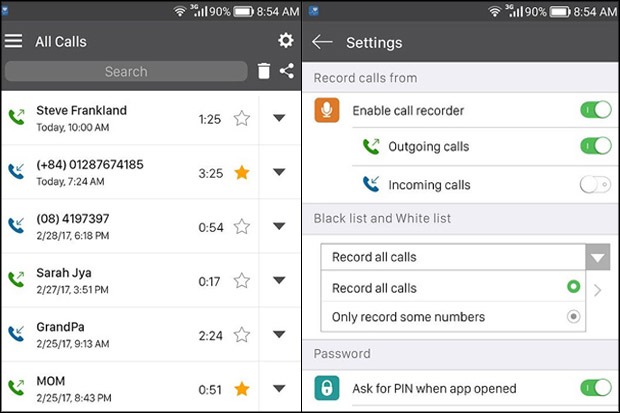
The Ultimate Guide to Recording Calls on Android And Iphone
Are you tired of missing important conversations or wanting to keep a record of your calls? Look no further! In this article, we’ll explore the best apps to record calls on both Android and iPhone devices.
Why Record Calls?
Before we dive into the world of call recording apps, let’s quickly discuss why you might want to record calls in the first place. Perhaps you’re a journalist looking for evidence or an entrepreneur trying to keep track of client conversations. Whatever your reason, recording calls can be super useful.
Apps to Record Calls on Android
Let’s start with the Android side. Here are some top-notch apps to consider:
- Google Phone: Yes, you read that right! Google Phone comes pre-installed with a call recording feature. It’s free, easy to use, and works like a charm.
- Cube Call Recorder Acr: This app is a fan favorite among Android users. It’s compatible with most devices, including those running on Android 10 and later versions. The free version has ads, but the paid version offers advanced features like cloud backup.
- Call Recorder: Another highly-rated app that records both incoming and outgoing calls. It’s free to download, but some features require a subscription.
Apps to Record Calls on Iphone
Now, let’s move on to the iOS side. Here are some top-notch apps to consider:
- Tapeacall: This app uses the conference call feature to record conversations. It’s easy to use and offers a free trial period.
- Rekk: Another popular app that records calls in both directions. It’s free to download, but requires a subscription for full functionality.
- Call Recorder: A simple yet effective app that records incoming and outgoing calls.
How to Record Calls With These Apps
Now that you’ve got the apps installed, here’s how to use them:
- For Google Phone on Android, initiate a call as you normally would. Then, tap the “Record” button in the menu.
- For Cube Call Recorder ACR on Android, enable auto-recording and choose your audio source (e.G., Phone or WhatsApp).
- For TapeACall on iPhone, start a conference call by tapping the “Join” button.
- For REKK on iPhone, tap the “Record” button in the menu after selecting your audio source.
Recording Call Limitations
Keep in mind that some apps may have limitations when it comes to recording calls. For example:
- Some countries or regions might have laws restricting call recording.
- Certain phone operators (e.G., Vodafone) might not support call recording.
- Apps might require a subscription for full functionality.
Conclusion
Recording calls can be super useful, whether you’re a journalist, entrepreneur, or simply want to keep track of important conversations. With these top-notch apps on both Android and iPhone, you’ll be all set to record your calls with ease. Just remember to check local laws and phone operator restrictions before using any recording app.
Frequently Asked Questions
Here are some FAQs to help you get the most out of call recording apps:
Q: Can I Use These Apps For Free?
A: Some apps offer a free version or trial period, but others might require a subscription.
Q: Will These Apps Work on my Device?
A: Check compatibility with your Android or iPhone device before installing any app.
Q: Are There Any Laws Restricting Call Recording?
A: Yes, certain countries or regions have laws prohibiting call recording. Be sure to check local regulations before using any recording app.


