
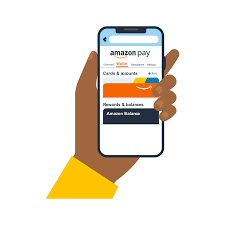
How to Pay on Amazon: A Comprehensive Guide
Are you tired of wondering how to pay on Amazon? Look no further! In this article, we will guide you through the various payment methods available on Amazon, from credit cards to cash payments.
Introduction
Amazon is one of the largest e-commerce platforms in the world, and with its vast array of products and services, it’s no wonder that many people are curious about how to pay for their purchases. In this article, we will explore the different payment options available on Amazon, including credit cards, cash payments, coupons, and more.
Payment Options
There are several ways to pay on Amazon, depending on your preferences and needs.
1. Credit Card Payments
One of the most common payment methods on Amazon is using a credit card. You can add a credit or debit card to your Amazon account by following these simple steps:
- Log in to your Amazon account
- Go to “Account & Lists” and select “Payment options”
- Click on “Add a new payment method” and enter your card details
- Confirm your payment method
2. Cash Payments
If you prefer not to use credit cards, you can pay in cash using Western Union or Ricarica in caso. Here’s how:
- Choose the option “Pay in cash” when checking out
- Select a Western Union location near you and follow the instructions to make your payment
- Alternatively, you can use Ricarica in caso by generating a bar code and presenting it at a participating store
3. Coupons
Amazon also offers coupons that can be used to pay for purchases. Here’s how to add a coupon to your account:
- Log in to your Amazon account
- Go to “Account & Lists” and select “Coupons”
- Click on “Add a new coupon” and enter the code
- Confirm your coupon
4. 18App
If you’re under 18, you can use the 18app service to pay for purchases on Amazon.
- Log in to your Amazon account
- Go to “Account & Lists” and select “Payment options”
- Click on “Add a new payment method” and select 18app
5. Paypal
Unfortunately, it’s not possible to use PayPal directly as a payment method on Amazon. However, you can add a pre-paid PayPal card to your account.
- Log in to your Amazon account
- Go to “Account & Lists” and select “Payment options”
- Click on “Add a new payment method” and enter your PayPal details
6. Klarna
Klarna is another popular payment service that can be used to pay for purchases on Amazon.
- Download the Klarna app
- Select Amazon as the store and follow the instructions to make your payment
Conclusion
Paying on Amazon is easier than you think! With these simple steps, you can use credit cards, cash payments, coupons, 18app, PayPal, or Klarna to complete your purchases. Remember to always check the terms and conditions of each payment method before making a purchase.
Faqs
- What Are The Different Payment Options on Amazon?
There are several payment options available on Amazon, including credit cards, cash payments, coupons, 18app, PayPal, and Klarna. - How do I Add a Credit Card to my Amazon Account?
To add a credit or debit card to your Amazon account, go to “Account & Lists” and select “Payment options.” Click on “Add a new payment method” and enter your card details. - Can I Pay in Cash on Amazon?
Yes, you can pay in cash using Western Union or Ricarica in caso. - How do I Add a Coupon to my Amazon Account?
To add a coupon to your Amazon account, go to “Account & Lists” and select “Coupons.” Click on “Add a new coupon” and enter the code. - Can I Use Paypal Directly as a Payment Method on Amazon?
Unfortunately, it’s not possible to use PayPal directly as a payment method on Amazon. However, you can add a pre-paid PayPal card to your account. - How do I Pay Using Klarna on Amazon?
To pay using Klarna on Amazon, download the Klarna app and select Amazon as the store. Follow the instructions to make your payment.
Table 1: Payment Options on Amazon
| # | Payment Method |
|---|---|
| 1 | Credit Cards |
| 2 | Cash Payments |
| 3 | Coupons |
| 4 | 18App |
| 5 | PayPal |
| 6 | Klarna |
Table 2: Adding a Payment Method to Your Amazon Account
| # | Step | Description |
|---|---|---|
| 1 | Log in | Log in to your Amazon account. |
| 2 | Go to “Account & Lists” and select “Payment options.” | |
| 3 | Click on “Add a new payment method” and enter your card details. |
Table 3: Adding a Coupon to Your Amazon Account
| # | Step | Description |
|---|---|---|
| 1 | Log in | Log in to your Amazon account. |
| 2 | Go to “Account & Lists” and select “Coupons.” | |
| 3 | Click on “Add a new coupon” and enter the code. |
Table 4: Paying Using Klarna on Amazon
| # | Step | Description |
|---|---|---|
| 1 | Download the Klarna app | |
| 2 | Select Amazon as the store and follow the instructions to make your payment. |
This comprehensive guide will walk you through the various payment methods available on Amazon, from credit cards to cash payments, coupons, and more. Whether you’re a seasoned shopper or just starting out, this article will provide you with all the information you need to confidently complete your purchases on Amazon.


