
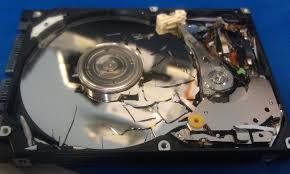
Recovering From a Damaged Hard Disk: A Step-by-step Guide
Are you experiencing a crisis? Your hard disk has stopped functioning, and all your valuable data is at risk of being lost forever! Don’t panic; we’ve got you covered. In this article, we’ll guide you through the process of recovering your files from a damaged hard disk using some easy-to-use software tools.
Understanding The Problem
A damaged hard disk can be a nightmare, especially if it contains irreplaceable data. The situation becomes even more complicated when you try to recover your files but end up with corrupted or incomplete results. However, with the right tools and approach, you can salvage most of your data and avoid losing everything.
Pre-recovery Steps
Before attempting any recovery process, take a few moments to assess the damage:
- Check if your hard disk is still readable by connecting it to another computer.
- If it’s not readable, try using an external enclosure or adapter to connect it to your PC.
- Run diagnostic tests on your hard disk to determine the extent of the damage.
Software Tools For Recovery
Fortunately, there are several software tools available that can help you recover data from a damaged hard disk. Here are some of the most popular ones:
Photorec (Windows/macOS/Linux)
PhotoRec is an excellent free tool that supports recovering data from various file systems, including NTFS and HFS+. It’s also open-source and compatible with Windows, macOS, and Linux.
- Download PhotoRec from its official website.
- Extract the ZIP archive to a safe location on your computer.
- Launch the executable file (PhotoRec_win.Exe on Windows or photorec on macOS/Linux).
- Select the damaged hard disk as the target device.
- Choose the file system and start the recovery process.
Disk Drill (Windows/macOS)
Disk Drill is another powerful tool that can help you recover data from a damaged hard disk. It supports various file systems, including NTFS, HFS+, and APFS.
- Download Disk Drill from its official website.
- Launch the application on your computer.
- Select the damaged hard disk as the target device.
- Choose the recovery mode (Quick or Deep scan) and start the process.
- Select the files you want to recover and save them to a safe location.
Easeus Data Recovery Wizard (Windows/macOS)
EaseUS Data Recovery Wizard is an intuitive tool that can help you recover data from a damaged hard disk. It supports various file systems, including NTFS, HFS+, and APFS.
- Download EaseUS Data Recovery Wizard from its official website.
- Launch the application on your computer.
- Select the damaged hard disk as the target device.
- Choose the recovery mode (Quick or Deep scan) and start the process.
- Select the files you want to recover and save them to a safe location.
Additional Tips
When using these software tools, keep in mind:
- Always create a backup of your recovered data before saving it to a new location.
- Avoid writing any new data to the damaged hard disk while attempting recovery.
- If the damage is extensive, consider consulting a professional data recovery service for further assistance.
By following these steps and using the right software tools, you can significantly increase the chances of recovering your valuable data from a damaged hard disk.
Conclusion
Losing data due to a damaged hard disk can be devastating. However, with the help of the right software tools and a little patience, it’s often possible to recover most of your files. Remember to take preventive measures like creating backups regularly to avoid such crises in the future.
Frequently Asked Questions (FAQs)
Here are some additional questions and answers related to recovering data from a damaged hard disk:
- Q: Can I use any software tool to recover my data?
A: No, it’s essential to choose the right software tool that supports your file system and damaged hard disk. - Q: How long does the recovery process take?
A: The time required for recovery varies depending on the extent of damage and the chosen software tool. However, most tools provide a rough estimate of the time needed. - Q: Can I recover data from a completely dead hard disk?
A: In some cases, yes. If your hard disk is completely dead, consider consulting a professional data recovery service for further assistance.
By understanding these basics and following the steps outlined in this article, you can improve the chances of recovering your valuable data from a damaged hard disk.


