
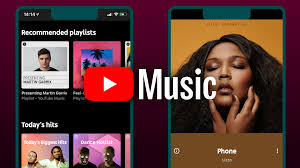
Youtube Music: A Game-changer in The World of Music Streaming
Are you tired of sifting through endless options on music streaming services? Look no further than YouTube Music, the latest innovation from Google. In this article, we’ll delve into the world of YouTube Music, exploring its features, pricing, and compatibility with various devices.
What is Youtube Music?
YouTube Music is a revolutionary service that combines the power of YouTube’s vast music library with the convenience of a dedicated music streaming platform. Born out of Google Play Music’s evolution, YouTube Music aims to challenge the likes of Spotify and Apple Music by offering a seamless listening experience across multiple platforms.
Pricing And Devices
One of the standout features of YouTube Music is its pricing structure. The service offers a free version, with ads and limitations on offline playback. For those who want ad-free experiences, there are three premium plans to choose from: Music Premium ($9.99/Month), Family Plan (14.99 Euros/month for up to 6 users), and Student Plan (4.99 Euros/month). These subscriptions also come with additional perks like background listening and offline playback.
YouTube Music is compatible with smartphones, tablets, and computers, making it an ideal choice for music lovers on-the-go or those who prefer a more immersive experience at home.
How to Use Youtube Music
Using YouTube Music is a breeze, whether you’re using a smartphone, tablet, or computer. Here’s a step-by-step guide:
- Download The App: For smartphones and tablets, download the YouTube Music app from the Google Play Store (Android) or Apple App Store (iOS).
- Create an Account: Sign in with your Google account to access personalized recommendations and playback history.
- Explore: Browse through curated playlists, radio stations, and trending content based on your listening habits.
Using Youtube Music on Smartphones And Tablets
To get started on a mobile device:
- Open The App: Launch the YouTube Music app and sign in with your Google account.
- Discover New Music: Explore various sections like Home, Explore, and Collected for curated playlists and radio stations.
- Play Music: Tap on a song or playlist to start playback.
Using Youtube Music on Computers
To use YouTube Music on a computer:
- Open The Browser: Access YouTube Music directly through your preferred browser (e.G., Google Chrome).
- Sign In: Log in with your Google account to access personalized content.
- Explore And Play: Browse through various sections, including Home, Explore, and Collected, and tap on a song or playlist to start playback.
How to Disable Youtube Music
If you decide that YouTube Music isn’t for you, follow these steps to disable the service:
- Open The App: For mobile devices, open the YouTube Music app and sign in with your Google account.
- Access Subscriptions: Tap on the profile icon (…) in the top right corner and select Subscriptions to payment.
- Disable Subscription: Find the relevant subscription and tap on the toggle switch next to it.
For computers:
- Open The Browser: Access YouTube Music directly through your preferred browser.
- Sign In: Log in with your Google account to access personalized content.
- Access Subscriptions: Click on the profile icon (…) in the top right corner and select Subscriptions to payment.
- Disable Subscription: Find the relevant subscription and click on the toggle switch next to it.
Conclusion
YouTube Music is a game-changer in the world of music streaming, offering an unparalleled listening experience across multiple platforms. With its competitive pricing structure and seamless playback capabilities, YouTube Music is sure to shake up the industry. Whether you’re a casual listener or an avid music enthusiast, give YouTube Music a try – your ears will thank you!
Faqs
Q: What is YouTube Music?
A: YouTube Music is a music streaming service that combines the power of YouTube’s vast music library with the convenience of a dedicated music streaming platform.
Q: How much does YouTube Music cost?
A: The pricing structure includes a free version, as well as three premium plans: Music Premium ($9.99/Month), Family Plan (14.99 Euros/month for up to 6 users), and Student Plan (4.99 Euros/month).
Q: Which devices is YouTube Music compatible with?
A: YouTube Music is compatible with smartphones, tablets, and computers.
Q: Can I use YouTube Music on my phone or tablet?
A: Yes! Download the YouTube Music app from the Google Play Store (Android) or Apple App Store (iOS) to get started.
Q: How do I access personalized content on YouTube Music?
A: Sign in with your Google account to access curated playlists, radio stations, and trending content based on your listening habits.
Q: Can I use YouTube Music without an internet connection?
A: Yes! With a premium subscription, you can enjoy offline playback capabilities.
Q: How do I disable YouTube Music?
A: Follow the steps outlined above to disable the service on your mobile device or computer.
Bonus Tip
Make sure to check out our other articles for more tips and tricks on using YouTube Music and other music streaming services!


