
The Ultimate Guide to Truecaller: A Comprehensive Review
Are you tired of receiving unwanted calls from unknown numbers? Do you want to identify who’s calling you before answering? Look no further than Truecaller, a revolutionary app that can help you do just that. In this article, we’ll take a closer look at how Truecaller works, its features, and what you need to know to get started.
What is Truecaller?
Truecaller is a popular mobile app that allows users to identify unknown numbers, block unwanted calls, and even send messages to people who’ve been reported as spammers. The app uses an vast database of phone numbers to match unknown callers with their real identities, giving you peace of mind when receiving calls from strangers.
How Does Truecaller Work?
Truecaller works by using a massive database of phone numbers that are contributed by its users. When someone reports a number as spam or unwanted, it’s added to the database, making it easier for other users to identify and block those numbers in the future. Here’s how it works:
- Registration: To start using Truecaller, you need to register an account on the app.
- Database Access: Once registered, your phone number is added to Truecaller’s vast database of phone numbers.
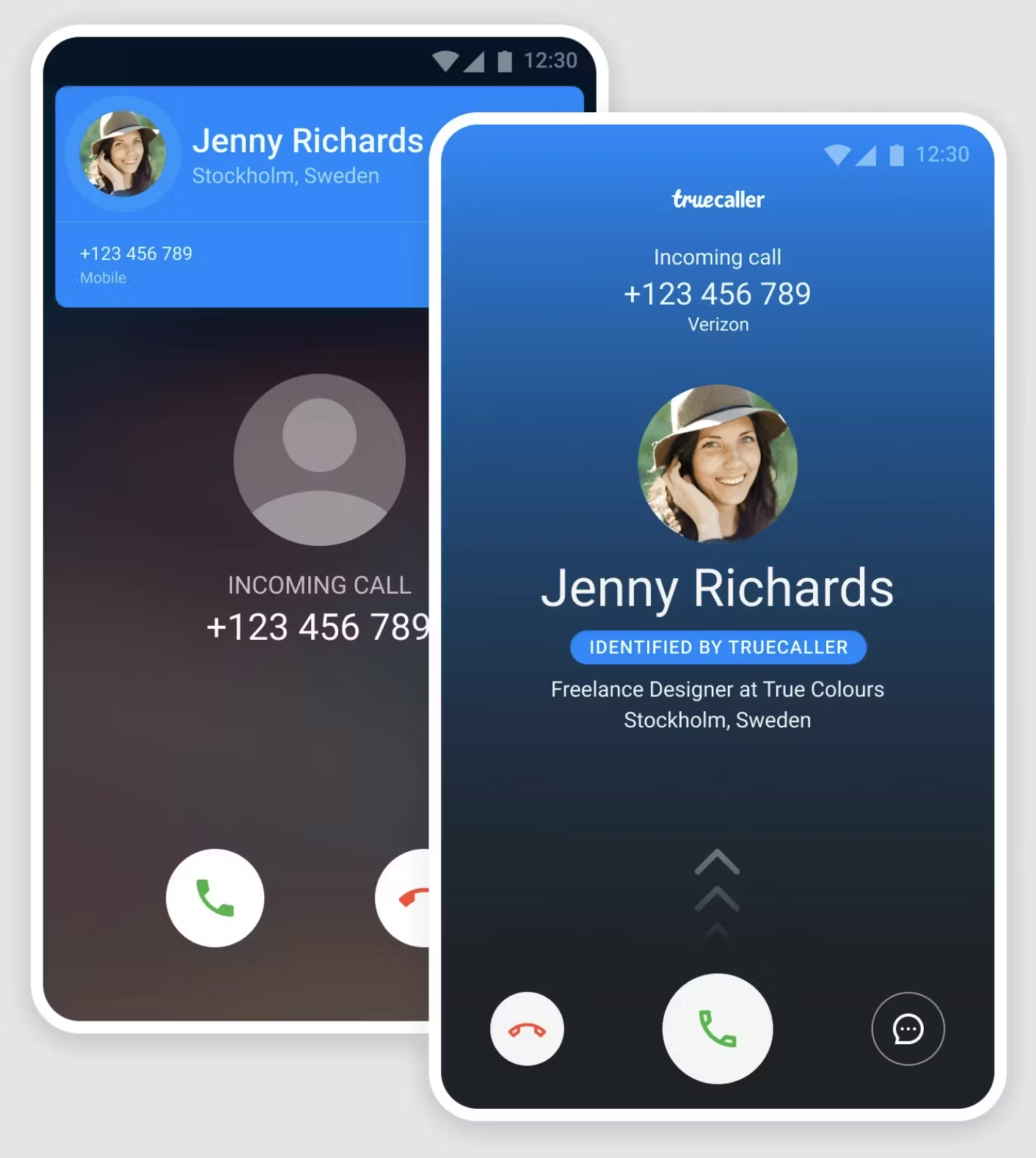
- Number Identification: When someone calls you from a number that’s in the database, Truecaller can identify the caller and display their real name and profile information (if they’ve opted-in).
- Blocking: If you don’t want to receive calls from certain numbers, you can block them on Truecaller.
Features of Truecaller
Truecaller offers a range of features that make it an essential tool for anyone looking to manage unwanted calls:
- Number Identification: Identify unknown callers and see their real name and profile information.
- Blocking: Block unwanted numbers from calling or sending you messages.
- Reporting: Report numbers as spam or unwanted, helping others avoid those numbers in the future.
- Profile Management: Manage your own profile on Truecaller, including adding a photo and bio.
Truecaller Pricing
Truecaller offers both free and paid versions of its app:
- Free Version: The free version includes basic features like number identification and blocking.
- Premium Subscription: For $3.99/Month or $25.99/Year, you get additional features like advanced blocking capabilities, ad-free experience, and access to premium customer support.
Setting Up Truecaller
To set up Truecaller on your Android device:
- Download the app from the Google Play Store.
- Launch the app and register for an account.
- Set up your profile by adding a photo and bio (optional).
- Activate the notifications feature to receive alerts when someone calls you.
To set up Truecaller on your iPhone:
- Download the app from the App Store.
- Launch the app and register for an account.
- Set up your profile by adding a photo and bio (optional).
- Activate the notifications feature to receive alerts when someone calls you.
Tips And Tricks
Here are some additional tips and tricks to help you get the most out of Truecaller:
- Regularly Update Your Block List: Make sure to update your block list regularly to ensure that unwanted numbers are blocked.
- Report Numbers as Spam: If you receive a spam call or message, report it on Truecaller to help others avoid those numbers in the future.
- Use Advanced Blocking Capabilities: With a premium subscription, you can use advanced blocking capabilities to block specific types of calls (e.G., Telemarketing).
Conclusion
Truecaller is an indispensable tool for anyone looking to manage unwanted calls and identify unknown callers. By following these steps and tips, you’ll be well on your way to enjoying a more peaceful phone experience.
Frequently Asked Questions
Here are some frequently asked questions about Truecaller:
Q: What is Truecaller?
A: Truecaller is a mobile app that helps users identify unknown numbers, block unwanted calls, and report spam numbers.
Q: How does Truecaller work?
A: Truecaller works by using a vast database of phone numbers contributed by its users. When someone reports a number as spam or unwanted, it’s added to the database, making it easier for other users to identify and block those numbers in the future.
Q: What are the features of Truecaller?
A: Truecaller offers a range of features, including number identification, blocking, reporting, and profile management.
Q: How much does Truecaller cost?
A: Truecaller offers both free and paid versions of its app. The free version includes basic features like number identification and blocking, while the premium subscription costs $3.99/Month or $25.99/Year.
Q: How do I set up Truecaller on my device?
A: To set up Truecaller on your Android or iPhone device, download the app from the respective store, register for an account, set up your profile, and activate notifications to receive alerts when someone calls you.
Q: Can I report numbers as spam on Truecaller?
A: Yes, you can report numbers as spam on Truecaller by opening the app, tapping the “Report” button, and selecting the type of call or message (e.G., Telemarketing).
Q: How do I update my block list regularly?
A: To update your block list regularly, open the Truecaller app, go to Settings > Block List, and select the numbers you want to add or remove.
Q: Can I use advanced blocking capabilities with a premium subscription?
A: Yes, with a premium subscription, you can use advanced blocking capabilities like blocking specific types of calls (e.G., Telemarketing) and setting up custom block lists.


