
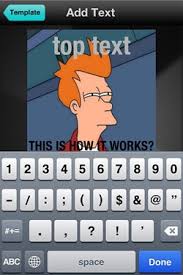
The Ultimate Guide to Creating Memes: Top Apps And Tools
Are you tired of scrolling through social media without a good laugh? Do you want to create your own memes and share them with friends and family? Look no further! In this article, we’ll explore the best apps and tools for creating memes on Android, iOS, and PC.
Why Create Memes?
Memes have become an integral part of online culture. They’re a fun way to express yourself, poke fun at current events, and connect with others who share your sense of humor. By creating your own memes, you can showcase your creativity and personality, even if you’re not a skilled artist or writer.
Top Apps For Creating Memes on Android
- Create Meme
- This app is one of the most popular meme-creating tools available on Android.
- It offers a vast library of images, fonts, and stickers to help you create hilarious memes.
- The interface is user-friendly, making it easy to use even for those without prior experience.
- Meme Creator
- This app provides over 600 images, 20 fonts, and the ability to add your own photos from the gallery.
- It’s a free solution that allows you to create unique and original memes.
- Mematic
- Mematic is another popular meme-creating app on Android.
- It offers a simple interface and allows you to create memes using images from the internet or your own gallery.
- However, access to all its contents requires a subscription, which costs 11.99 Euros per year.
Top Apps For Creating Memes on Ios
- Simple Meme Creator
- This app is ideal for those who want a hassle-free meme-creating experience.
- It offers a simple interface and allows you to choose from a library of images or import your own photos from the gallery.
- Mematic
- Just like its Android counterpart, Mematic on iOS offers a simple way to create memes using internet images or your own photos.
- However, access to all its contents requires a subscription, which costs 11.99 Euros per year.
- Meme Creator
- This app provides a range of tools and features for creating custom memes.
- It’s free to use, but access to some premium content requires a small in-app purchase.
Top Tools For Creating Memes on PC
- Imgflip
- Imgflip is an online platform that offers various tools for modifying images and creating memes.
- It provides a range of templates, fonts, and stickers to help you create unique and hilarious memes.
- Iloveimg
- This service allows you to modify images and create custom memes using its built-in tool.
- It’s free to use, but some features require a subscription or in-app purchases.
- Memecreator.Org
- This website offers a range of tools and features for creating custom memes.
- It’s free to use, but some premium content requires a subscription or in-app purchases.
Conclusion
Creating memes is a fun way to express yourself online and connect with others who share your sense of humor. With these top apps and tools on Android, iOS, and PC, you can create hilarious memes and share them with friends and family. Remember, the best part about creating memes is the freedom to be creative and have fun!
Frequently Asked Questions
- Q: What’s The Most Popular Meme-creating App?
A: The most popular meme-creating app varies depending on the platform, but Create Meme on Android and Simple Meme Creator on iOS are top choices. - Q: How Much Does it Cost to Access Premium Content on Meme-creating Apps?
A: Some apps require a subscription or in-app purchases for access to premium content. Prices vary depending on the app and its features. - Q: Can I Use my Own Photos to Create Memes?
A: Yes, most meme-creating apps allow you to import your own photos from the gallery or other sources. - Q: Are There Any Free Tools For Creating Memes on Pc?
A: Yes, Imgflip and Iloveimg offer free tools for modifying images and creating custom memes.


