
Secure Messaging Apps: A Guide to Protecting Your Privacy
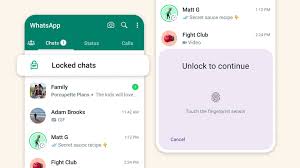
Are you tired of your smartphone being a “prey” to the prying eyes of fellow users and family members who tend to snoop through your chat conversations on messaging apps? Do you wish you could have private conversations without worrying about others intercepting them? Look no further! In this article, we’ll explore some top-notch secure messaging apps that will help you maintain your digital privacy.
The Need For Secure Messaging Apps
In today’s digital age, our smartphones are an integral part of our lives. We use them to communicate with friends and family, share personal thoughts and experiences, and even conduct business transactions. However, this increased connectivity comes with a cost – our data is vulnerable to interception by unwanted parties.
The Risks of Using Regular Messaging Apps
When you use regular messaging apps like WhatsApp or Facebook Messenger, your conversations are not encrypted end-to-end, making them susceptible to being intercepted by third-party entities. This means that anyone who has access to the app’s servers can potentially read and listen in on your private conversations.
Secure Messaging Apps: The Solution
Fortunately, there are several secure messaging apps available that offer end-to-end encryption, ensuring that only you and the recipient of your messages can read them. These apps use advanced cryptography algorithms to protect your data from unauthorized access.
Top Secure Messaging Apps
Here are some top-notch secure messaging apps that you can consider:
Signal (Android/iOS/iPadOS)
Signal is one of the most popular secure messaging apps available. It offers end-to-end encryption and has a strong reputation for protecting user privacy. Signal also allows you to create group chats, share files, and even make voice and video calls.
How to Use Signal
To use Signal, simply download the app from your device’s store, sign up with your phone number, and verify your account through an SMS code. Once you’ve done this, you can start creating conversations with other users who have also installed Signal.
Telegram (Android/iOS/iPadOS)
Telegram is another popular secure messaging app that offers end-to-end encryption for its secret chats feature. This feature allows you to create encrypted messages and conversations that self-destruct after a specified time period.
How to Use Telegram
To use Telegram, download the app from your device’s store, sign up with your phone number, and verify your account through an SMS code. Once you’ve done this, you can start creating conversations with other users who have also installed Telegram. To create a secret chat, simply tap on the “New Secret Chat” button and select the contact you want to chat with.
Messenger (Android/iOS/iPadOS)
Facebook’s Messenger app has recently introduced end-to-end encryption for its new conversations feature. This feature allows you to create encrypted messages and conversations that can be deleted after a specified time period.
How to Use Messenger
To use Messenger, download the app from your device’s store, sign up with your Facebook account credentials, and verify your account through an SMS code. Once you’ve done this, you can start creating conversations with other users who have also installed Messenger. To create a new conversation, simply tap on the “New Conversation” button and select the contact you want to chat with.
Other Secure Messaging Apps
There are several other secure messaging apps available that offer end-to-end encryption and advanced security features. Some of these apps include:
- Snapchat (Android/iOS): A popular app for creating ephemeral messages, photos, and videos that self-destruct after a specified time period.
- Wickr Me (Android/iOS/iPadOS): A free app that offers end-to-end encryption and secure messaging features.
- Session (Android/iOS/iPadOS): A secure messaging app that uses decentralized servers to protect user data.
Conclusion
In conclusion, securing your digital privacy is crucial in today’s digital age. By using secure messaging apps like Signal, Telegram, Messenger, and others, you can protect your conversations from being intercepted by unwanted parties. Remember to always follow best practices for online security, such as using strong passwords, enabling two-factor authentication, and keeping your device and software up-to-date.
Frequently Asked Questions (FAQs)
Here are some frequently asked questions about secure messaging apps:
- What is end-to-end encryption?
- End-to-end encryption is a type of encryption that protects data in transit from being intercepted by unauthorized parties.
- How do I know if my messaging app is secure?
- Look for apps that have been audited and verified by third-party security experts, such as Signal or Telegram.
- Can I use multiple secure messaging apps at the same time?
- Yes, you can use multiple secure messaging apps simultaneously to maintain your digital privacy.
- How do I create a secret chat on my messaging app?
- The process for creating a secret chat varies depending on the app you’re using. Check the app’s documentation for more information.
- Can I delete messages or conversations on my secure messaging app?
- Yes, most secure messaging apps allow you to delete messages or conversations after a specified time period.
References
- Signal
- Telegram
- Messenger


