
How to Use Whatsapp Without a Phone Number: A Step-by-step Guide
Are you looking for ways to use WhatsApp without revealing your phone number? You’re not alone! Many people want to keep their personal contact information private, but still want to enjoy the benefits of using this popular messaging app. In this article, we’ll explore some creative solutions that will help you achieve this goal.
Understanding The Basics
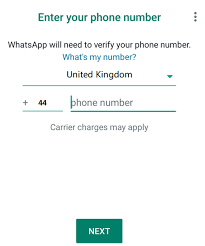
Before we dive into the details, it’s essential to understand how WhatsApp works. When you create a WhatsApp account, you need to provide your phone number to verify your identity and activate the service. This phone number is used as your unique identifier on the platform, making it possible for others to find and contact you.
The Challenge: Using Whatsapp Without a Phone Number
So, what happens when you want to use WhatsApp without sharing your phone number? Unfortunately, the answer is that it’s not possible in the classical sense. WhatsApp requires a valid phone number to activate an account and verify user identity.
However, don’t worry! There are some clever workarounds that can help you achieve your goal.
Solution 1: Using a Sim Alternative
One way to use WhatsApp without revealing your phone number is by using a SIM alternative. This means obtaining a separate SIM card or plan specifically for WhatsApp, which can be used as an alias to keep your personal contact information private.
Here’s how it works:
- Obtain a new SIM card from a mobile operator (e.G., Vodafone, TIM, etc.) And assign it exclusively to WhatsApp.
- Configure WhatsApp to use this new SIM card as its primary phone number.
- Use the WhatsApp app with the new SIM card, keeping your personal phone number private.
Solution 2: Using a Temporary Phone Number
Another option is to use a temporary phone number service. These services provide you with a short-term phone number that can be used for verification purposes on platforms like WhatsApp.
Here’s how it works:
- Search online for “temporary phone number” or “WhatsApp verification number.”
- Find a reputable service that offers temporary phone numbers.
- Obtain a temporary phone number from the service and use it to verify your WhatsApp account.
- Once verified, you can switch back to using your personal phone number or keep using the temporary one.
Solution 3: Alternative Messaging Apps
If you’re not particular about using WhatsApp specifically, you might consider alternative messaging apps that don’t require a phone number for verification. Some popular options include:
- Telegram
- Facebook Messenger
- Skype
These apps offer similar features to WhatsApp but without the need for a verified phone number.
Tips And Precautions
When exploring these workarounds, keep in mind the following tips and precautions:
- Be cautious when using temporary phone numbers or services that ask for personal data. Make sure you’re working with reputable providers.
- Understand the terms and conditions of any service or SIM plan you use specifically for WhatsApp.
- Use these alternatives responsibly to avoid potential consequences.
Conclusion
Using WhatsApp without a phone number can be achieved through creative solutions like using a SIM alternative or temporary phone numbers. However, it’s essential to understand the basics and potential limitations before taking action.
In conclusion, while there are workarounds available, remember that WhatsApp still requires a valid phone number for verification purposes. Be cautious when exploring these alternatives, and always prioritize your personal data security.
Frequently Asked Questions (FAQs)
- Can I Use Whatsapp Without a Phone Number?
- Unfortunately, no. WhatsApp requires a valid phone number to activate an account and verify user identity.
- What Are The Alternative Solutions to Using Whatsapp Without a Phone Number?
- Using a SIM alternative or temporary phone numbers can help you achieve this goal.
- Are These Alternatives Safe to Use?
- Be cautious when using temporary phone numbers or services that ask for personal data. Make sure you’re working with reputable providers.
- Can I Use Other Messaging Apps Without a Verified Phone Number?
- Yes, alternative messaging apps like Telegram, Facebook Messenger, and Skype don’t require a verified phone number for verification.
- Are There Any Consequences to Using These Workarounds?
- Be aware of the potential consequences when exploring these alternatives, such as limitations or restrictions on your account.
By understanding the basics and being aware of the available alternatives, you can enjoy using WhatsApp without revealing your phone number – responsibly and securely.


