
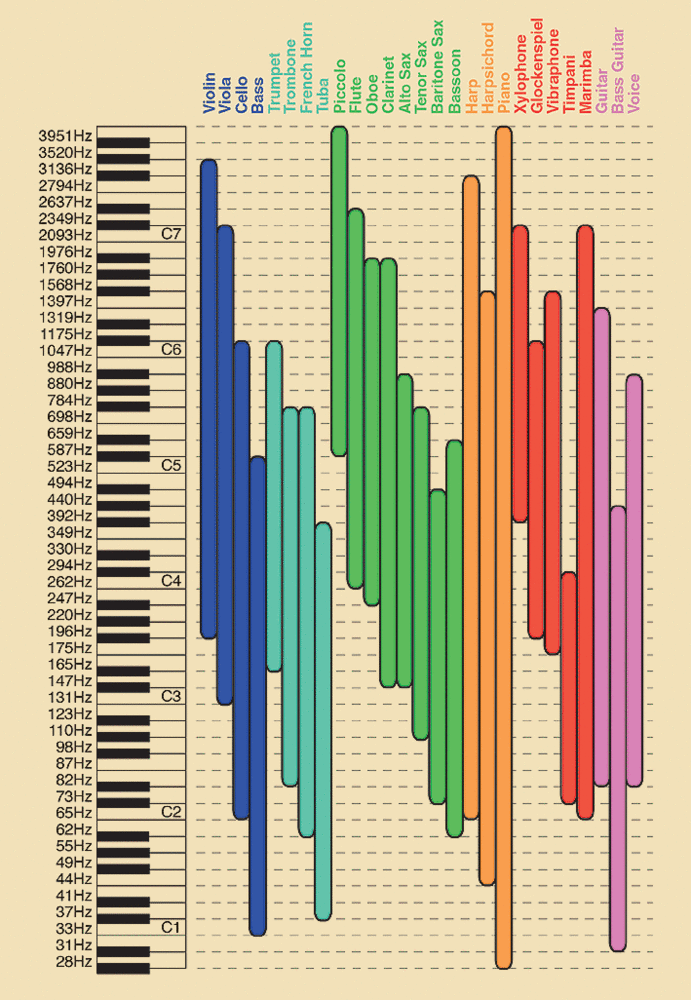
How to Equalize Your Voice: A Guide to Software And Apps
Are you struggling to get the best out of your voice recordings? Do you want to enhance the quality of your vocals without breaking the bank? Look no further! In this article, we’ll explore the world of voice equalization software and apps, providing you with a comprehensive guide on how to improve your audio experience.
Understanding Voice Equalization
Before diving into the software and apps, it’s essential to understand what voice equalization is. Simply put, it’s the process of adjusting the frequency balance of an audio signal to make it sound clearer and more pleasant. This involves boosting or cutting specific frequencies to bring out the best in your voice.
Software For Voice Equalization
If you’re looking for free software to get started with, we’ve got you covered. Here are some top picks:
Audacity (Windows/MacOS/Linux)
Audacity is a popular, open-source audio editing software that’s perfect for beginners. It offers a range of tools for voice equalization, including an equalizer and filters.
To use Audacity, follow these steps:
- Download and install the software.
- Import your audio file into Audacity.
- Select the “Effects” menu and choose “Equalization.”
- Adjust the frequency settings to boost or cut specific frequencies.
- Apply the changes and export your edited file.
Garageband (macOS)
GarageBand is a user-friendly digital audio workstation that comes pre-installed on Macs. It’s an excellent choice for voice equalization, with a built-in EQ and filters.
To use GarageBand, follow these steps:
- Launch the software and create a new project.
- Import your audio file into GarageBand.
- Select the “Smart Controls” panel and adjust the EQ settings to boost or cut specific frequencies.
- Apply the changes and export your edited file.
Other Programs For Voice Equalization
If you’re looking for more advanced software, here are some options:
- Ableton Live: A professional digital audio workstation that offers a range of tools for voice equalization.
- Logic PRO: A high-end digital audio workstation that’s perfect for professional sound engineers.
- Adobe Audition: A professional audio editing software that offers advanced tools for voice equalization.
Apps For Voice Equalization
If you prefer to work on your mobile device, here are some top picks:
Ntrack (Android/iOS/iPadOS)
NTrack is a free app that offers a range of features for voice equalization. It’s easy to use and comes with a built-in EQ and filters.
To use nTrack, follow these steps:
- Download and install the app.
- Import your audio file into nTrack.
- Select the “Effects” menu and choose “Equalization.”
- Adjust the frequency settings to boost or cut specific frequencies.
- Apply the changes and export your edited file.
Other Apps For Voice Equalization
If you’re looking for more options, here are some alternatives:
- AudioLab (Android): A free app that offers a range of features for voice equalization.
- AudioMaster (Android/iOS/iPadOS): An app that allows you to edit and equalize audio files.
- GarageBand (iOS/iPadOS): A mobile version of the popular digital audio workstation.
Equalizing Your Voice on a Mixer
If you’re working with a mixer, here are some tips for voice equalization:
- Determine if your mixer has an equalizer with parametric controls.
- Set the Q factor to a low level to boost the available frequencies.
- Act on the various potentiometers in agreement with the chosen gain level, taking into account the frequency characteristics of the voice being processed.
- Pay attention to the effects returned by the midrange frequencies, which can result in nasal and unpleasant tones.
- Intervene promptly on high frequencies (2-8 kHz) to transfer a greater presence while avoiding sibilant.
Conclusion
Voice equalization is an art that requires practice and patience. With the right software or app, you can enhance the quality of your vocals and take your audio experience to the next level. Remember to experiment with different tools and techniques until you find what works best for you.
Frequently Asked Questions
Q: What is voice equalization?
A: Voice equalization is the process of adjusting the frequency balance of an audio signal to make it sound clearer and more pleasant.
Q: What software can I use for voice equalization?
A: Audacity, GarageBand, Ableton Live, Logic PRO, Adobe Audition, nTrack, AudioLab, AudioMaster, and GarageBand (iOS/iPadOS) are some top picks.
Q: How do I use nTrack for voice equalization?
A: Download and install the app, import your audio file, select the “Effects” menu, choose “Equalization,” adjust the frequency settings, apply the changes, and export your edited file.
Q: Can I equalize my voice on a mixer?
A: Yes, but you’ll need to determine if your mixer has an equalizer with parametric controls. Set the Q factor to a low level, act on the various potentiometers in agreement with the chosen gain level, and pay attention to the effects returned by the midrange frequencies.
Q: What are some tips for voice equalization?
A: Experiment with different tools and techniques until you find what works best for you. Pay attention to the frequency characteristics of the voice being processed, avoid nasal and unpleasant tones, and intervene promptly on high frequencies (2-8 kHz).
Q: Can I use GarageBand for voice equalization on my mobile device?
A: Yes, download and install the app, import your audio file, select the “Smart Controls” panel, adjust the EQ settings, apply the changes, and export your edited file.
Q: What are some other apps for voice equalization?
A: AudioLab (Android), AudioMaster (Android/iOS/iPadOS), and GarageBand (iOS/iPadOS) are some alternatives.
Q: Can I use Adobe Audition for voice equalization?
A: Yes, this professional audio editing software offers advanced tools for voice equalization.


