
The Ultimate Guide to Opening And Converting Odt Files
Are you struggling to open or convert ODT files on your computer or mobile device? Look no further! This comprehensive guide will walk you through the steps to open and convert ODT files using various software, online tools, and mobile apps.
What is an Odt File?
Before we dive into the solutions, let’s first understand what an ODT file is. An ODT file is a document format used by OpenOffice and other office suites that are compatible with OpenDocument. It’s a text-based format that can be easily opened and edited using various software.
Opening Odt Files on Windows
If you’re using Windows, the easiest way to open an ODT file is to use LibreOffice, a free and open-source office suite. Here’s how:
- Download and install LibreOffice from the official website.
- Once installed, open LibreOffice by double-clicking on its icon.
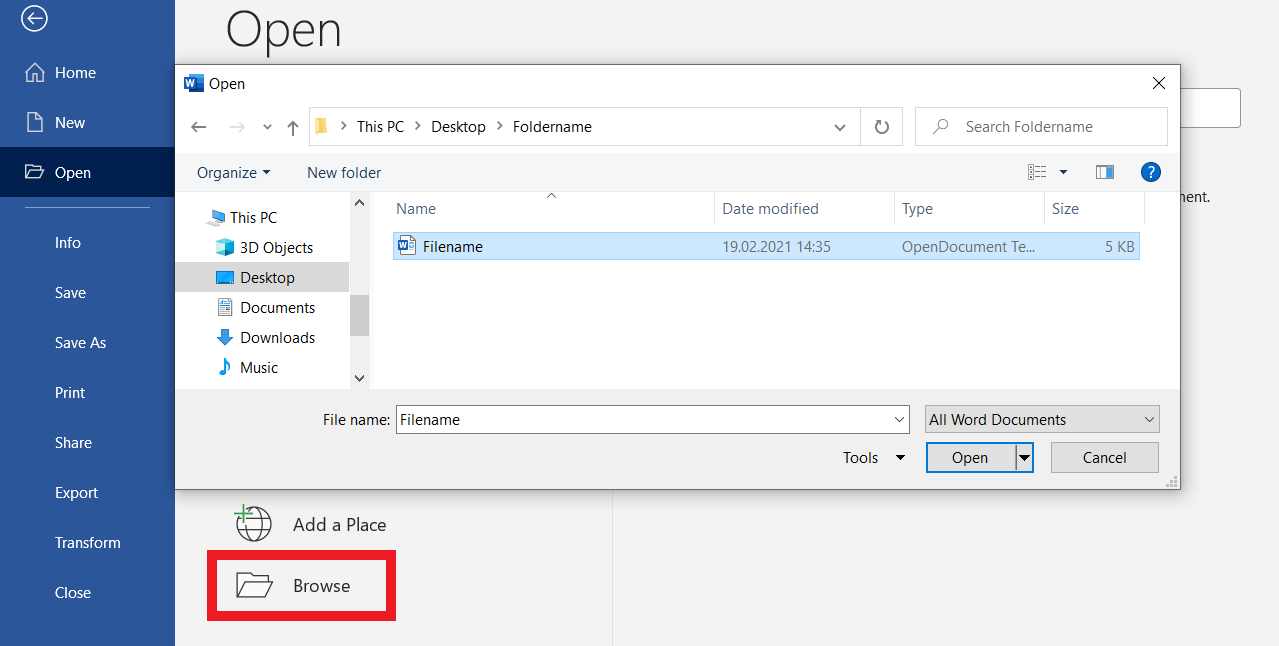
- Click on “File” > “Open” and navigate to the location of your ODT file.
- Select the file and click “Open.”
Opening Odt Files on Macos
If you’re using a Mac, you can also use LibreOffice to open an ODT file:
- Download and install LibreOffice from the official website.
- Once installed, open LibreOffice by double-clicking on its icon.
- Click on “File” > “Open” and navigate to the location of your ODT file.
- Select the file and click “Open.”
Opening Odt Files Online
If you don’t want to install software or prefer a web-based solution, you can use Word Online:
- Go to the Microsoft website and sign in with your Microsoft account.
- Click on “Word” > “Open” and select the file from your computer or OneDrive.
- Wait for the file to upload and then click on it to open.
Opening Odt Files on Mobile Devices
If you’re using a mobile device, you can use the Word app:
- Download and install the Word app from the App Store (for iOS) or Google Play Store (for Android).
- Open the app and sign in with your Microsoft account.
- Click on “Open” and select the file from your device.
Converting Odt Files
If you need to convert an ODT file to another format, such as DOCX or PDF, you can use LibreOffice:
- Open LibreOffice and click on “File” > “Save As.”
- Select the desired format and click “Save.”
Alternatively, you can use online tools like DocsPal:
- Go to the DocsPal website and upload your ODT file.
- Choose the output format and click “Convert.”
- Download the converted file.
Mobile Apps For Converting Odt Files
If you’re on-the-go, you can use mobile apps like Rows Converter (for Android) or The Document Converter (for iOS):
- Download and install the app from the App Store or Google Play Store.
- Open the app and select the input format as ODT.
- Choose the output format and click “Convert.”
- Wait for the file to convert and then download it.
Troubleshooting
If you’re experiencing issues opening or converting ODT files, try checking for corruption by using software like Recover My Files. If the issue persists, contact Microsoft support for further assistance.
Conclusion
In conclusion, opening and converting ODT files is a straightforward process that can be accomplished using various software, online tools, and mobile apps. By following the steps outlined in this guide, you’ll be able to open and convert ODT files with ease.
Frequently Asked Questions (FAQs)
- What is an Odt File?
An ODT file is a document format used by OpenOffice and other office suites that are compatible with OpenDocument. - How do I Open an Odt File on Windows?
You can use LibreOffice to open an ODT file on Windows. - How do I Convert an Odt File to Another Format?
You can use LibreOffice or online tools like DocsPal to convert an ODT file to another format. - What Are The Best Mobile Apps For Converting Odt Files?
Some popular mobile apps for converting ODT files include Rows Converter (for Android) and The Document Converter (for iOS). - How do I Troubleshoot Issues Opening or Converting Odt Files?
You can use software like Recover My Files to check for corruption, and contact Microsoft support for further assistance. - Can I Open an Odt File on a Mac?
Yes, you can use LibreOffice to open an ODT file on a Mac. - How do I Convert an Odt File to Pdf?
You can use LibreOffice or online tools like DocsPal to convert an ODT file to PDF. - What Are The System Requirements For Opening And Converting Odt Files?
The system requirements vary depending on the software or app used, but generally, you’ll need a computer or mobile device with internet access.


