
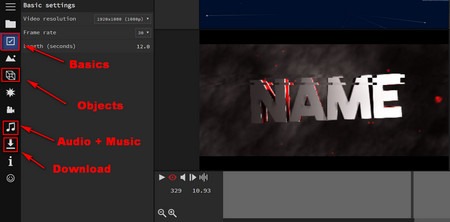
Creating a Compelling Intro Video For Your Youtube Channel: A Step-by-step Guide
Are you ready to take your YouTube channel to the next level? One of the most effective ways to do so is by creating a captivating intro video that showcases your brand and personality. In this article, we’ll explore the world of intro videos, highlighting the best tools and techniques to help you create an engaging and professional-looking intro for your YouTube channel.
Why Create an Intro Video?
Before diving into the nitty-gritty of creation, let’s talk about why a good intro video is essential for any YouTube channel. An intro video serves as a visual representation of your brand, allowing viewers to get a sense of what you’re all about. It sets the tone for your content and can help establish a connection with your audience.
Choosing The Right Tool
With so many options available, selecting the right tool for creating an intro video can be overwhelming. Let’s take a closer look at some popular tools that can help you achieve professional-looking results:
- Clipchamp: This free video editing app is available for Windows and offers a user-friendly interface perfect for beginners.
- Imovie: If you’re using a Mac, iMovie is an excellent choice. This free app allows you to create stunning videos with ease.
- Wondershare Filmora: This intuitive video editor offers a range of features, including color adjustment and visual effects.
Getting Started
Once you’ve chosen your tool, it’s time to start creating! Here are some essential steps to follow:
- Brainstorm Ideas: Take some time to brainstorm ideas for your intro video. Think about what makes your channel unique and how you can showcase that in a visually appealing way.
- Plan Your Script: Write down a script that highlights the key aspects of your channel. Keep it concise, but engaging enough to capture viewers’ attention.
- Gather Assets: Collect any necessary assets, such as images or videos, to make your intro video more compelling.
- Design And Edit: Use your chosen tool to design and edit your intro video. Don’t hesitate to experiment with different templates, colors, and effects.
Tips For Creating a Compelling Intro Video
Here are some additional tips to help you create an intro video that resonates with your audience:
- Keep it Simple: Avoid cluttering your intro video with too much information. Focus on showcasing the most important aspects of your channel.
- Make it Engaging: Incorporate elements that will grab viewers’ attention, such as animations or transitions.
- Consistency is Key: Ensure that your intro video aligns with your brand’s tone and style.
Conclusion
Creating an engaging intro video for your YouTube channel requires a combination of creativity and technical expertise. By choosing the right tool and following these steps, you can create a captivating intro video that showcases your brand and personality.
Faqs:
Here are eight frequently asked questions related to creating an intro video for your YouTube channel:
- What’s The Best Tool For Creating an Intro Video?
- There are many excellent tools available, including Clipchamp, iMovie, and Wondershare Filmora. The choice ultimately depends on your personal preference and the type of content you’re creating.
- How do I Make my Intro Video Engaging?
- To create an engaging intro video, focus on showcasing the most important aspects of your channel. Incorporate elements that will grab viewers’ attention, such as animations or transitions.
- What’s The Ideal Length For an Intro Video?
- The ideal length for an intro video varies depending on your content and audience. As a general rule, keep it concise and under 10 seconds.
- Can I Use Images in my Intro Video?
- Yes, you can definitely use images in your intro video. Make sure they’re high-quality and relevant to your channel’s theme.
- How Often Should I Update my Intro Video?
- Update your intro video whenever there are significant changes to your channel or brand identity.
- What Are Some Popular Templates For Intro Videos?
- There are many excellent templates available, including those from Canva and Adobe Premiere Pro. Experiment with different options to find the one that works best for you.
- Can I Create an Animated Intro Video Without Coding Skills?
- Yes, it’s possible to create an animated intro video without coding skills. Utilize tools like Wondershare Filmora or Clipchamp, which offer a range of animation features and templates.
- How Can I Make my Intro Video More Professional-looking?
- To make your intro video look more professional, focus on using high-quality assets, experimenting with color palettes, and investing time in editing and fine-tuning your video.


