
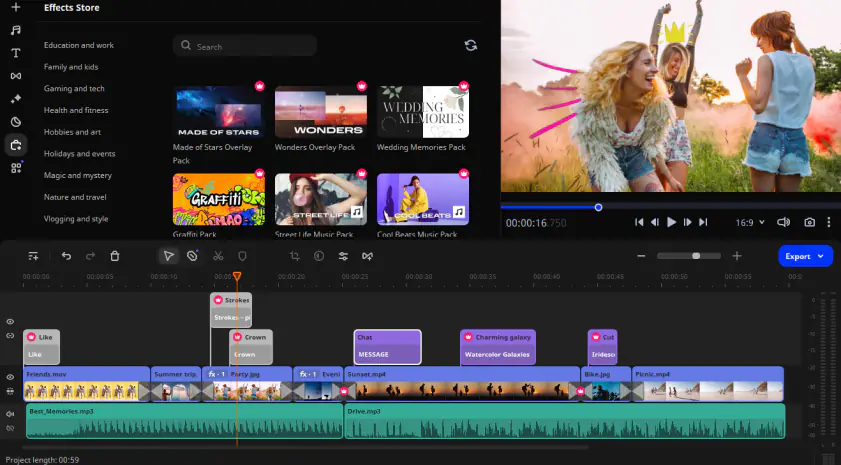
Creating Memorable Videos: A Step-by-step Guide to Making Engaging Video Content
As a content creator, you’re likely no stranger to the power of visual storytelling. With the rise of video consumption, it’s essential to create engaging videos that captivate your audience and leave a lasting impression. In this article, we’ll explore the best applications for making video with photo on various platforms, including Android, iPhone, Windows, and Mac.
Why Make Video With Photo?
Making video with photo is an excellent way to tell stories, showcase products or services, and create engaging content that resonates with your audience. With the right tools, you can create high-quality videos that are both informative and entertaining.
Best Applications For Making Video With Photo on Android
If you’re using an Android device, there are several applications that can help you make video with photo. Here are some of the best ones:
- Google Photos: This application allows you to create a slideshow of your photos set to music.
- Gopro Quik: Developed by GoPro, this app enables you to create engaging videos from your photos and videos.
- Actiondirector: With this app, you can create professional-looking videos using your photos and videos.
Best Applications For Making Video With Photo on Iphone
If you’re an iPhone user, here are some of the best applications for making video with photo:
- Imovie: This is a free application that allows you to create professional-looking videos from your photos and videos.
- Clips: Developed by Apple, this app enables you to create engaging videos using your photos and videos.
- Lumafusion: With this app, you can create high-quality videos using your photos and videos.
Best Applications For Making Video With Photo on Windows
If you’re a Windows user, here are some of the best applications for making video with photo:
- Microsoft Clipchamp: This is a free application that allows you to create professional-looking videos from your photos and videos.
- Wondershare Filmora: With this app, you can create high-quality videos using your photos and videos.
- Davinci Resolve: This is a powerful video editing software that allows you to create professional-looking videos.
Best Applications For Making Video With Photo on Mac
If you’re a Mac user, here are some of the best applications for making video with photo:
- Imovie: This is a free application that allows you to create professional-looking videos from your photos and videos.
- Wondershare Filmora: With this app, you can create high-quality videos using your photos and videos.
- Davinci Resolve: This is a powerful video editing software that allows you to create professional-looking videos.
Making Video With Photo Online
If you don’t have the right tools or software installed on your device, don’t worry! There are several online services that allow you to make video with photo using just your browser. Here are some of the best ones:
- Canva: This is a free online service that allows you to create professional-looking videos from your photos and videos.
- Visme: With this service, you can create high-quality videos using your photos and videos.
Conclusion
Making video with photo is an excellent way to tell stories, showcase products or services, and create engaging content that resonates with your audience. By choosing the right application for your platform, you can create high-quality videos that are both informative and entertaining.
Frequently Asked Questions (FAQs)
Here are some frequently asked questions related to making video with photo:
- What is the best application for making video with photo on Android?
- How do I make a video with photo using Google Photos?
- Can I make a video with photo using my iPhone?
- What are some of the best applications for making video with photo on Windows?
- Can I use DaVinci Resolve to make a video with photo?
Answers
- The best application for making video with photo on Android is Google Photos.
- To make a video with photo using Google Photos, you can follow these steps:
- Open Google Photos and select the photos you want to include in your video.
- Tap on the “Select” icon at the bottom of the screen.
- Choose the order in which you want the photos to appear in your video.
- Yes, you can make a video with photo using your iPhone.
- Some of the best applications for making video with photo on Windows include Microsoft Clipchamp and Wondershare Filmora.
- Yes, you can use DaVinci Resolve to make a video with photo.


