
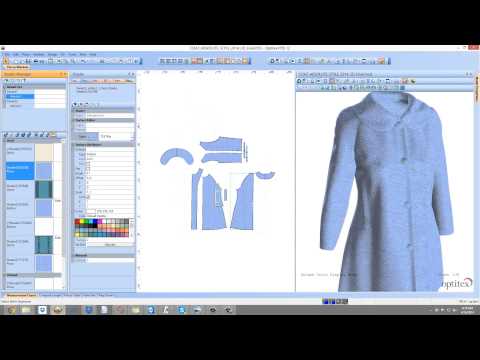
Unlocking The Power of 3D Fashion Design: The Ultimate Guide
Are you a fashion designer looking to take your skills to the next level? Do you want to create stunning, high-quality designs that will set you apart from the rest? Look no further than 3D fashion design. In this article, we’ll explore the world of 3D fashion design and show you how to unlock its full potential.
The Benefits of 3D Fashion Design
3D fashion design offers a range of benefits for fashion designers. By creating digital models of clothing and accessories, you can:
- Save time and money by reducing the need for physical prototypes
- Increase precision and accuracy in your designs
- Experiment with new ideas and concepts without the risk of wasting resources
- Create highly detailed and realistic designs that showcase your skills
The Best Software For 3D Fashion Design
There are many software options available for 3D fashion design, but some stand out from the rest. Here are a few of the best:
Blender (Windows/MacOS/Linux)
Blender is a free, open-source software that’s perfect for beginners and experienced designers alike. With its intuitive interface and vast range of features, Blender is an excellent choice for creating 3D models.
- Download Blender from the official website
- Follow the installation instructions to get started
- Experiment with the various tools and features to create your first 3D model
Clo 3D (Windows/MacOS)
Clo 3D is a professional-grade software that’s specifically designed for fashion designers. With its user-friendly interface and range of features, Clo 3D is an excellent choice for creating high-quality 3D models.
- Sign up for a free trial to try out the software
- Follow the installation instructions to get started
- Experiment with the various tools and features to create your first 3D model
Adobe Substance 3D (Windows/MacOS)
Adobe Substance 3D is a suite of software that’s specifically designed for creating 3D models. With its range of features and user-friendly interface, Adobe Substance 3D is an excellent choice for fashion designers.
- Sign up for a free trial to try out the software
- Follow the installation instructions to get started
- Experiment with the various tools and features to create your first 3D model
Tips And Tricks For Mastering 3D Fashion Design
Mastering 3D fashion design takes time and practice, but here are some tips and tricks to help you along the way:
- Experiment With Different Software: Try out different software options to find the one that works best for you.
- Practice Regularly: The more you practice, the better you’ll become at creating high-quality 3D models.
- Watch Tutorials And Online Courses: There are many resources available online to help you learn new skills and techniques.
- Join a Community of Designers: Connecting with other designers can be a great way to get feedback and support.
Conclusion
3D fashion design is an exciting and rapidly evolving field, offering endless opportunities for creativity and innovation. By mastering the software and techniques outlined in this guide, you’ll be well on your way to becoming a skilled 3D fashion designer.
Frequently Asked Questions (FAQs)
Here are some frequently asked questions about 3D fashion design:
-
What is 3D Fashion Design?
- 3D fashion design involves creating digital models of clothing and accessories using specialized software.
-
What Are The Benefits of 3D Fashion Design?
-
The benefits of 3D fashion design include increased precision and accuracy, reduced need for physical prototypes, and enhanced creativity and innovation.
-
Which Software is Best For 3D Fashion Design?
-
There are many software options available for 3D fashion design, including Blender, Clo 3D, and Adobe Substance 3D.
-
How do I Get Started With 3D Fashion Design?
-
To get started with 3D fashion design, download a software option, follow the installation instructions, and experiment with the various tools and features.
Still Have Questions? Contact Us!
If you have any questions or need further assistance, don’t hesitate to contact us. We’re here to help!


