
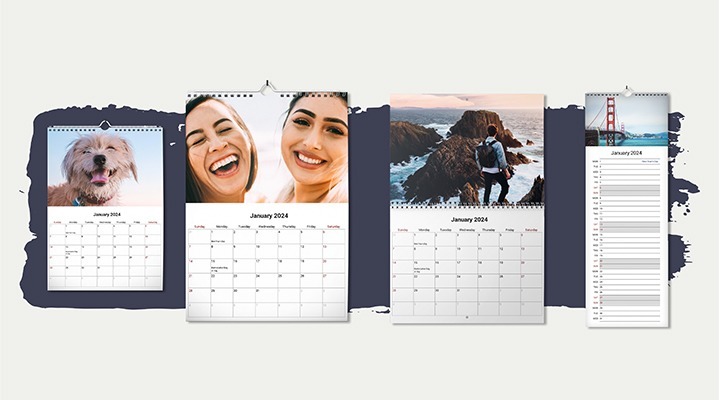
Creating Personalized Calendars: A Guide to Making Your Own
As we strive to stay organized and connected with our schedules, having a personalized calendar can be a wonderful tool. However, buying one off the shelf might not always fit your style or preferences. That’s why today, we’re going to explore how you can create your very own customized calendar using various online services, software programs, and even mobile apps.
The Benefits of Creating Your Own Personalized Calendar
Before we dive into the nitty-gritty, let’s discuss the advantages of making your own personalized calendar. Not only will it reflect your personality and style, but it’ll also help you stay on top of your schedule with ease. With a customized calendar, you can add personal touches like photos, memories, or important dates that hold significance to you.
Canva: A Versatile Online Service For Creating Personalized Calendars
If you’re looking for an online service that’s easy to use and offers a wide range of customization options, Canva is the way to go. This web-based application (available on both desktop and mobile devices) allows you to create various types of documents, including calendars, with just a few clicks.
Here are some steps to follow when using Canva for creating personalized calendars:
- Sign up for a free account or upgrade to Canva Pro for more advanced features.
- Search for the “calendars” category and browse through their extensive template library.
- Choose a pre-made calendar template that suits your style, or create one from scratch.
- Customize the design by adding photos, shapes, lines, icons, and text as needed.
- Download your finished calendar in various formats.
Other Online Services For Printing Personalized Calendars
If you prefer to print your personalized calendars directly from a website, there are several services available. Here are some options:
- 12Print: A dedicated platform for printing photo calendars with prices starting at €6.50 Per calendar.
- Photosì: Another user-friendly service that allows you to create and print photographic calendars in various formats.
- Pixartprinting: A convenient online service where you can upload your own design or use their templates.
Using Software Programs For Creating Personalized Calendars
If you prefer a more hands-on approach, software programs like Adobe Photoshop, GIMP, and Microsoft Publisher can help you create customized calendars from scratch.
Here’s a brief overview of how to use each program:
- Photoshop: Create a new document with the desired dimensions and resolution. Use the Section tool to divide your canvas into sections for days, weeks, or months. Add text and images as needed.
- Gimp: This free and open-source software offers similar features to Photoshop. Follow the same steps as above to create your personalized calendar.
- Publisher: Choose a pre-made template or start from scratch using this desktop publishing software. Customize your design by adding shapes, lines, icons, and text.
Mobile Apps For Creating Personalized Calendars
If you’re on-the-go or prefer a mobile app experience, there are several options available:
- Canva (iOS/Android): This versatile app allows you to create various documents, including calendars.
- Microsoft Excel (iOS/Android): Use their pre-made templates or start from scratch using this popular spreadsheet software.
- Photographic Calendar Person (iOS/iPadOS): A user-friendly app that lets you create personalized calendars with ease.
Conclusion
Creating your own personalized calendar is a fun and creative way to stay organized and connected with your schedule. With the various online services, software programs, and mobile apps available, it’s never been easier to make your calendar truly unique and reflective of your personality.
Whether you’re looking for an online service like Canva or a software program like Photoshop, there’s something out there that suits your style and preferences. So go ahead, get creative, and start designing your very own personalized calendar today!
Frequently Asked Questions
Here are some common questions and answers related to creating personalized calendars:
- Q: What is the best online service for creating personalized calendars?
A: Canva offers a wide range of customization options and user-friendly interface. - Q: Which software program is most suitable for beginners?
A: GIMP is a free and open-source software that’s easy to learn and use. - Q: How do I add photos or images to my personalized calendar?
A: You can upload your own photos directly to online services like Canva or add them using software programs like Photoshop or Publisher. - Q: Are there any mobile apps available for creating personalized calendars?
A: Yes, several apps like Canva and Microsoft Excel offer pre-made templates and customization options. - Q: What are the benefits of creating a personalized calendar?
A: It allows you to stay organized, add personal touches, and reflect your personality. - Q: Are there any costs associated with creating personalized calendars?
A: Some online services may charge for printing or advanced features, but most software programs and mobile apps are free or offer free versions.


