
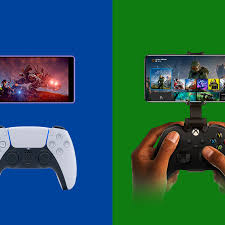
How to Connect Your Phone to a Ps5: A Comprehensive Guide
Are you tired of sacrificing gaming time to family members who want to watch TV? Do you wish you could play your favorite games on the go, without having to give up control of the TV? Look no further! In this article, we’ll show you how to connect your phone to a PS5 and take advantage of remote play.
What is Remote Play?
Remote play allows you to play your PS5 games on your mobile device, whether it’s an Android or iOS smartphone. This means you can enjoy your favorite games in the comfort of your own home, without having to give up control of the TV. With remote play, you’ll be able to connect your phone to your PS5 and start playing right away.
How to Connect Your Phone to a Ps5
Connecting your phone to a PS5 is relatively easy. Here’s what you need to do:
- Enable Remote Play on Your Ps5: The first step is to enable remote play on your PS5. To do this, go to Settings > System > Remote Play and turn it on.
- Download The PS Remote Play App: Next, download the PS Remote Play app from the Google Play Store or Apple App Store.
- Launch The App: Launch the app on your phone and sign in with your PlayStation Network (PSN) account.
- Connect to Your Ps5: Once you’ve signed in, select your PS5 from the list of available devices and connect to it.
- Start Playing: With your phone connected to your PS5, you can start playing games right away.
How to Use Remote Play
Using remote play is easy and straightforward. Here’s what you need to know:
- Use Your Phone as a Controller: You can use your phone as a controller for your PS5 games, allowing you to play from anywhere in the house.
- Enjoy HD Video Quality: Remote play allows you to enjoy high-definition video quality on your phone, making it feel like you’re playing on the TV.
- Play With Friends And Family: With remote play, you can invite friends and family members to join you in game night, even if they don’t have a PS5.
Tips And Tricks
Here are some tips and tricks to keep in mind when using remote play:
- Use a Stable Internet Connection: To ensure smooth gameplay, make sure your internet connection is stable and fast.
- Keep Your Phone Charged: Keep your phone charged at all times to avoid interruptions during gameplay.
- Experiment With Different Settings: Experiment with different settings to find the best configuration for your gaming experience.
Frequently Asked Questions
Here are some frequently asked questions about remote play:
- Q: Can I Use Remote Play on Multiple Devices?
A: Yes, you can use remote play on multiple devices, such as your phone and tablet. - Q: Do I Need a Stable Internet Connection to Use Remote Play?
A: Yes, you’ll need a stable internet connection to use remote play. - Q: Can I Invite Friends And Family Members to Join me in Game Night Using Remote Play?
A: Yes, with remote play, you can invite friends and family members to join you in game night.
Conclusion
Remote play is an amazing feature that allows you to take your PS5 gaming experience on the go. With this guide, you should now have a clear understanding of how to connect your phone to a PS5 and start playing games right away. Happy gaming!
Faqs
- Q: Can I Use Remote Play on my Iphone?
A: Yes, remote play is available on iOS devices. - Q: Do I Need a Stable Internet Connection to Use Remote Play?
A: Yes, you’ll need a stable internet connection to use remote play. -
Q: Can I Invite Friends And Family Members to Join me in Game Night Using Remote Play?
A: Yes, with remote play, you can invite friends and family members to join you in game night. -
Q: What is The Minimum System Requirement For Remote Play?
A: The minimum system requirement for remote play is a stable internet connection of at least 5 Mbps. -
Q: Can I Use Remote Play on my Pc?
A: Yes, remote play is available on PC devices. -
Q: Do I Need to Purchase Any Additional Hardware or Software to Use Remote Play?
A: No, you don’t need to purchase any additional hardware or software to use remote play. -
Q: Can I Use Remote Play With my Ps5’s Dualsense Controller?
A: Yes, you can use your PS5’s DualSense controller with remote play. -
Q: Is Remote Play Available on All Playstation Games?
A: Remote play is available on most PlayStation games, but not all of them.


