
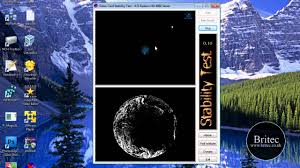
How to Test Your Graphics Card: A Comprehensive Guide
Are you curious about the performance of your graphics card? Do you want to know if it’s up to par with the latest games or demanding applications? Testing your graphics card can help you determine its capabilities and make informed decisions about upgrading or optimizing your system. In this article, we’ll explore various methods for testing your graphics card on Windows, macOS, and Linux.
Why Test Your Graphics Card?
Testing your graphics card can provide valuable insights into its performance, stability, and compatibility with specific applications. By running stress tests, you can:
- Identify Bottlenecks: Determine if your graphics card is the bottleneck in your system, preventing it from delivering optimal performance.
- Benchmark Performance: Compare your graphics card’s performance to that of others, helping you make informed decisions about upgrading or optimizing your system.
- Diagnose Issues: Pinpoint potential problems with your graphics card, such as overheating, compatibility issues, or driver conflicts.
Testing Your Graphics Card on Windows
If you’re using a Windows-based computer, there are several tools to test your graphics card:
- Occt (Overclocking Control And Test): A free software that allows you to stress-test your graphics card with customizable settings.
- Burnintest: A paid tool that tests various system components, including the graphics card, and provides detailed performance metrics.
Testing Your Graphics Card on Macos
For Mac users, there are also several tools to test your graphics card:
- Heaven: A popular software that stress-tests your graphics card with a built-in benchmarking engine.
- Novabench: A free tool that tests the performance of your graphics card, as well as other system components.
Testing Your Graphics Card on Linux
If you’re using a Linux-based computer, here are some tools to test your graphics card:
- Heaven: Also available for Linux, this software can stress-test your graphics card and provide detailed performance metrics.
- Valley: A free tool that tests the performance of your graphics card by rendering a 3D scene with various settings.
- Cinebench: A free program that stress-tests your graphics card and processor while rendering a complex 3D animation.
Other Solutions to Test Your Graphics Card
In addition to these specialized tools, there are other solutions to test your graphics card:
- Benchmarking Software: Utilize benchmarking software like 3DMark or Geekbench to measure the performance of your graphics card and system.
- Graphics-intensive Applications: Run graphics-intensive applications, such as games or video editing software, to stress-test your graphics card.
Faqs
- Q: What is The Best Way to Test my Graphics Card?
A: The best method depends on your specific needs and preferences. You can use specialized tools like OCCT or Heaven, or opt for benchmarking software like 3DMark. - Q: Can I Stress-test my Graphics Card Without Installing Any Software?
A: Yes, you can use built-in Windows features, such as the DirectX Diagnostic Tool (DXDIAG), to test your graphics card. - Q: Will Testing my Graphics Card Affect Its Performance or Lifespan?
A: Testing your graphics card should not have a significant impact on its performance or lifespan, but it’s essential to follow proper stress-testing procedures to avoid potential issues.
Conclusion
Testing your graphics card is an excellent way to determine its capabilities and identify potential bottlenecks. By using specialized tools like OCCT, Heaven, or Novabench, you can stress-test your graphics card and gain valuable insights into its performance. Remember to always follow proper stress-testing procedures and consult the manufacturer’s guidelines for optimal results.
Frequently Asked Questions (FAQs)
- Q: What is The Best Tool to Test my Graphics Card?
A: The best tool depends on your specific needs and preferences. - Q: Can I Use Multiple Tools to Test my Graphics Card?
A: Yes, using multiple tools can provide a more comprehensive understanding of your graphics card’s performance. - Q: Will Testing my Graphics Card Void Its Warranty?
A: Generally, stress-testing your graphics card should not void its warranty, but it’s essential to consult the manufacturer’s guidelines for confirmation.
Additional Resources
- Occt (Overclocking Control And Test): Www.Occt.Com
- Heaven: Www.Heavenuniverse.Com
- Novabench: Www.Novabench.Com
Disclaimer
The information provided in this article is for general purposes only and may not be applicable to specific situations or contexts. It’s essential to consult the manufacturer’s guidelines and follow proper stress-testing procedures to ensure optimal results and avoid potential issues.


